
SnapPro专业截图录屏 端侧 OCR 标注
关于
SnapPro 是 macOS 上最专业的截图和录屏工具。像素级无损捕获、无限时长录屏、端侧 OCR——均无需额外购买。
基于 ScreenCaptureKit、Vision 框架和 Metal 原生构建。针对 Apple Silicon 优化。基础档无水印。录屏无时长限制。
SnapPro 的独特之处
- 全功能解锁、零水印
全屏、区域、窗口、All-in-One 智能截图。无限时长录屏,支持 H.264 和 HEVC 编码。端侧 OCR 文字识别(中英文)。完整标注——箭头、形状、文字、马赛克。全部解锁。
- 端侧 OCR
任意截图中的文字可即刻选中复制。基于 Apple Vision 框架。无云端往返,无「上传到 AI 服务器」延迟。飞机上离线也能用。
- ScreenCaptureKit 原生
Apple 现代捕获 API——Final Cut Pro 和 QuickTime 录屏用的同一套引擎。比传统捕获更锐利、CPU 占用更低、硬件加速。
- AI 智能命名(Pro)
根据截图内容自动命名。「登录表单-错误状态.png」而不是「Screen Shot 2026-05-17 at 3.42.17 PM.png」。用过一次就回不去了。
- 自动隐私模糊(Pro)
人脸自动检测并模糊。敏感文字(邮箱、手机号、API Key、信用卡)在截图发到群里前自动遮挡。
- 专业录屏
H.264、HEVC、ProRes(Pro)编码。系统音频 + 麦克风同时录制。摄像头画中画叠加。自定义录制区域。GIF 导出(Pro)。
- 100% 本地,零遥测
无云端、无追踪、无账号。所有 AI 处理在你的 Mac 本地完成。网络访问仅用于 StoreKit 验证。
SnapPro 适合谁
- 试过 CleanShot X 但接受不了其高价订阅的设计师
- 每天大量截图、需要 OCR 抓错误信息的开发者
- 用过 Kap 或 LICEcap 但需要 ProRes 级输出的人
- 命名过 400 张「Screen Shot ...png」后已经放弃的人
- 想要硬件加速捕获而不是传统 CPU 编码的 Apple Silicon 用户
定价
无限截图、无限录屏(H.264/HEVC)、OCR、标注、快捷键、媒体库均无需额外购买。Pro 通过月度订阅、年度订阅或一次性买断解锁 AI 智能命名、批量截图、自动隐私模糊、GIF 导出、ProRes 编码、导出预设。永远没有水印。
如果你在对比工具
从 CleanShot X、Shottr 或 Snagit 转过来?SnapPro 一个应用配齐:区域截图、滚动截屏拼出长截图、OCR 文字提取、高帧率演示录制与视觉无损录制(ProRes),还能一步把录屏转GIF。
为 Apple 而生
需要 macOS 15.0 或更高版本。针对 Apple Silicon 优化。支持快捷指令自动化。底层 ScreenCaptureKit + Vision + Metal。
反馈
独立开发者 Peter Zhang。所有邮件 obeliskclubclub@gmail.com 都会亲自阅读。
了解更多:https://obelisk.club/snappro-screenshot-record
使用条款(EULA):https://obelisk.club/snappro-screenshot-record/terms
核心能力
专业屏幕录制
支持 H.264、HEVC 和 ProRes 编码,系统音频 + 麦克风同时录制,摄像头画中画叠加,自定义录制区域。
智能截图套件
全屏、区域、窗口截图,All-in-One 智能捕获模式,定时和批量截图,截图标注和编辑。
端侧 AI 智能
OCR 文字识别(完全离线)、智能文件命名、自动内容分析——全部基于 Apple Vision 框架在 Mac 本地处理。
隐私保护
EXIF 元数据一键清除、人脸自动检测与模糊、敏感文字智能识别与遮挡、自定义水印。
智能媒体库
智能分类管理所有截图和录制,快速预览和搜索,一键分享和导出。
基础 + Pro 模式
所有捕获功能均无需额外购买,包括无限截图和 H.264/HEVC 无限录制。Pro 订阅或终身买断解锁 AI 智能命名、批量截图、ProRes、GIF 导出等更多专业功能。
常见问题
- Is SnapPro free, and does it add a watermark?
- The base tier is fully unlocked with no watermark and no time limit on recordings. Fullscreen, area, window and All-in-One capture, unlimited H.264/HEVC screen recording, on-device OCR and the full annotation suite are all included. Pro adds AI smart file naming and automatic privacy blur.
- Does SnapPro's OCR work offline?
- Yes. Text recognition is built on Apple's Vision framework and runs entirely on-device, in both Chinese and English. There is no cloud round-trip, so it works on a plane and your screenshots never leave your Mac.
- How is SnapPro different from the built-in macOS screenshot tool?
- SnapPro uses ScreenCaptureKit — the same modern capture engine as Final Cut Pro and QuickTime — and adds unlimited hardware-accelerated recording, instant OCR text selection in any screenshot, a full annotation suite, and a searchable media library for everything you capture.
- Can SnapPro blur sensitive information automatically?
- With Pro, faces are auto-detected and blurred, and sensitive text such as emails, phone numbers, API keys and credit card numbers is auto-redacted before you share a screenshot.
- Is there a time limit on SnapPro screen recordings?
- No. Screen recording has no time limit and no watermark even on the free base tier, with H.264 and HEVC encoding optimized for Apple Silicon.
界面展示
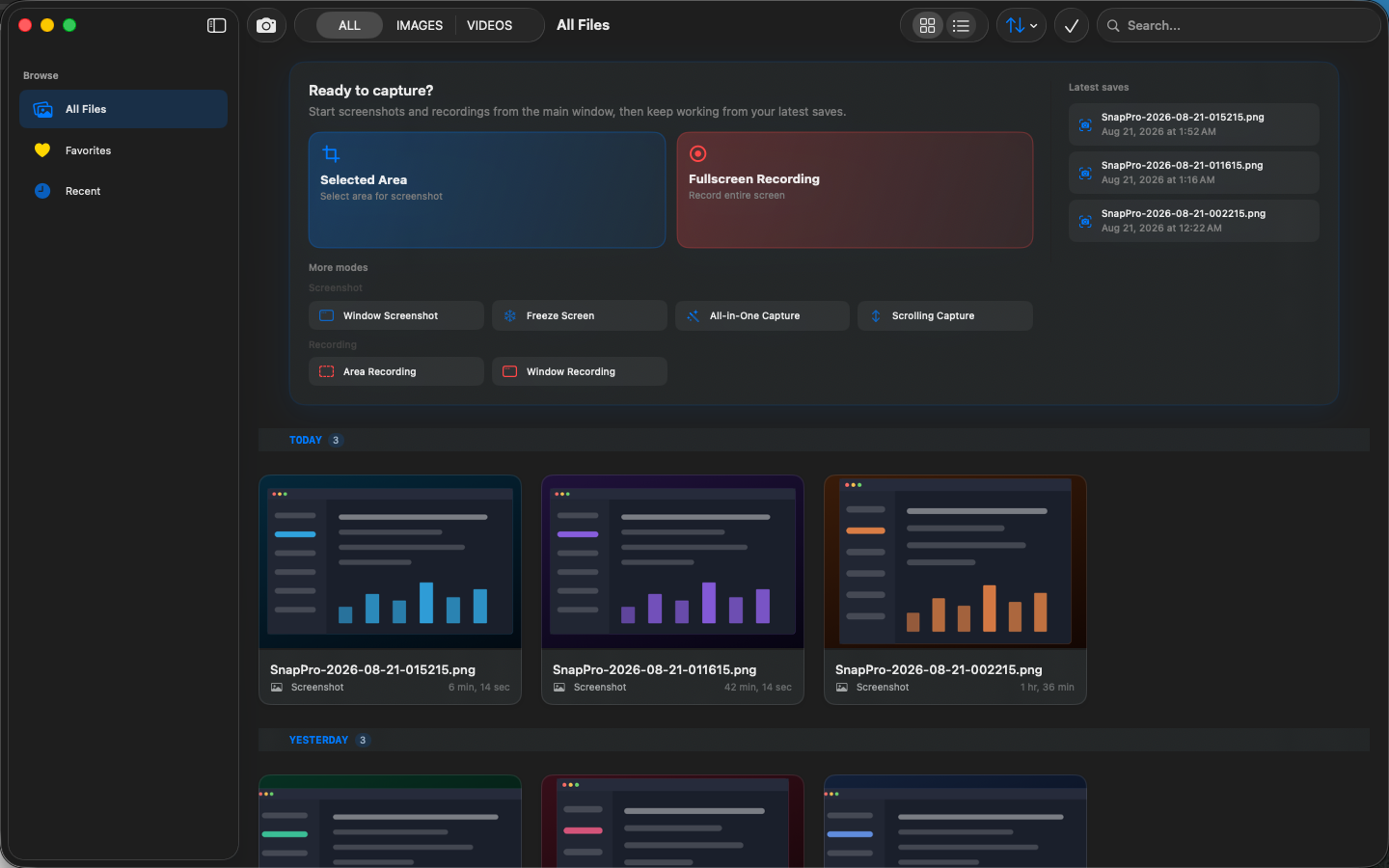
高保真界面
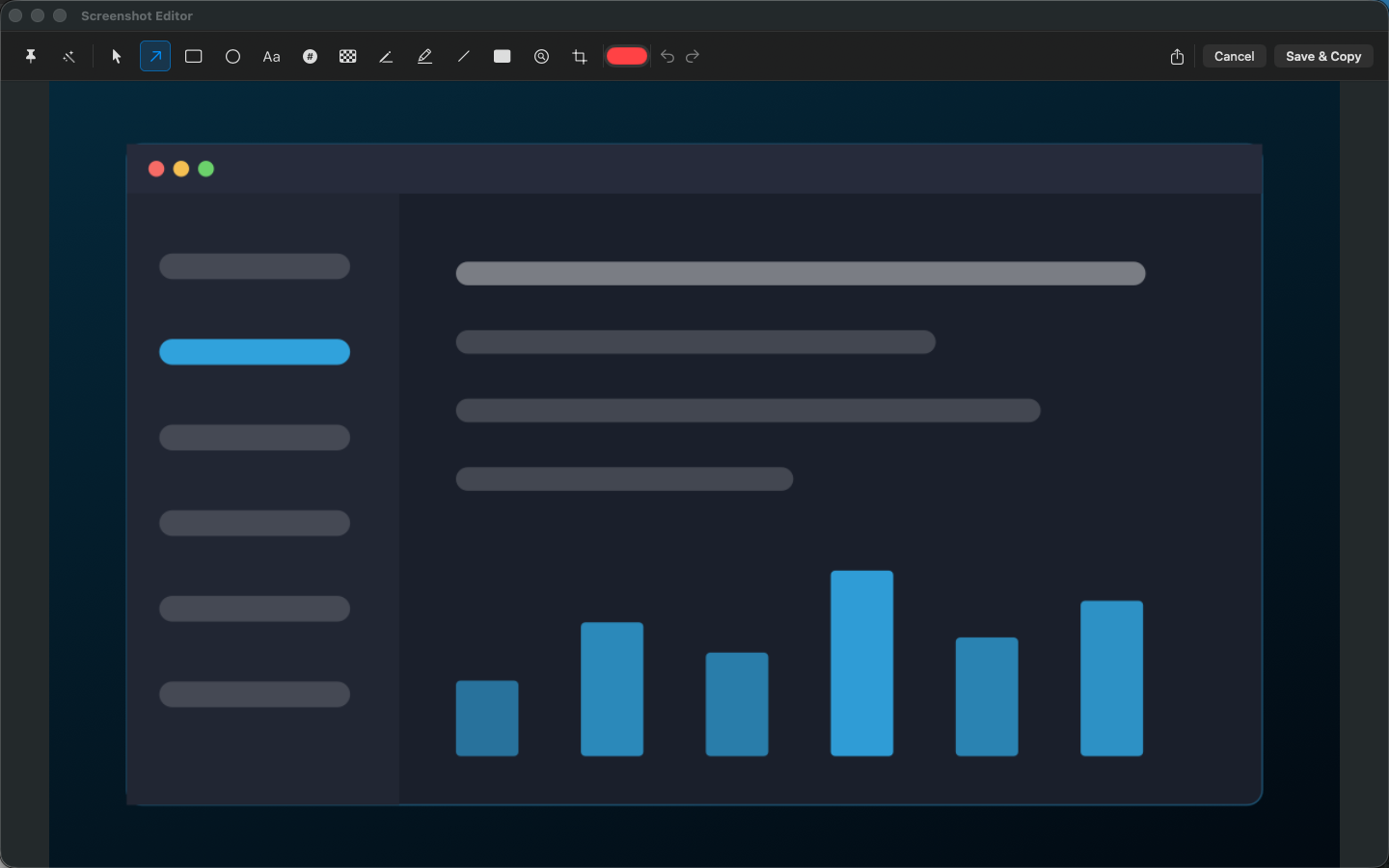
高保真界面
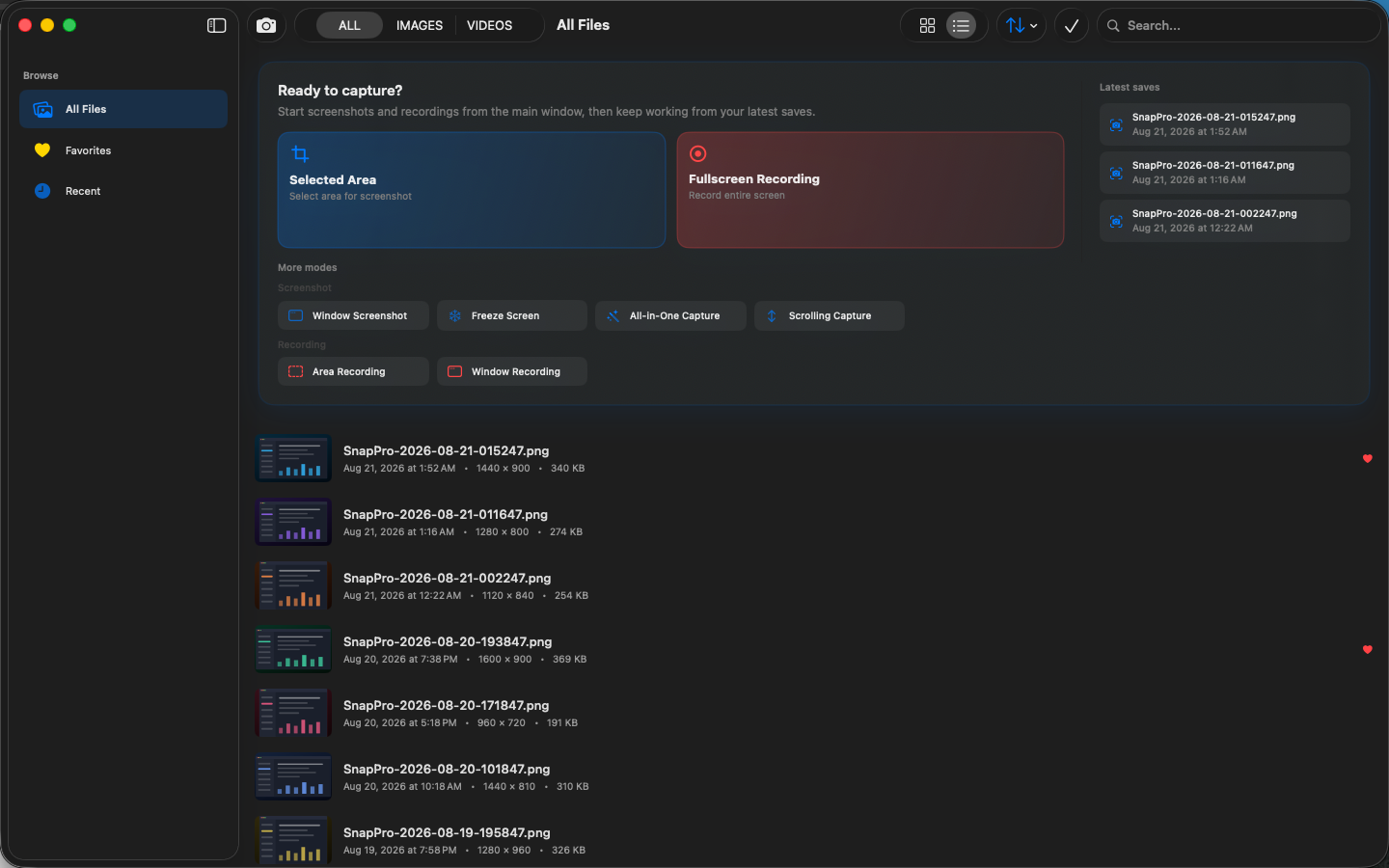
高保真界面
SnapPro 相关指南
How to screen record on a Mac without a watermark (2026 guide)
macOS includes Screenshot and QuickTime for clean recordings. Here is when they are enough, when they fall short, and how SnapPro handles longer captures.
CleanShot X alternatives in 2026 — five options compared, with real prices
CleanShot X is $29 — plus $19/year for updates. Here are five 2026 alternatives compared on price, recording, OCR and privacy, with real numbers.
其他 Obelisk 应用

ViewOne
手机在游乐园拍了 50 张连拍,现在堆在 Mac 里,你又懒得一张张挑。 ViewOne 帮你解决这个问题。把文件夹拖进来,立刻识别每一组连拍。并排对比、轻点挑出心仪的,剩下的一键扔进废纸篓。 挑不出来?交给 AI——它会分析清晰度、曝光、构图甚至表情,帮你找到最佳那张。 — V…

PhotoBridge
影像方舟(PhotoBridge)把 iPhone 照片直接备份到你自己的存储——群晖、QNAP、Nextcloud、AWS S3、MinIO、阿里云 OSS 或外接硬盘。不走第三方云,不订阅陌生人的照片仓库。 专为这些时刻设计:iCloud 账单越看越不爽,或者你只是想把照片放…

SipNote
SipNote 是一款颜值在线的咖啡因与饮品追踪应用,为咖啡、茶、奶茶和功能饮料爱好者打造。专为 iPhone、iPad、Apple Watch 设计,本地优先。 拍照即可通过本地 OCR 自动识别品牌、饮品、规格,无需手动输入。数据始终留在你的设备上。 — SipNote 的独…
SnapPro 与同类工具对比
诚实的逐项对比——包括对方赢的地方。
Mac screenshot and screen recording
SnapPro vs CleanShot X
CleanShot X is the reigning premium screenshot app on the Mac, and it earned that position with genuine polish. SnapPro competes on a different axis: everything runs locally, unlimited recording and OCR ship in the base tier, and there is no cloud account anywhere in the product. Here is an honest look at where each one wins.
Mac screenshot and screen recording
SnapPro vs Shottr
Shottr is a tiny, fast, much-loved Mac screenshot tool with an almost absurdly fair price. It is also screenshot-only — it does not record the screen at all. SnapPro overlaps with Shottr on capture and OCR but adds a full recording stack. Which one fits depends on whether you ever press record.
Mac screenshot and screen recording
SnapPro vs macOS Screenshot
Every Mac ships with a perfectly serviceable screenshot and screen recording tool behind Cmd-Shift-5. It is free, always there, and completely local. SnapPro exists for the people who hit its ceiling — no system audio in recordings, timestamp filenames, minimal markup — often enough to want a real tool.
Mac screenshot tools
SnapPro vs Xnapper
Xnapper is the Mac app that made 'beautiful screenshot in 2 seconds' a product category: automatic padding, rounded corners, a smart-picked gradient background, and social-media presets. SnapPro is a broader capture suite — screenshots plus unlimited screen recording, on-device OCR, and privacy tooling. They overlap on screenshots and diverge sharply everywhere else.