
ViewOne15 分钟挑完 200 张连拍
关于
手机在游乐园拍了 50 张连拍,现在堆在 Mac 里,你又懒得一张张挑。
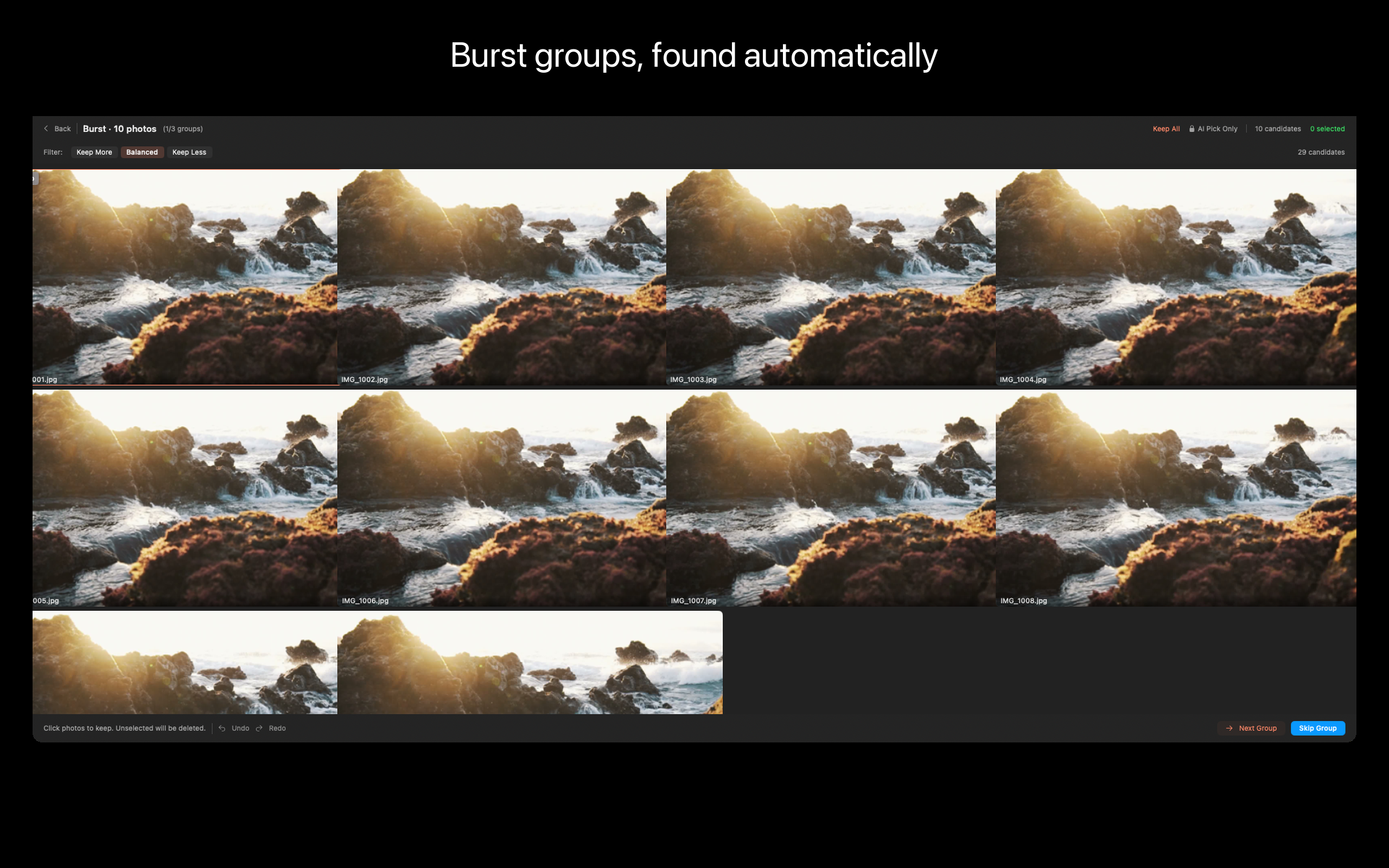
ViewOne 帮你解决这个问题。把文件夹拖进来,立刻识别每一组连拍。并排对比、轻点挑出心仪的,剩下的一键扔进废纸篓。
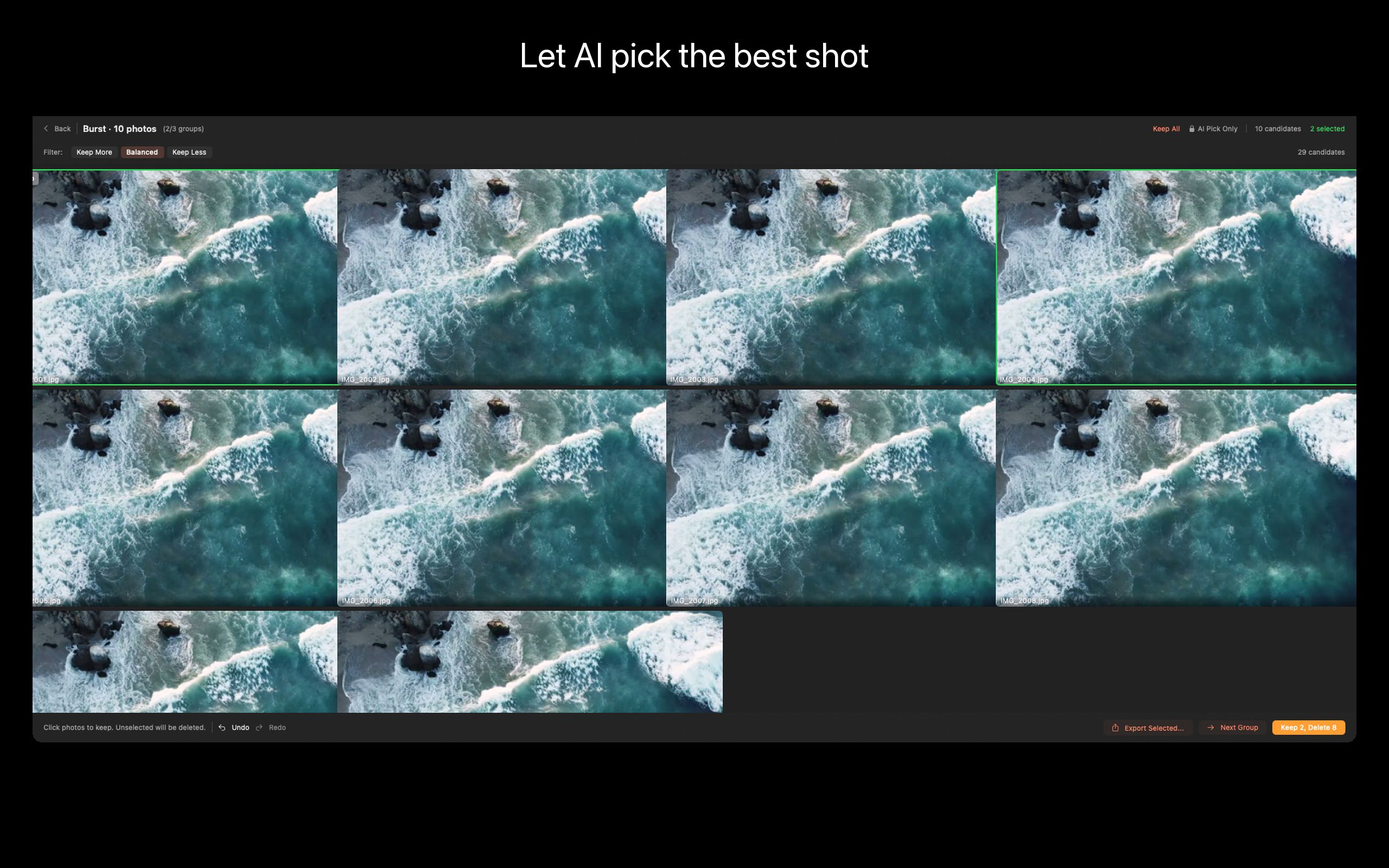
挑不出来?交给 AI——它会分析清晰度、曝光、构图甚至表情,帮你找到最佳那张。
ViewOne 的独特之处
- 自动识别连拍组
拖入任意文件夹,ViewOne 自动把连拍序列分组——不用手动打标签,不用「按 EXIF 排序然后眯眼看时间戳」。iPhone 连拍、单反高速连拍、屏幕录制序列都能识别。
- 并排对比
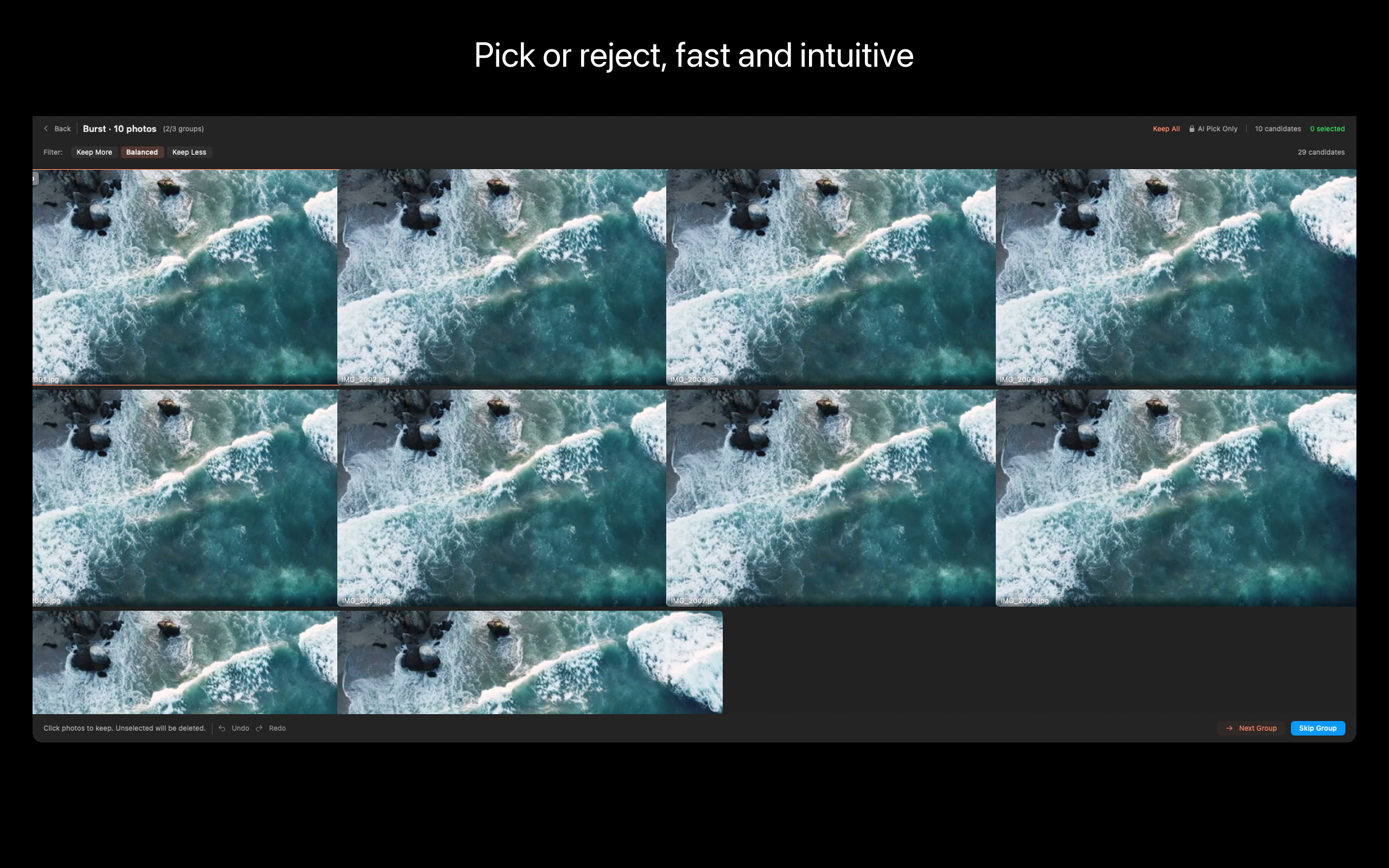
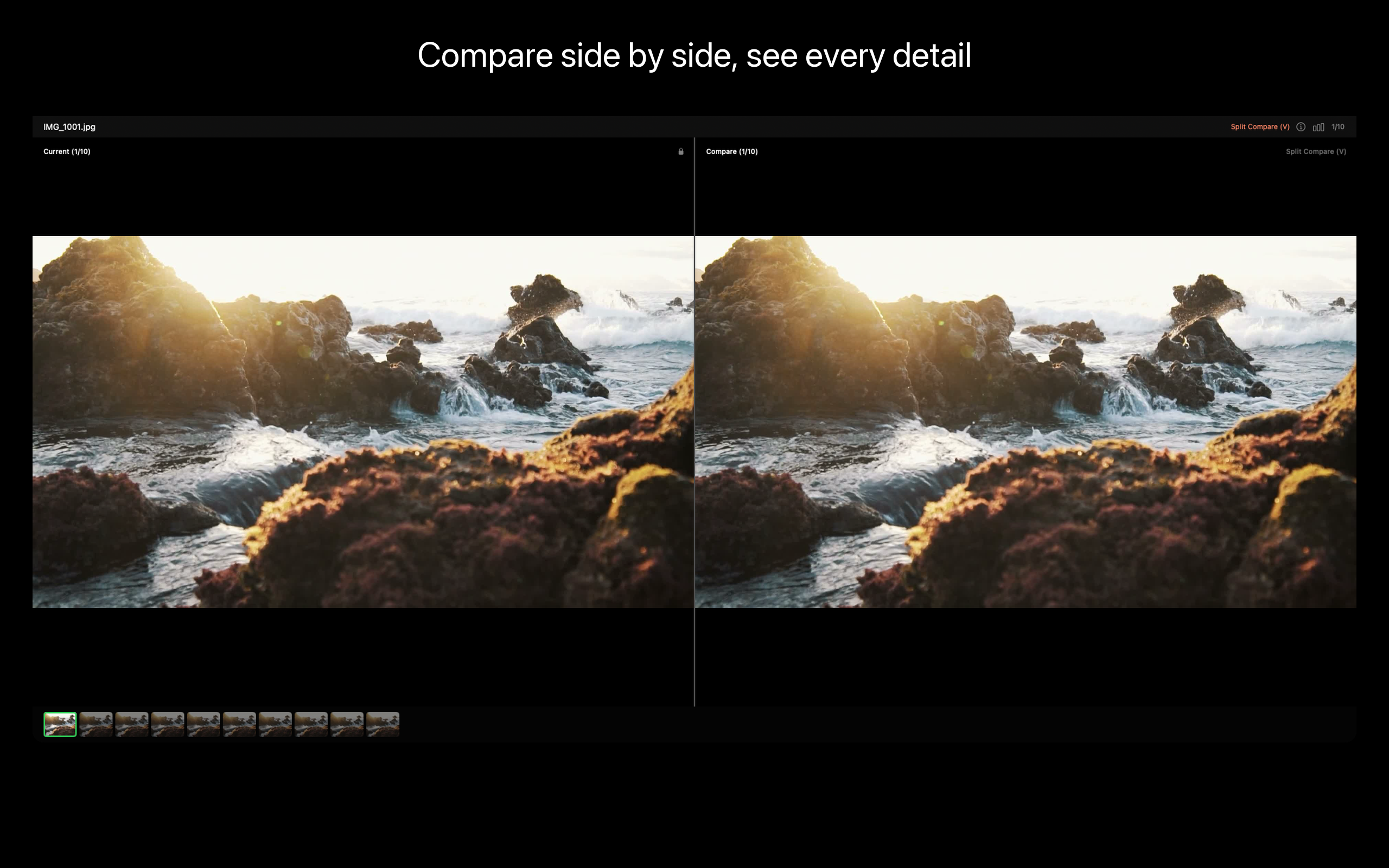
Review 工作台把整组连拍内联展示。V 键开分屏像素级对比。P 键留下、X 键丢弃。键盘优先设计——15 分钟清完 200 张。
- AI 智能推荐(Pro)
AI 跨整组分析清晰度、曝光、构图、表情,自动推荐最佳那张。睁眼、微笑、无运动模糊、构图最佳。你随时可以推翻。
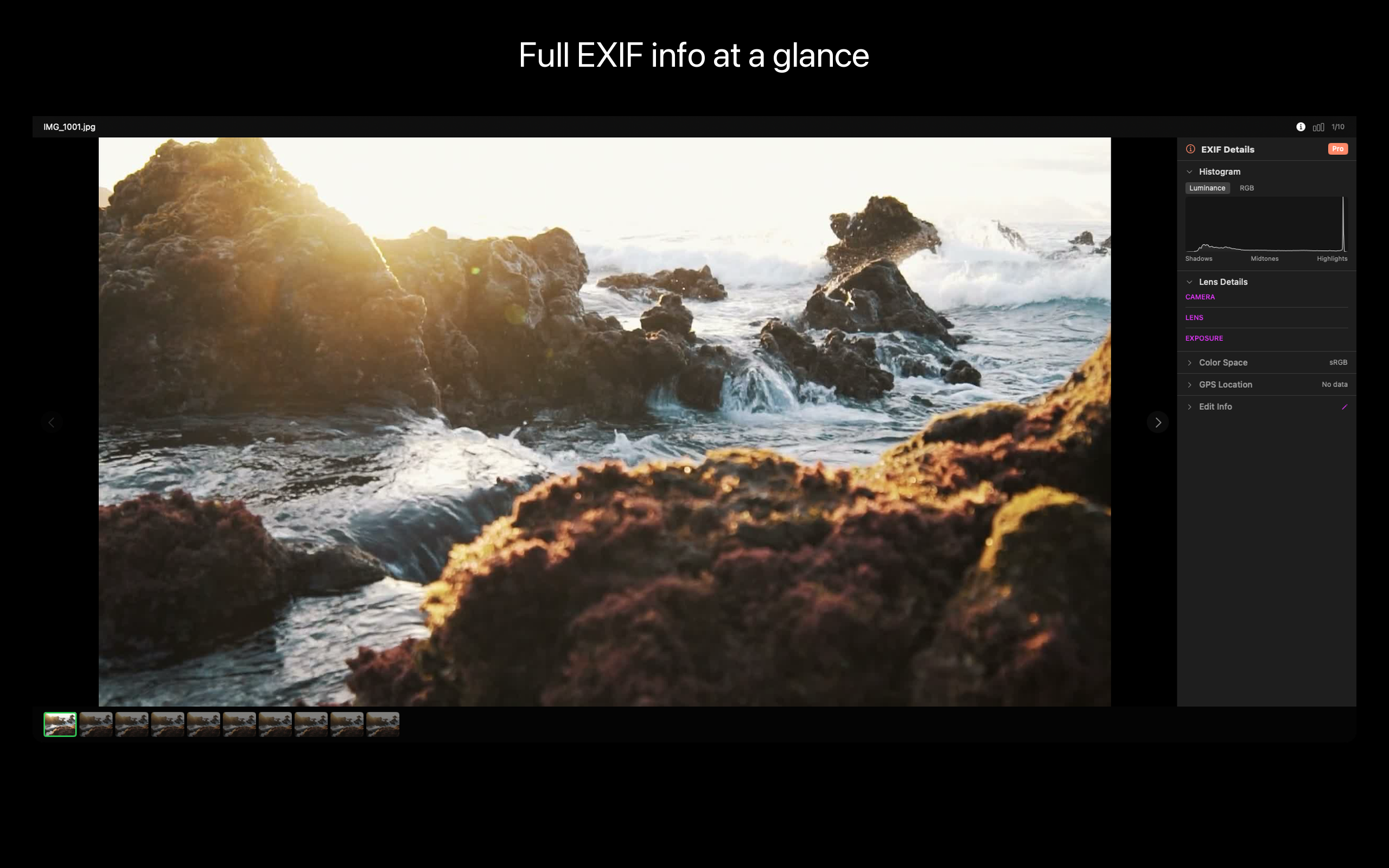
- EXIF 面板
每张照片的完整 EXIF——光圈、快门、ISO、镜头、GPS、机身。需要时可编辑字段(比如时区拍错后批量改日期)。
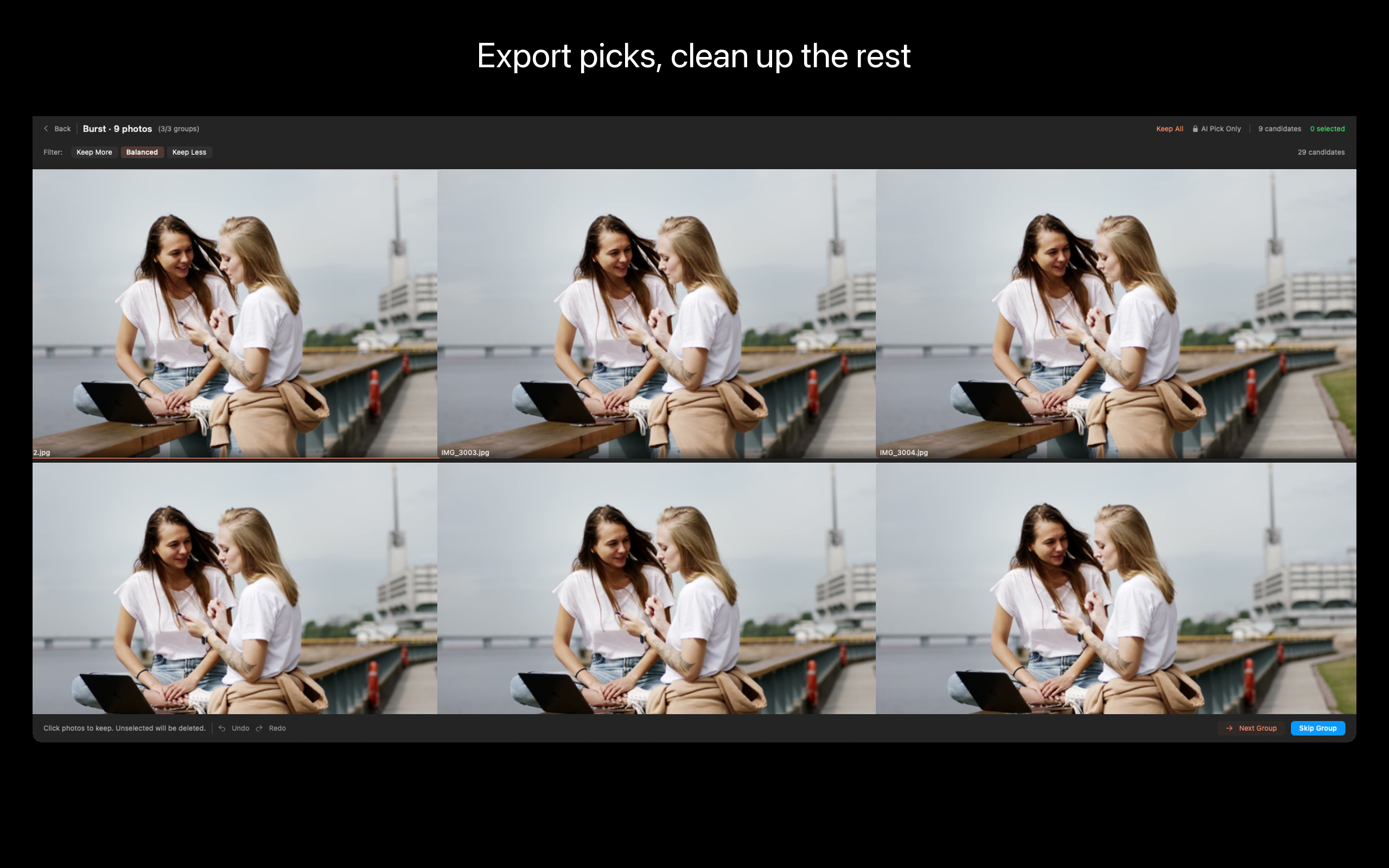
- 一键清理
不要的扔废纸篓。留下的批量导出。该留的留下、该删的不再占 SSD。
- 本地优先
全部在 Mac 本地运行。不上传、不联云、无 AI 服务器。Vision 框架在本地完成分析。
ViewOne 适合谁
- 相册 70% 是孩子连拍照的家长
- 复盘婚礼或运动会高速连拍的摄影师
- 试过 Gemini Photos 觉得它自动选错图、或被 PhotoSweeper 复杂设置劝退的人
- 照片图库 200+ GB 不知道占哪里去的人
- 拍 Live Photo 想每个瞬间只留一张的 iPhone 用户
定价
基础档可导入、浏览、对比、手动清理。Pro 解锁 AI 智能推荐、批量自动化、高级导出。终身买断,无订阅。
反馈
独立开发者 Peter Zhang。所有邮件 obeliskclubclub@gmail.com 都会亲自阅读。遇到没识别的连拍格式?告诉我。
了解更多:obelisk.club/viewone-burst-photo-picker
隐私政策: https://obelisk.club/viewone-burst-photo-picker/privacy 使用许可 (EULA): https://obelisk.club/viewone-burst-photo-picker/terms
核心能力
智能连拍检测
打开文件夹,自动识别连拍组,不用你一张张找。
Review 工作台
分屏并排看细节,Pick 留下、Reject 丢弃,键盘快捷键飞速操作。
AI 智能推荐(Pro)
分析清晰度、曝光、构图、表情,自动推荐最佳照片。
分屏对比
V 键并排对比,像素级精度查看细节差异。
EXIF 面板
查看和编辑每张照片的完整 EXIF 信息。
导出与清理
批量导出精选照片,或一键将不需要的移到废纸篓。
常见问题
- Does ViewOne work without a Photos library or Lightroom catalog?
- Yes. ViewOne is folder-based. Drop any folder and it scans in place — no catalog, no import database, no library file to maintain.
- Is ViewOne a subscription or a one-time purchase?
- Both. The Free tier covers manual burst review with no time limit. Pro is available as a $1.99/month subscription, a $12.99/year subscription, or a $29.99 lifetime purchase.
- Does ViewOne upload my photos to the cloud or use a server-side AI?
- No. All analysis runs on-device using Apple's Vision framework. There is no network access and no telemetry enabled by default.
- How does ViewOne handle RAW + JPEG pairs?
- When you reject a JPEG that has a same-name RAW sibling (DNG, ARW, CR3, NEF, RAF, ORF, RW2, CR2), the RAW automatically follows to the Trash. A +RAW badge marks paired photos before you commit.
- What's the difference between ViewOne and PhotoSweeper or Aftershoot?
- PhotoSweeper focuses on library-wide duplicate detection. Aftershoot targets wedding-scale shoots with a subscription. ViewOne is purpose-built for burst-group review on macOS with a keyboard-first workbench, folder-based workflow, and a $29.99 lifetime option.
界面展示
高保真界面
高保真界面
高保真界面
高保真界面
高保真界面
高保真界面
其他 Obelisk 应用

SnapPro
SnapPro 是 macOS 上最专业的截图和录屏工具。像素级无损捕获、无限时长录屏、端侧 OCR——均无需额外购买。 基于 ScreenCaptureKit、Vision 框架和 Metal 原生构建。针对 Apple Silicon 优化。基础档无水印。录屏无时长限制。 —…

PhotoBridge
影像方舟(PhotoBridge)把 iPhone 照片直接备份到你自己的存储——群晖、QNAP、Nextcloud、AWS S3、MinIO、阿里云 OSS 或外接硬盘。不走第三方云,不订阅陌生人的照片仓库。 专为这些时刻设计:iCloud 账单越看越不爽,或者你只是想把照片放…

SipNote
SipNote 是一款颜值在线的咖啡因与饮品追踪应用,为咖啡、茶、奶茶和功能饮料爱好者打造。专为 iPhone、iPad、Apple Watch 设计,本地优先。 拍照即可通过本地 OCR 自动识别品牌、饮品、规格,无需手动输入。数据始终留在你的设备上。 — SipNote 的独…
ViewOne 与同类工具对比
诚实的逐项对比——包括对方赢的地方。
Mac photo culling tool
ViewOne vs Photo Mechanic
Photo Mechanic is the photojournalism standard. Sports shooters, wedding pros, and wire-service photographers have used it for two decades to ingest, tag, and cull thousands of frames per assignment. ViewOne is a younger, narrower tool built for a different audience: people who have a folder of burst photos on a Mac and want the keeper picked quickly, without buying a $150 professional tool. Here is an honest comparison so you can pick what fits.
Mac photo deduplication and review
ViewOne vs PhotoSweeper
PhotoSweeper is the go-to Mac app for finding and removing duplicate photos across an entire library. It is mature, fast, and very good at what it does. ViewOne is built for an adjacent but distinct job: reviewing a fresh folder of burst photos and picking the keeper from each group. Here is when each tool is the right answer.
AI photo culling
ViewOne vs Aftershoot
Aftershoot is the AI culling app built for wedding, event, and portrait pros who shoot thousands of frames per assignment and need software to triage them. It is excellent at that. ViewOne is built for a different audience: people who shoot bursts in everyday life on a Mac and want a sharp keeper picked from each group without a subscription. Here is an honest, dimension-by-dimension comparison.
Photo culling for Mac
ViewOne vs Narrative Select
Narrative Select is the culling tool professional wedding and portrait photographers name-check: focus and blink detection, a Close-Ups panel that locks onto faces, scene grouping, and one-click shipping into Lightroom or Capture One. ViewOne aims at a smaller, sharper job — detect the burst groups in a folder, pick the keeper from each, trash the rest — with a keyboard-first workflow and a one-time price. Which one fits depends on whether you cull shoots for a living or bursts for your sanity.