
LoopSnap Motion LabLive Photo & video to GIF
About
Turn any Live Photo, video, or burst into a GIF, sticker, or animated WebP — sized exactly for the chat you're sending it to. No more failed uploads or stills that won't animate.
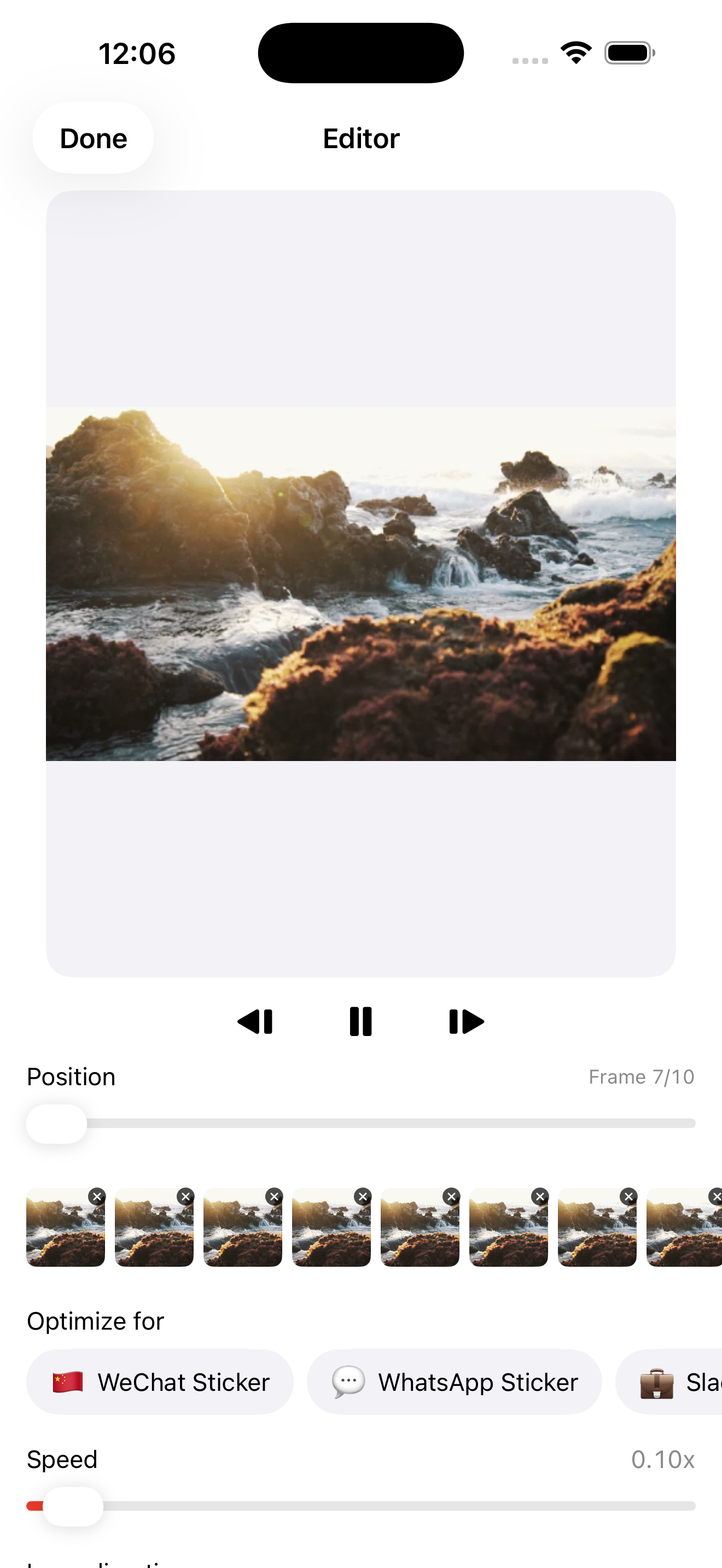
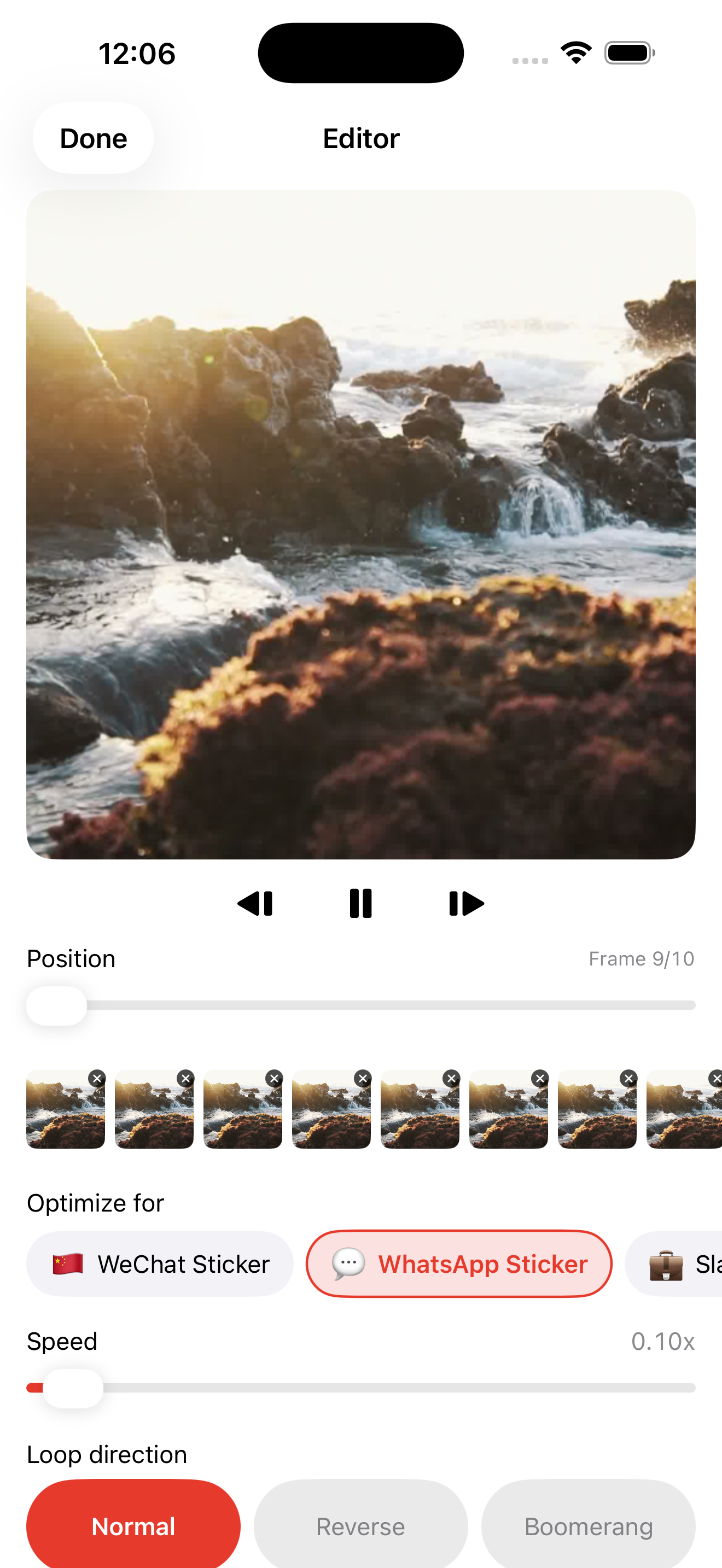
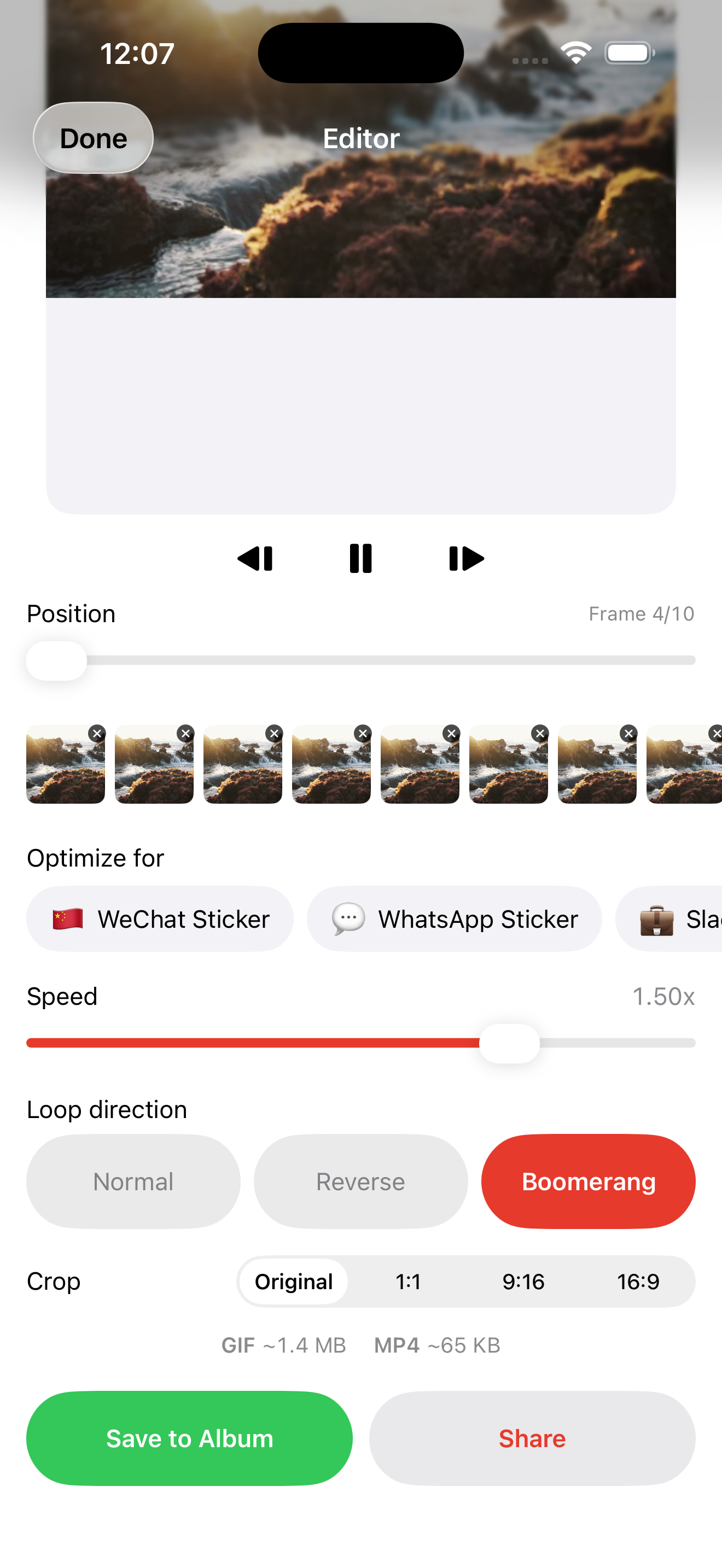
Pick a destination chip. Pick a Live Photo, video, or burst of stills. LoopSnap exports the right artifact — a 512 px animated WebP for sticker-style apps, a tight sub-1 MB square GIF for apps with strict size caps, a generously sized GIF for messaging apps with room to spare, whatever the chat app actually wants. No guessing. No "why won't this upload."
WHAT MAKES LOOPSNAP DIFFERENT
- DESTINATION-AWARE EXPORT
Not "export as GIF" then guess the size. Pick where it's going first — each destination chip is pre-tuned to a chat app's real format, dimension, and file-size spec — and LoopSnap targets it exactly.
- LIVE PHOTOS, VIDEOS, BURSTS
Start from any source the system Photos picker allows. Live Photos straight from the camera roll. Short videos (MP4, MOV, HEVC). Bursts and multi-photo selections. LoopSnap handles the conversion.
- THE RIGHT FORMAT FOR THE PLATFORM
Some chat apps need animated WebP, not GIF. Some need files under 1 MB. Some accept MP4. LoopSnap knows which format each destination actually accepts — generic GIF tools force-export GIF and your sticker fails.
- PIXEL-PERFECT PREVIEW
The preview matches the exported file exactly. If it loops smoothly in the preview, it loops smoothly when you send it.
- 100% ON-DEVICE
No accounts, no uploads, no analytics, no third-party SDKs. Photos and clips never leave the device — verifiable in the App Store privacy nutrition label.
AVAILABLE DESTINATIONS
Seven ready-made destination chips covering sticker and chat formats for the most popular messaging apps, plus a Universal export:
- Sticker formats — compact animated WebP and a square sub-1 MB GIF, sized for sticker trays
- Chat formats — GIF tuned to each app's upload limit, from under 1 MB up to 16 MB
- Universal — a generic 480 px GIF, up to 4 MB, that works almost anywhere
WHO IS LOOPSNAP FOR?
- People who have sent a Live Photo to a chat app and watched it arrive as a still
- Anyone whose sticker upload failed because the file was too big
- Folks who paid for a looping-video app that exports the wrong format
- Anyone who has searched a chat app's sticker size limit more than once
PRICING
The base tier is fully functional. Every destination, every format, no daily limits. One-time Pro unlock removes the small watermark, extends source clips from 3 to 10 seconds, and includes every future update. Never a subscription.
FEEDBACK
Made by a small indie team. Email obeliskclubclub@gmail.com with feature requests, bug reports, or a chat app whose rules we should add to the matrix.
Learn more: obelisk.club/loopsnap
Privacy Policy: https://obelisk.club/loopsnap/privacy Terms of Use (EULA): https://obelisk.club/loopsnap/terms
Core Capabilities
One chip per chat app
Seven ready-made destination chips — covering sticker and chat formats for the most popular messaging apps, plus a Universal export — each pre-configured with the format, size cap, and dimensions the receiving app will actually accept.
Live Photos, video, or bursts
Start from a Live Photo, a short MP4/MOV/HEVC clip, or a multi-photo selection. LoopSnap stitches the loop and shows a frame-accurate preview before you export.
GIF, MP4, animated WebP
All three encoders run on-device. Animated WebP for sticker-style apps and a tight byte-budget GIF for apps with strict size caps both produce files that play correctly in the destination on first try.
One-time Pro unlock
A one-time in-app purchase unlocks lifetime watermark removal plus a 10-second source-clip cap (base tier is capped at 3 s). No subscription, no recurring charge, restore-purchase supported.
Privacy by construction
Zero accounts, zero network calls, zero third-party SDKs. The only file system access is your photo library and the Files app share sheet you invoke. Verify it in the privacy nutrition label.
Pixel-perfect preview
The in-app preview matches the exported file exactly — if it loops smoothly in the preview, it loops smoothly in WeChat. No export-and-pray.
Frequently Asked Questions
- How do I turn a Live Photo into a GIF?
- Open LoopSnap, tap New Loop, pick a Live Photo from the system photo picker, choose a destination chip, and tap Save or Share. LoopSnap exports a GIF (or animated WebP) sized to the chat app you're sending to — entirely on-device.
- Why does my GIF fail to upload to chat apps?
- Most chat apps enforce a size, dimension, or format limit, and generic GIF tools ignore them. LoopSnap targets each destination's exact spec, so the file uploads on the first try instead of arriving as a still or being rejected.
- What's the difference between an animated WebP sticker and a GIF?
- Some messaging apps require animated WebP for stickers and reject GIF, while others only accept a GIF under a tight size cap. LoopSnap picks the right format automatically based on the destination you choose.
- Can I make a sticker from a video?
- Yes. Start from a short video (MP4, MOV, or HEVC), a Live Photo, or a photo burst. LoopSnap stitches the loop and exports a sticker or GIF in the format your destination needs.
- Does LoopSnap upload my photos to a server?
- No. Every step runs on-device — no accounts, no uploads, no analytics, no third-party SDKs. Your photos and clips never leave your iPhone.
- Is LoopSnap free?
- Yes. Every destination and format works on the free tier with no daily limits. A one-time Pro unlock removes the small watermark and extends source clips from 3 to 10 seconds. It is never a subscription.
- What file formats can LoopSnap export?
- Animated GIF, animated WebP, and MP4 — each tuned to the size and dimension limits of the destination you pick.
- Can I convert a photo burst into an animated GIF?
- Yes. Select a burst or multiple photos from the picker and LoopSnap turns them into a smooth animated loop, sized for the chat app you're sending it to.
Interface
High Fidelity UI
High Fidelity UI
High Fidelity UI
More from Obelisk

SnapPro
SnapPro is the professional screenshot and screen recording tool macOS deserves. Pixel-perfect capture, unlimited recording, on-device OCR —…

ViewOne
Your iPhone fired off 50 burst photos at the playground. Now they're sitting on your Mac, and you can't bring yourself to sort through them.…

PhotoBridge
PhotoBridge backs up your iPhone photos directly to storage you own — Synology, QNAP, Nextcloud, AWS S3, MinIO, Aliyun OSS, or an external d…
How LoopSnap Motion Lab compares
Honest, dimension-by-dimension comparisons — including where the other tool wins.
Live Photo and video to GIF conversion
LoopSnap Motion Lab vs ImgPlay
ImgPlay is the veteran GIF studio on iOS: filters, animated text, frame-level editing, meme captions, and every export knob you could want. LoopSnap does deliberately less — it asks where the GIF is going first, then exports a file that platform will actually accept. One is an editor; the other is a delivery tool.
GIF creation on iPhone
LoopSnap Motion Lab vs GIPHY
GIPHY is the world's biggest GIF platform — a free app with an enormous search library, a camera with filters and animated text, stickers, and keyboards wired into every messaging app. LoopSnap is a small on-device converter that turns your own Live Photos, videos, and bursts into GIFs, MP4s, or animated WebP files sized exactly for the chat app you're sending to. One is a social network for GIFs; the other is a precision export tool for yours.