
PhotoBridgeBackup & Restore · NAS · S3
About
PhotoBridge backs up your iPhone photos directly to storage you own — Synology, QNAP, Nextcloud, AWS S3, MinIO, Aliyun OSS, or an external drive. No third-party cloud. No subscription to a stranger's photo silo.
Built for the moment your iCloud bill stops making sense, or you simply want your photos on a drive you can hold.
WHAT MAKES PHOTOBRIDGE DIFFERENT
- YOUR STORAGE, DIRECTLY
Photos travel from your iPhone straight to your destination. They never pass through our servers. We literally cannot see them — there's no infrastructure on our side to see anything with.
- MULTIPLE DESTINATIONS, ONE APP
WebDAV (Synology, QNAP, Nextcloud, Owncloud), S3 (AWS, MinIO, Aliyun OSS, any S3-compatible bucket), or external drives via the Files app. Set up multiple destinations and back up to all of them.
- OPTIONAL END-TO-END ENCRYPTION
E2EE encrypts each file before it leaves the iPhone. Even your NAS administrator can't read the archive without your recovery key. You hold the key. We don't.
- BACKGROUND AUTO-UPLOAD (Pro)
Uploads continue when you switch apps or lock the phone. Smart retry with exponential backoff recovers from flaky Wi-Fi. Resume capability picks up where a failed upload stopped.
- AUTOMATION RULES (Pro)
Trigger uploads on Wi-Fi connect, on charging, on app launch, or on schedule (daily, weekly, custom). Set it once, never think about it again.
- SMART CLEANUP (Pro)
After dual-checksum-verified backup, optionally reclaim phone storage by deleting the local copy. 24-hour cooldown, auto-skip favorites, full undo history — designed paranoid because losing photos is unacceptable.
- TWO-WAY: BROWSE & RESTORE (NEW IN 1.1)
This isn't just a backup app. Browse what's on your NAS, restore single photos or whole folders back to Camera Roll, delete remote files, and compare local vs. remote sync state — all without leaving the app. Automatic decryption when restoring E2EE backups.
- PRIVACY BY DEFAULT
Zero tracking, zero ads, zero analytics SDKs. Credentials live in iOS Keychain, never on our servers (we don't have servers).
WHO IS PHOTOBRIDGE FOR?
- People paying more for iCloud each year and wondering why
- Synology, QNAP, and Unraid owners with an unused photos folder waiting to fill
- Self-hosters running Nextcloud, Immich, or PhotoPrism who need an iOS uploader that doesn't suck
- Photographers who want full-resolution originals on a drive they own
- Anyone moving away from Google Photos or iCloud for privacy reasons
PRICING
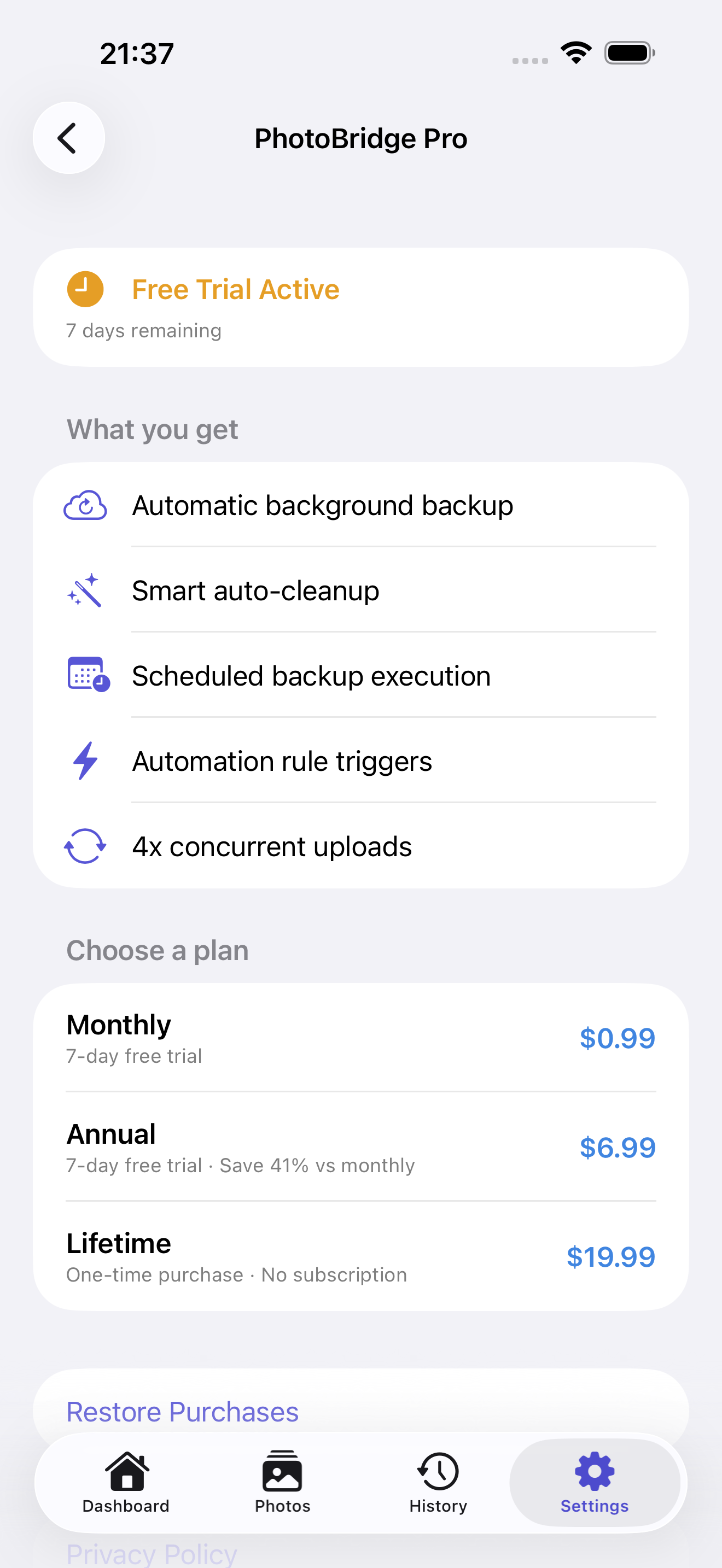
The full manual backup and restore experience to all destination types is included at no additional purchase. Pro unlocks background auto-upload, scheduling, automation, and smart cleanup — available via monthly subscription, annual subscription, or a one-time lifetime in-app purchase. 7-day intro trial of Pro on first install.
FEEDBACK
Made by Peter Zhang. Every email at obeliskclubclub@gmail.com is read personally. NAS brand we don't connect to yet? Tell me.
Learn more: obelisk.club/photobridge-nas-backup
Core Capabilities
Multi-Destination Backup
Back up to WebDAV (Synology, QNAP, Nextcloud), S3-compatible storage (AWS, Alibaba Cloud, MinIO), or external drives — all from one app.
Remote Browse & Restore
Browse remote files, restore to Photo Library, compare local vs. remote sync status, and auto-decrypt encrypted backups.
Pro: Smart Automation
Background silent uploads, custom schedules (daily/weekly/monthly), smart triggers (Wi-Fi, charging, app launch), and action chains — set it once, forget it.
Pro: Smart Cleanup
After verified backup, automatically reclaim phone space. Dual checksum verification, 24-hour cooldown, skip favorites — safe by design.
End-to-End Encryption
Optional E2EE encrypts every file before it leaves your iPhone — even your NAS administrator can't read the archive without your recovery key. You hold the key; we never do.
Privacy First
All data stored on-device. Passwords in iOS Keychain. Zero analytics, ads, or tracking SDKs. Full data export/import.
Frequently Asked Questions
- Can PhotoBridge back up my iPhone photos to a Synology or QNAP NAS?
- Yes. Via WebDAV it supports Synology, QNAP, Nextcloud and ownCloud; via S3 it supports AWS, MinIO, Aliyun OSS and any S3-compatible bucket; and it can also back up to external drives through the Files app. You can configure multiple destinations in one app.
- Do my photos pass through PhotoBridge's servers?
- No. Photos travel directly from your iPhone to storage you own — there is no server infrastructure in between, so the developer cannot see your photos at all.
- Does PhotoBridge support end-to-end encryption?
- Yes, optionally. Each file can be encrypted before it leaves your iPhone, so even your NAS administrator can't read the archive without your recovery key. You hold the key.
- Can backups run automatically in the background?
- With Pro, uploads continue when you switch apps or lock the phone, with smart retry and resume for flaky Wi-Fi. Automation rules can trigger backups on Wi-Fi connect, on charging, on app launch, or on a daily or weekly schedule.
- Is PhotoBridge a good iCloud alternative for photo backup?
- If you want photos on storage you own instead of a subscription cloud, yes — that's exactly what it's built for: direct backup from iPhone to NAS, S3 or an external drive, with optional end-to-end encryption and remote browse & restore.
Interface
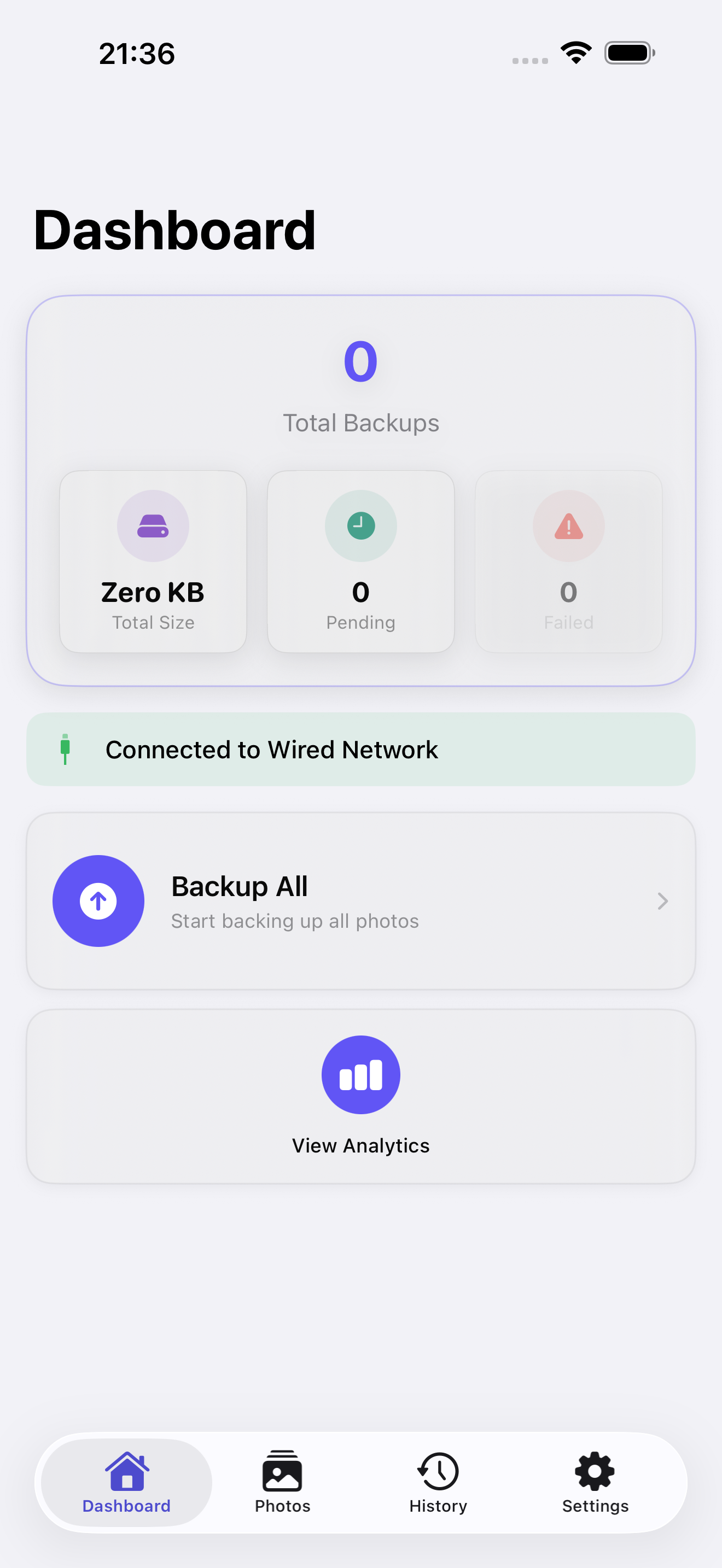
High Fidelity UI
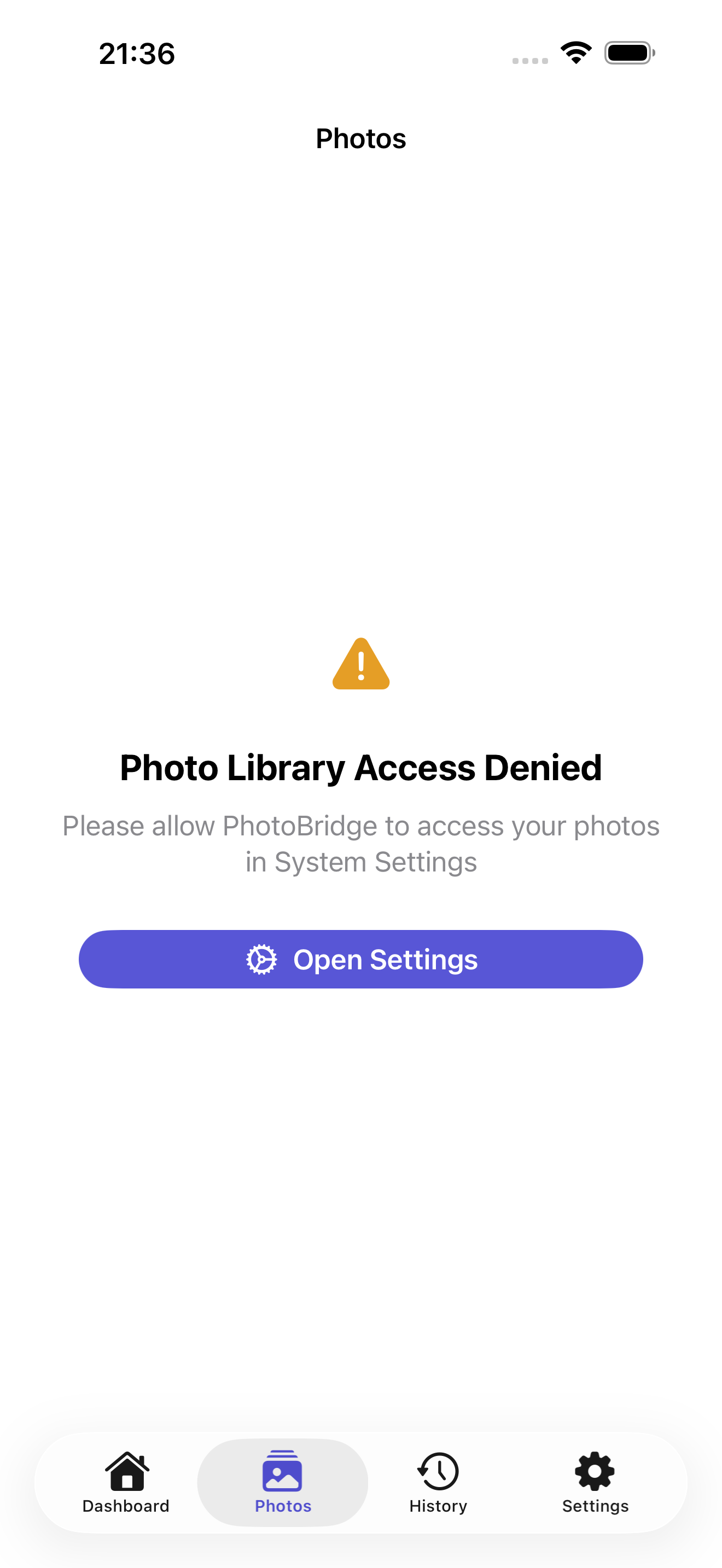
High Fidelity UI
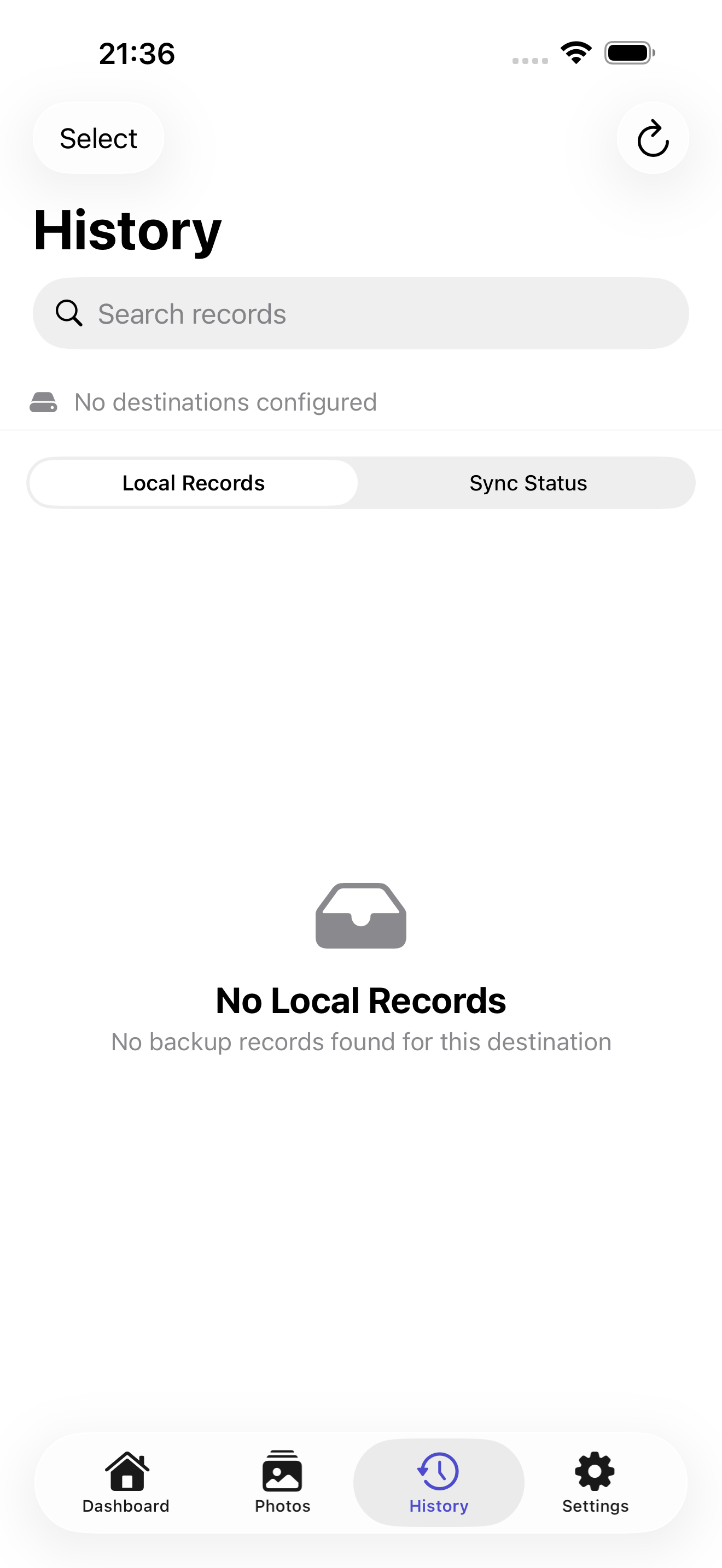
High Fidelity UI
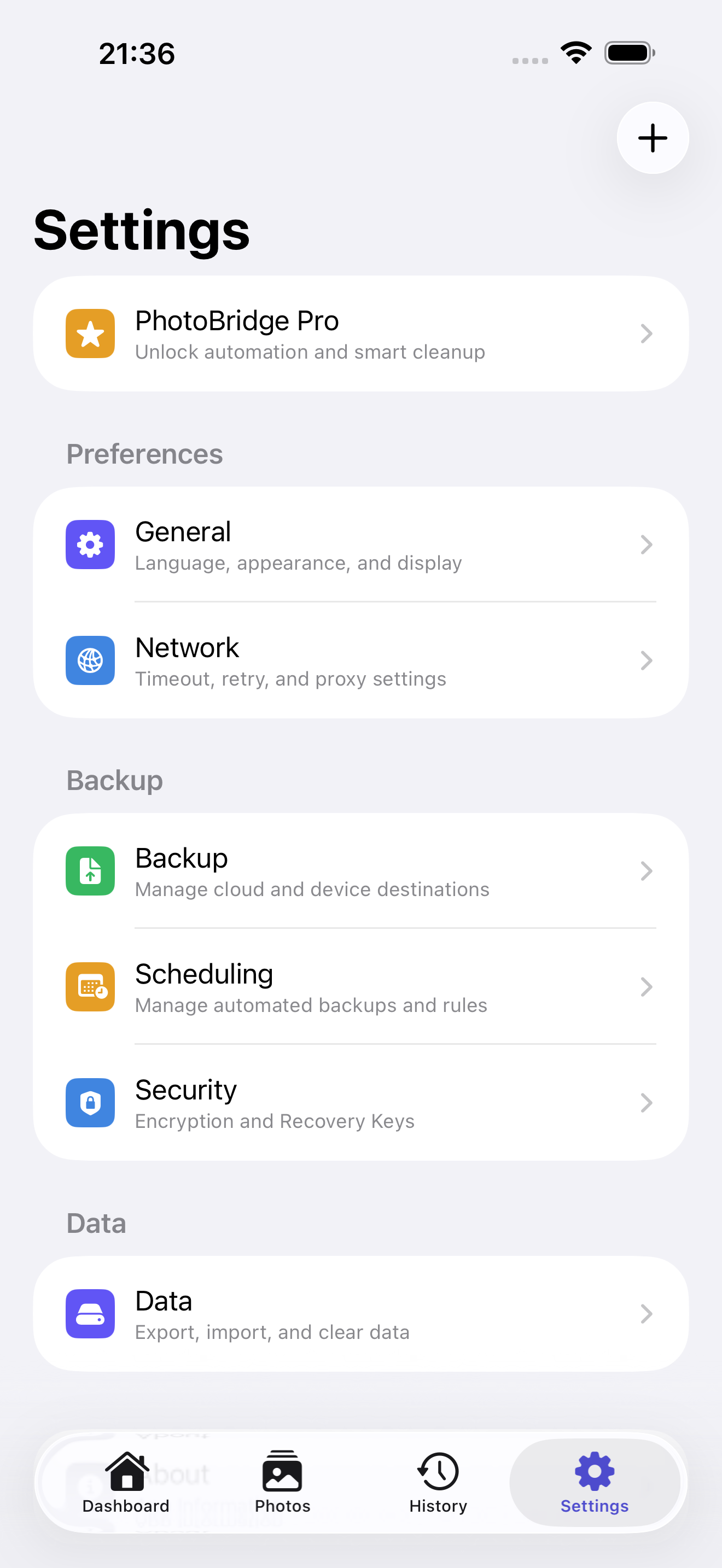
High Fidelity UI
High Fidelity UI
Guides for PhotoBridge
How to verify an iPhone photo backup to a NAS
An upload is not proof of a usable backup. Verify dates, originals, duplicates, and a real restore from your iPhone to a NAS.
How to back up iPhone photos to a Synology NAS without iCloud
Your Synology NAS has terabytes sitting idle while iCloud bills you monthly. Step-by-step: back up iPhone photos straight to your NAS over WebDAV.
More from Obelisk

SnapPro
SnapPro is the professional screenshot and screen recording tool macOS deserves. Pixel-perfect capture, unlimited recording, on-device OCR —…

ViewOne
Your iPhone fired off 50 burst photos at the playground. Now they're sitting on your Mac, and you can't bring yourself to sort through them.…

SipNote
SipNote is a beautifully designed caffeine and beverage tracker for coffee, tea, milk tea, and energy drink lovers. Built local-first for iP…
How PhotoBridge compares
Honest, dimension-by-dimension comparisons — including where the other tool wins.
iPhone photo backup to NAS and self-hosted storage
PhotoBridge vs PhotoSync
PhotoSync has been the Swiss Army knife of photo transfer for over a decade: more platforms, more protocols, and more destinations than anything else in the category, at a very fair price. PhotoBridge is narrower and newer — a focused iPhone-to-your-own-storage backup tool with restore, verification, and encryption designed in from the start.
iPhone photo backup
PhotoBridge vs iCloud Photos
iCloud Photos is the default for a reason: it is invisible, reliable, and woven into every Apple device you own. PhotoBridge is for the moment the monthly bill stops making sense, or you decide your photo archive should live on hardware you can hold. These are genuinely different philosophies, not just different apps.
iPhone photo backup to NAS
PhotoBridge vs Synology Photos
If you own a Synology NAS, Synology Photos is the default answer: a free first-party app that backs up your camera roll and doubles as a full photo manager with AI albums, sharing links, and map view. PhotoBridge is a third-party iOS uploader built around one job — getting originals onto storage you own, reliably and optionally end-to-end encrypted — whether that storage is Synology, QNAP, Nextcloud, S3, or an external drive. The comparison is really first-party breadth versus specialist depth.