
ViewOneCull 200 bursts in 15 minutes.
About
Your iPhone fired off 50 burst photos at the playground. Now they're sitting on your Mac, and you can't bring yourself to sort through them.
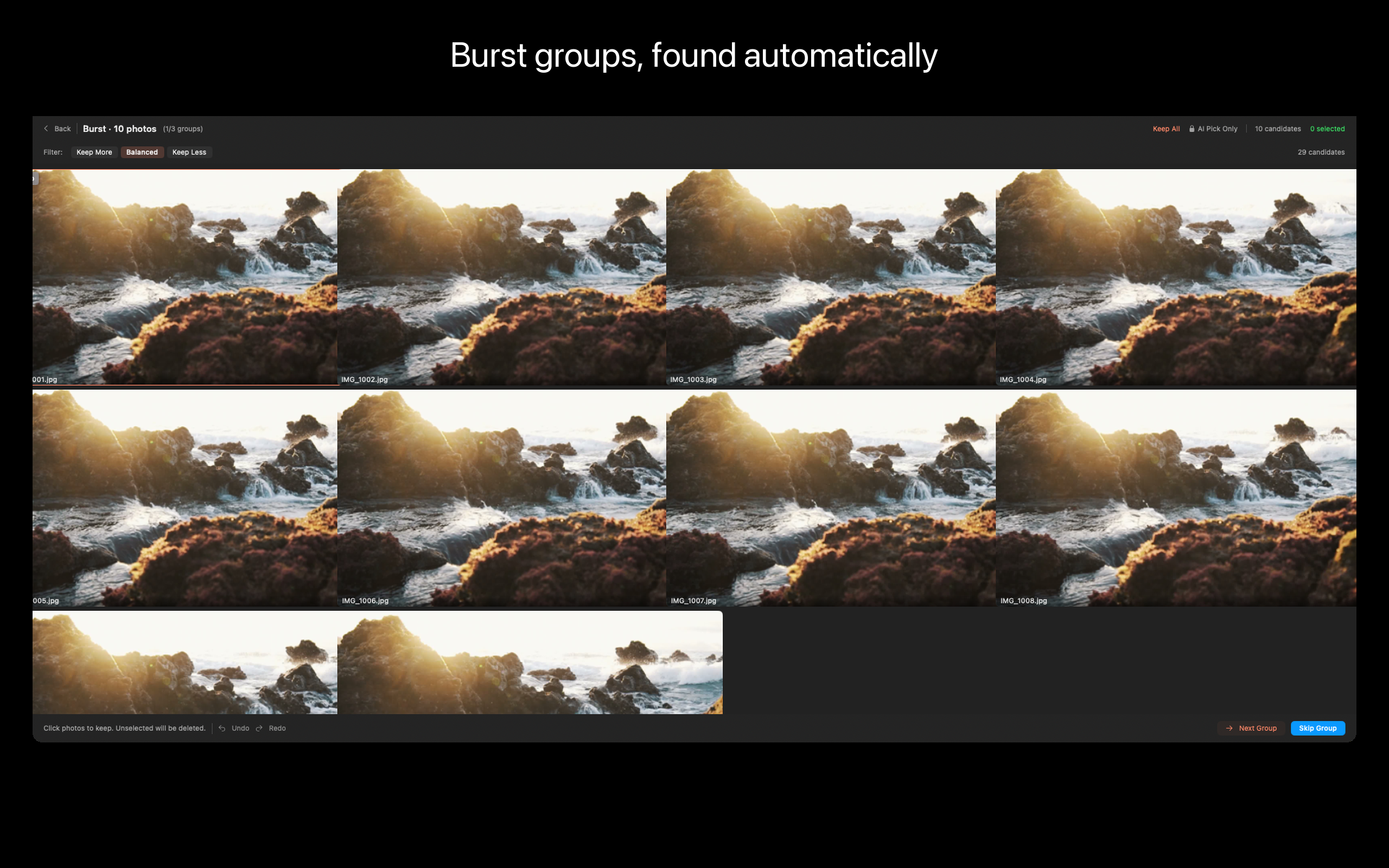
ViewOne fixes that. Drop a folder in — ViewOne instantly detects every burst group. Compare side by side, pick your favorites with a tap, and send the rest to the Trash in one click.
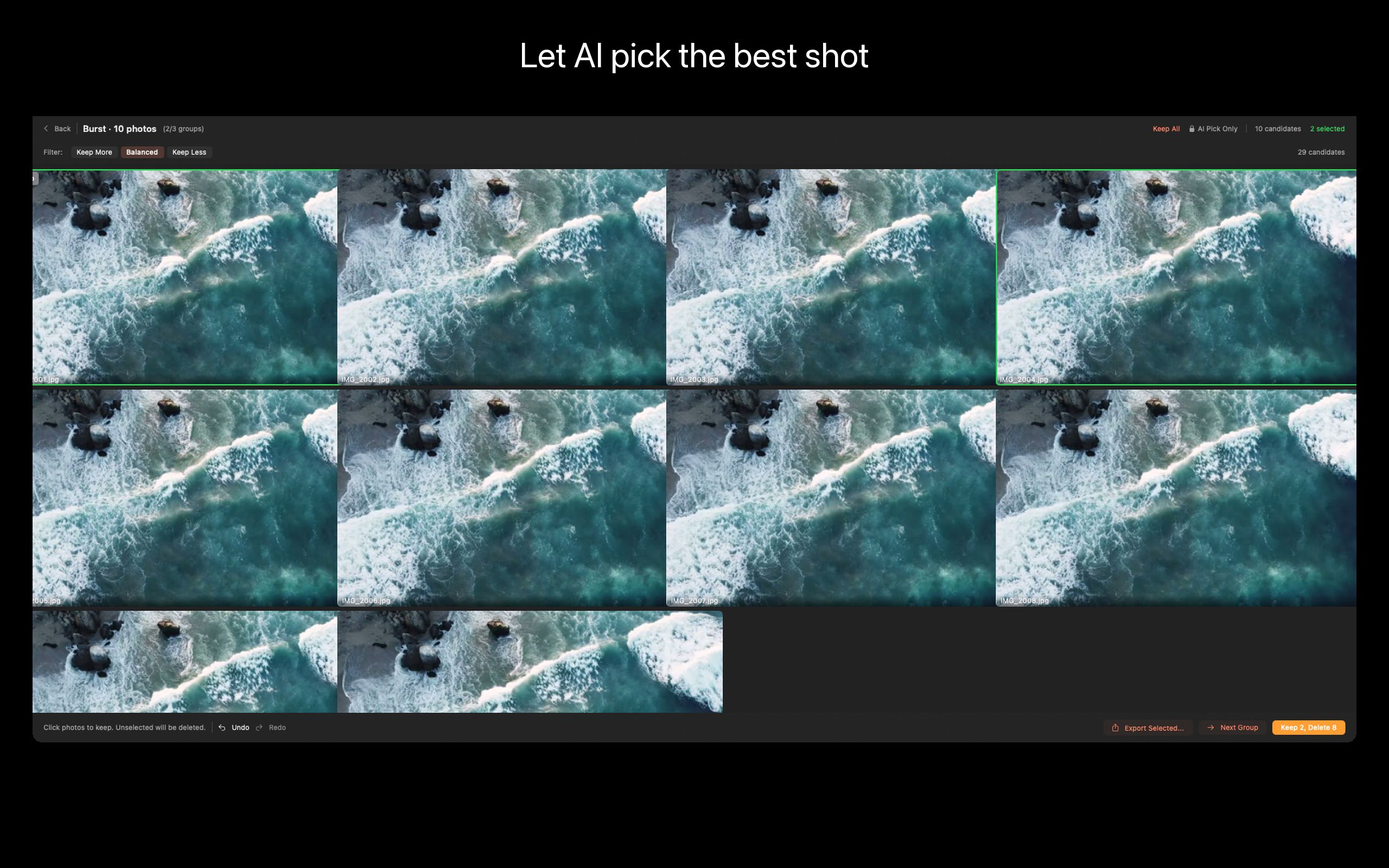
Can't decide? Let AI pick — it analyzes sharpness, exposure, composition, and expressions to find the keeper.
WHAT MAKES VIEWONE DIFFERENT
- AUTOMATIC BURST DETECTION
Drop any folder. ViewOne groups burst sequences automatically — no manual tagging, no "sort by EXIF and squint at timestamps." Works on iPhone bursts, DSLR continuous shooting, screen-capture sequences.
- SIDE-BY-SIDE COMPARE
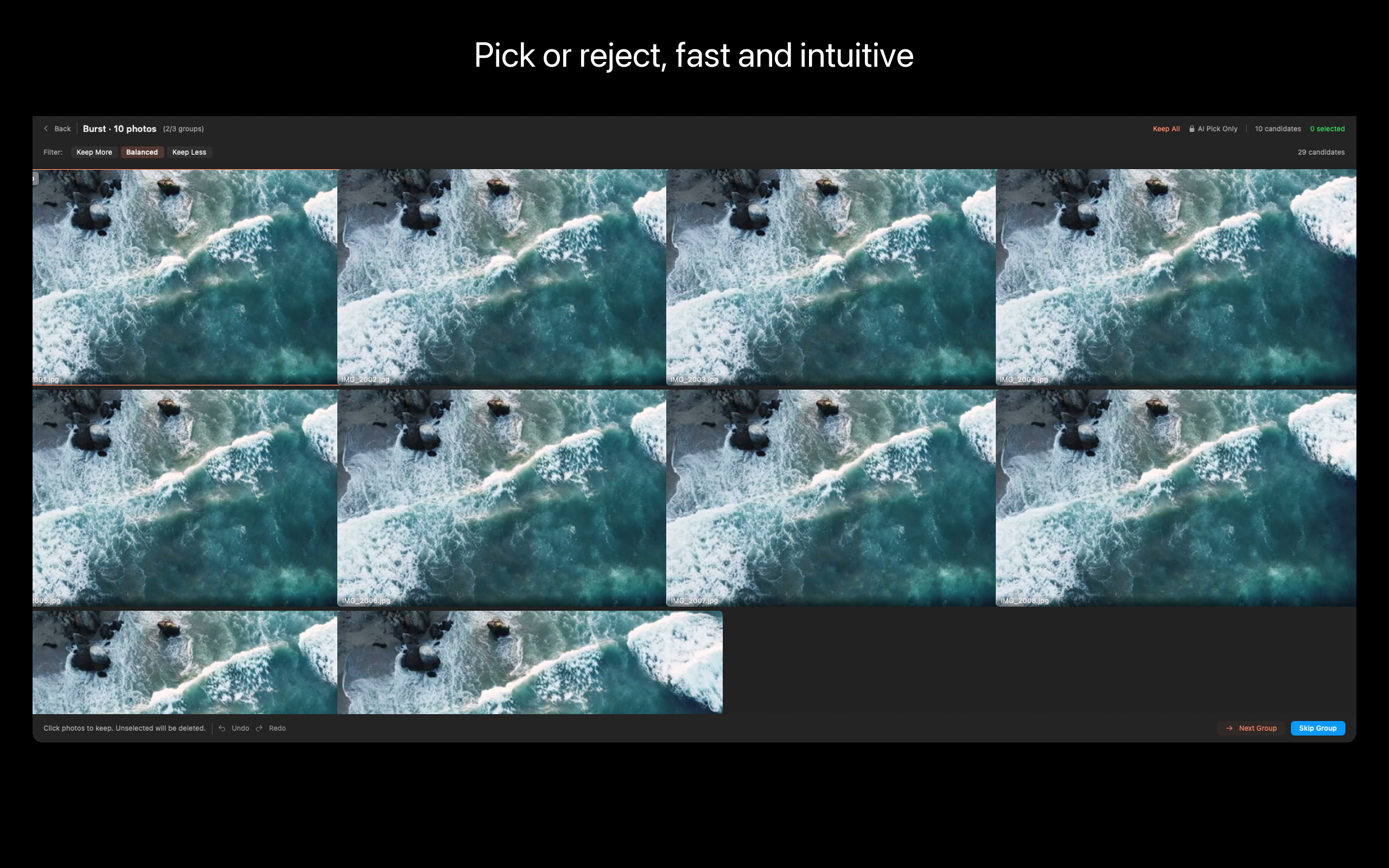
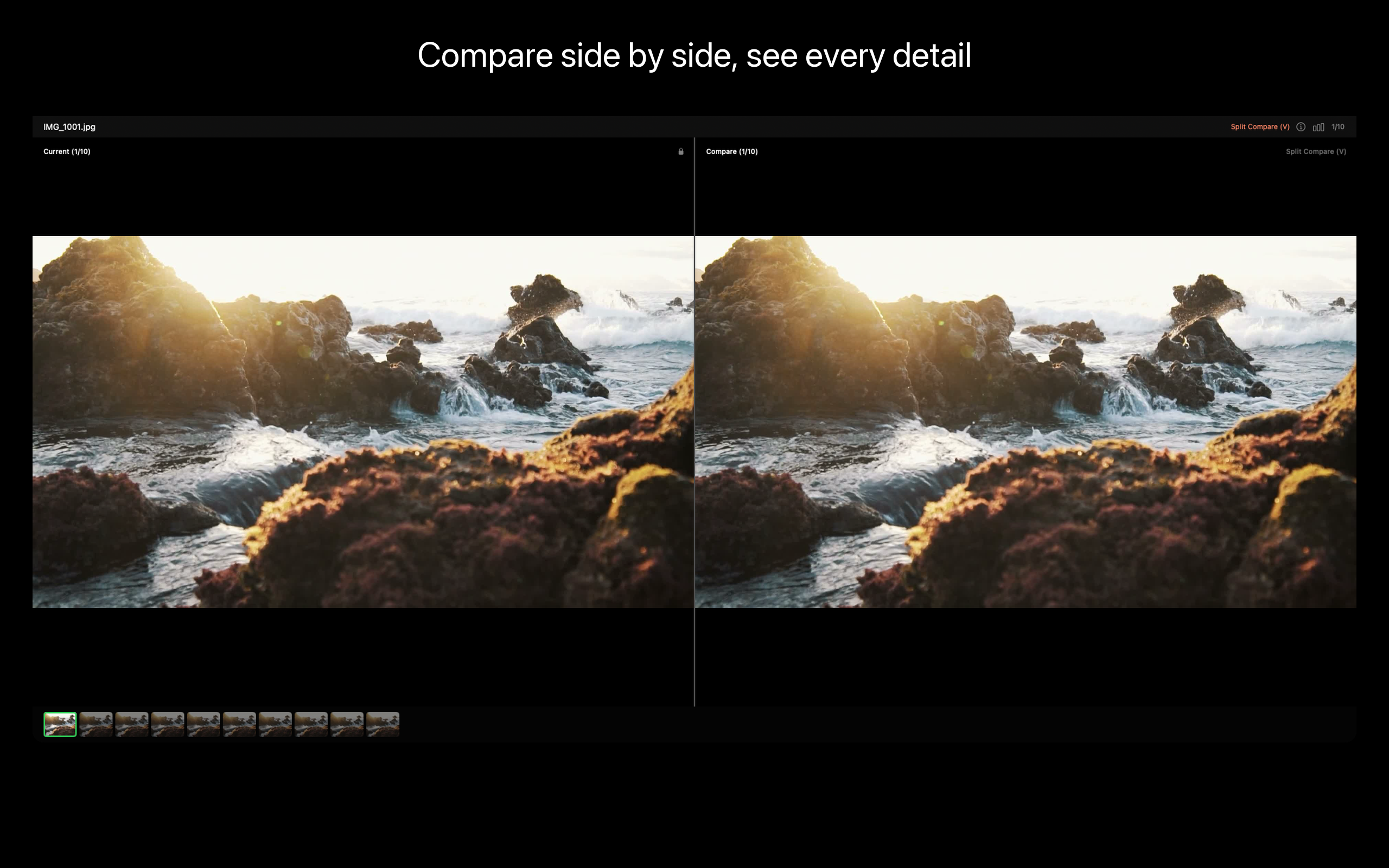
Review workbench shows the burst group inline. Press V for split-screen pixel-level compare. Press P to pick, X to reject. Keyboard-first by design — clear 200 photos in 15 minutes.
- AI BEST PICK (Pro)
AI analyzes sharpness, exposure, composition, and expressions across the burst and recommends the keeper. Faces open-eyed and smiling, no motion blur, best framing. You can always override.
- EXIF PANEL
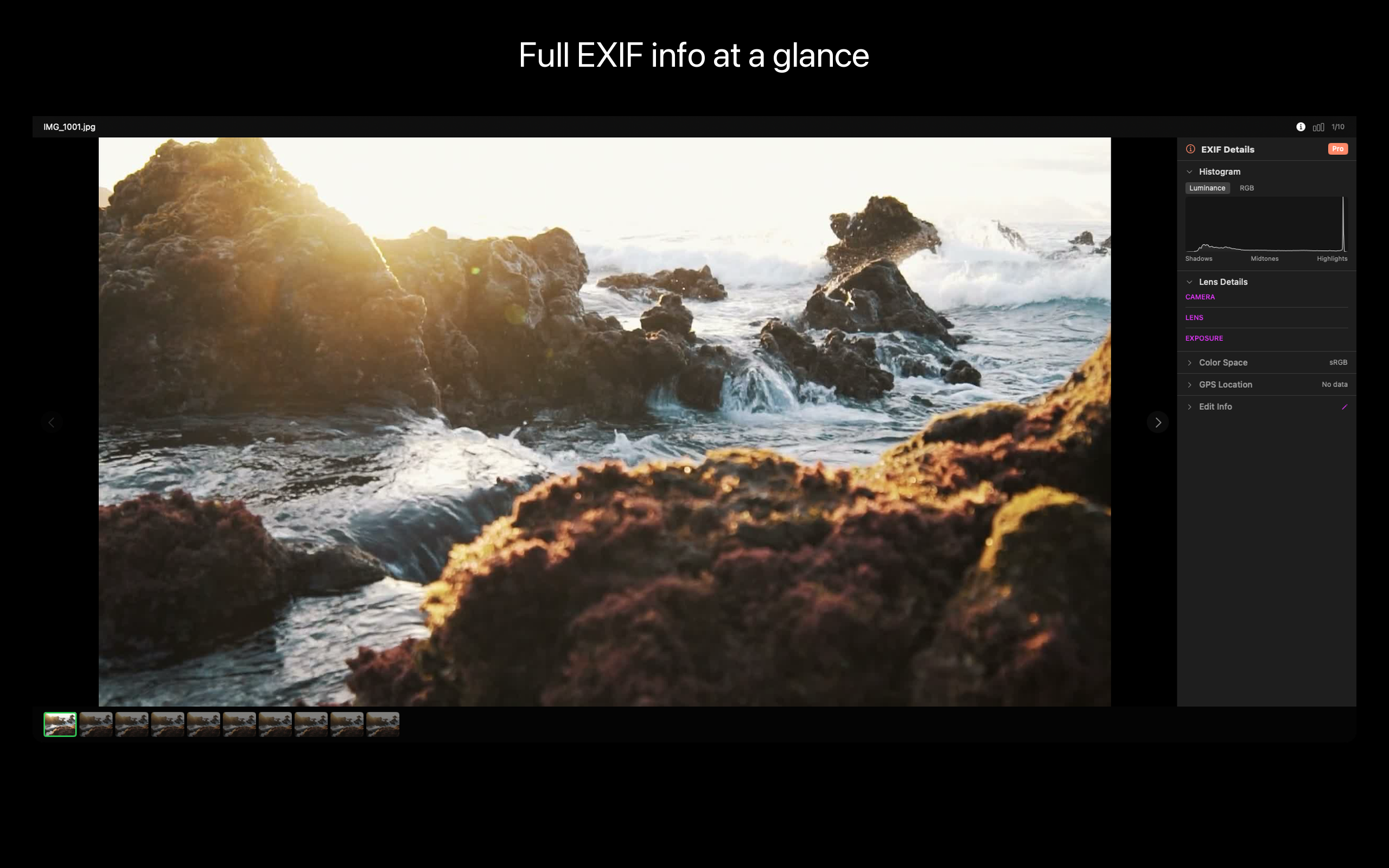
Full EXIF for every photo — aperture, shutter, ISO, lens, GPS, camera body. Edit fields when you need to (corrected dates after a wrong-timezone shoot, for example).
- ONE-CLICK CLEANUP
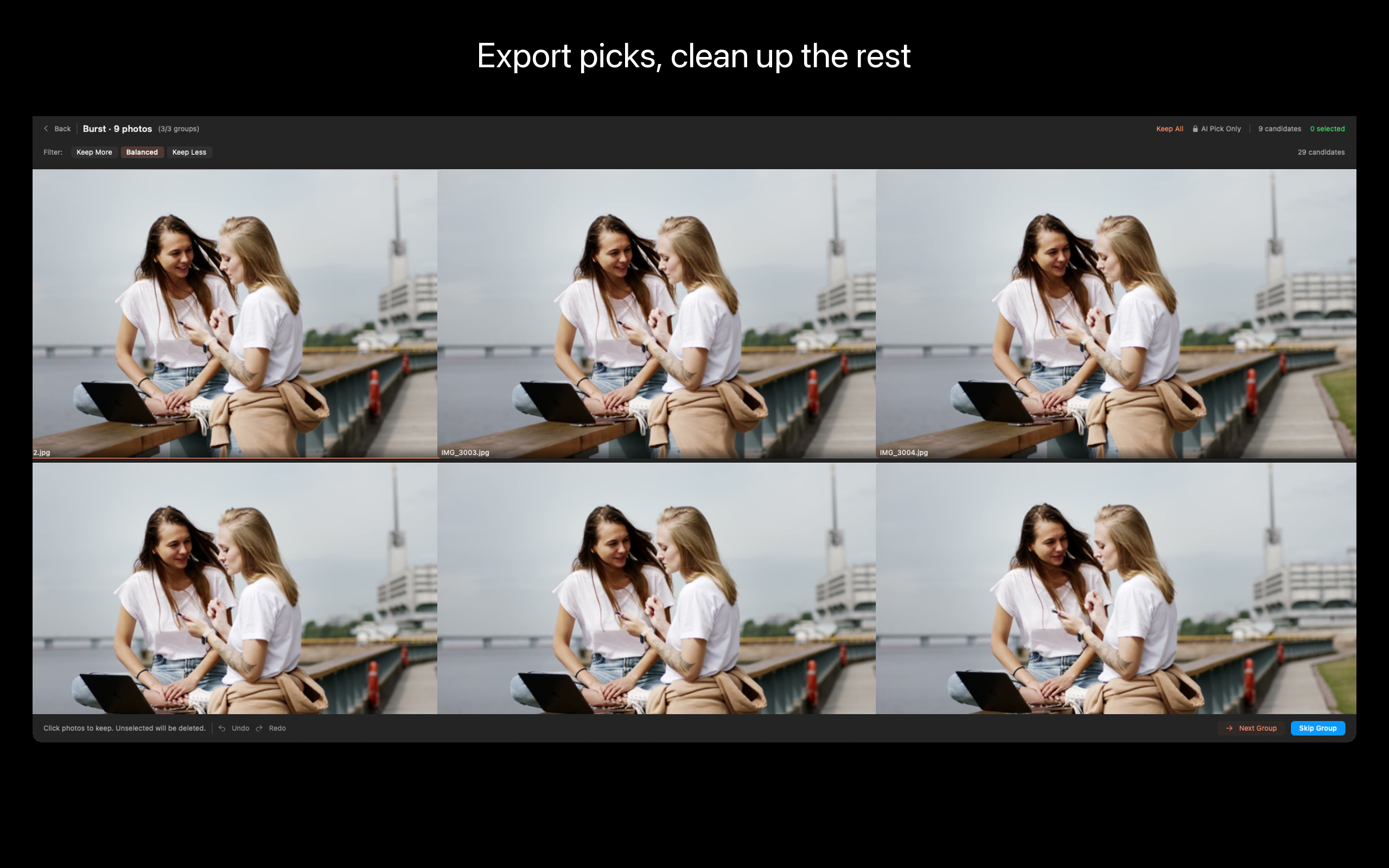
Move rejects to Trash. Batch-export picks. The photos you keep stay; the duplicates you don't need stop eating your SSD.
- LOCAL-FIRST
Everything runs on your Mac. No upload, no cloud account, no AI server. Vision framework does the analysis locally.
WHO IS VIEWONE FOR?
- Parents whose camera roll is 70% burst-mode kid photos
- Photographers reviewing continuous-shooting takes from a wedding or sports shoot
- Anyone who has tried Gemini Photos and felt it auto-selects too aggressively, or PhotoSweeper and got lost in its settings panel
- People with a Photos library at 200+ GB wondering where it all went
- iPhone users who shoot Live Photos and want to keep one frame per moment
PRICING
Import, browse, compare, and clean up manually — no upgrade required. Pro unlocks AI Best Pick, batch automation, and advanced export. One-time lifetime purchase, no subscription.
FEEDBACK
Made by Peter Zhang. Every email at obeliskclubclub@gmail.com is read personally. Found a burst format we don't handle? Tell me.
Learn more: obelisk.club/viewone-burst-photo-picker
Privacy Policy: https://obelisk.club/viewone-burst-photo-picker/privacy Terms of Use (EULA): https://obelisk.club/viewone-burst-photo-picker/terms
Core Capabilities
Smart Burst Detection
Open a folder and ViewOne detects all burst groups — no manual sorting needed.
Review Workbench
Compare photos side by side, Pick to keep, Reject to discard. Keyboard shortcuts for speed.
AI Best Pick (Pro)
AI analyzes sharpness, exposure, composition, and expressions to recommend the best shot.
Split-Screen Compare
Press V to compare details in split view with pixel-level precision.
EXIF Panel
View and edit complete EXIF metadata for every photo.
Export & Clean Up
Batch export your picks or move rejects to Trash in one click.
Frequently Asked Questions
- Does ViewOne work without a Photos library or Lightroom catalog?
- Yes. ViewOne is folder-based. Drop any folder and it scans in place — no catalog, no import database, no library file to maintain.
- Is ViewOne a subscription or a one-time purchase?
- Both. The Free tier covers manual burst review with no time limit. Pro is available as a $1.99/month subscription, a $12.99/year subscription, or a $29.99 lifetime purchase.
- Does ViewOne upload my photos to the cloud or use a server-side AI?
- No. All analysis runs on-device using Apple's Vision framework. There is no network access and no telemetry enabled by default.
- How does ViewOne handle RAW + JPEG pairs?
- When you reject a JPEG that has a same-name RAW sibling (DNG, ARW, CR3, NEF, RAF, ORF, RW2, CR2), the RAW automatically follows to the Trash. A +RAW badge marks paired photos before you commit.
- What's the difference between ViewOne and PhotoSweeper or Aftershoot?
- PhotoSweeper focuses on library-wide duplicate detection. Aftershoot targets wedding-scale shoots with a subscription. ViewOne is purpose-built for burst-group review on macOS with a keyboard-first workbench, folder-based workflow, and a $29.99 lifetime option.
Interface
High Fidelity UI
High Fidelity UI
High Fidelity UI
High Fidelity UI
High Fidelity UI
High Fidelity UI
More from Obelisk

SnapPro
SnapPro is the professional screenshot and screen recording tool macOS deserves. Pixel-perfect capture, unlimited recording, on-device OCR —…

PhotoBridge
PhotoBridge backs up your iPhone photos directly to storage you own — Synology, QNAP, Nextcloud, AWS S3, MinIO, Aliyun OSS, or an external d…

SipNote
SipNote is a beautifully designed caffeine and beverage tracker for coffee, tea, milk tea, and energy drink lovers. Built local-first for iP…
How ViewOne compares
Honest, dimension-by-dimension comparisons — including where the other tool wins.
Mac photo culling tool
ViewOne vs Photo Mechanic
Photo Mechanic is the photojournalism standard. Sports shooters, wedding pros, and wire-service photographers have used it for two decades to ingest, tag, and cull thousands of frames per assignment. ViewOne is a younger, narrower tool built for a different audience: people who have a folder of burst photos on a Mac and want the keeper picked quickly, without buying a $150 professional tool. Here is an honest comparison so you can pick what fits.
Mac photo deduplication and review
ViewOne vs PhotoSweeper
PhotoSweeper is the go-to Mac app for finding and removing duplicate photos across an entire library. It is mature, fast, and very good at what it does. ViewOne is built for an adjacent but distinct job: reviewing a fresh folder of burst photos and picking the keeper from each group. Here is when each tool is the right answer.
AI photo culling
ViewOne vs Aftershoot
Aftershoot is the AI culling app built for wedding, event, and portrait pros who shoot thousands of frames per assignment and need software to triage them. It is excellent at that. ViewOne is built for a different audience: people who shoot bursts in everyday life on a Mac and want a sharp keeper picked from each group without a subscription. Here is an honest, dimension-by-dimension comparison.
Photo culling for Mac
ViewOne vs Narrative Select
Narrative Select is the culling tool professional wedding and portrait photographers name-check: focus and blink detection, a Close-Ups panel that locks onto faces, scene grouping, and one-click shipping into Lightroom or Capture One. ViewOne aims at a smaller, sharper job — detect the burst groups in a folder, pick the keeper from each, trash the rest — with a keyboard-first workflow and a one-time price. Which one fits depends on whether you cull shoots for a living or bursts for your sanity.