
Tine几秒内完成分账
关于
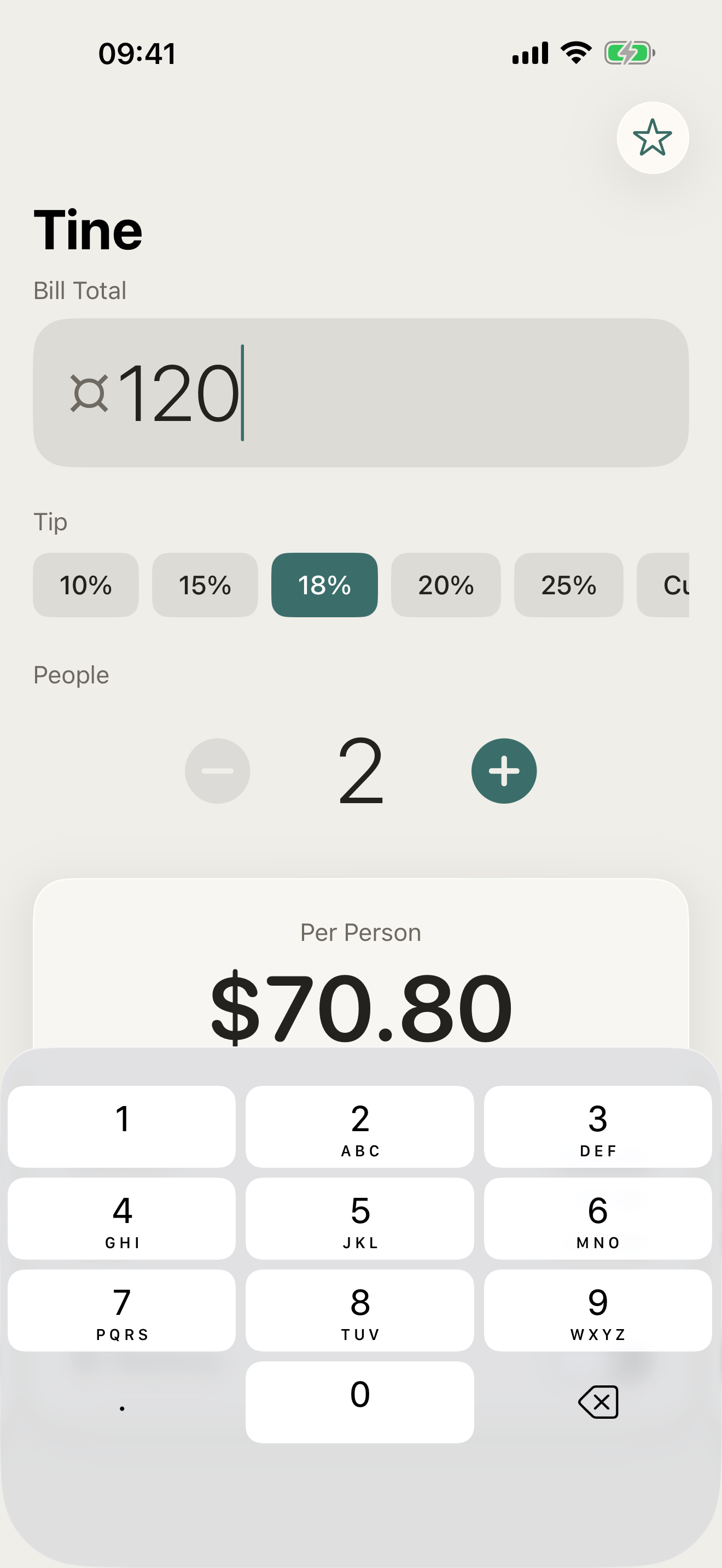
Tine 在几秒内帮你分摊餐厅账单——无需账号、无需设置、无需网络。
打开应用,输入账单总额,选择小费,设置人数,立即看到每人应付金额。就这么简单。
Tine 的独特之处
- 即时分账——边输入边显示结果
- 五档小费预设,支持自定义比例
- 每人金额向上取整,避免零散找零
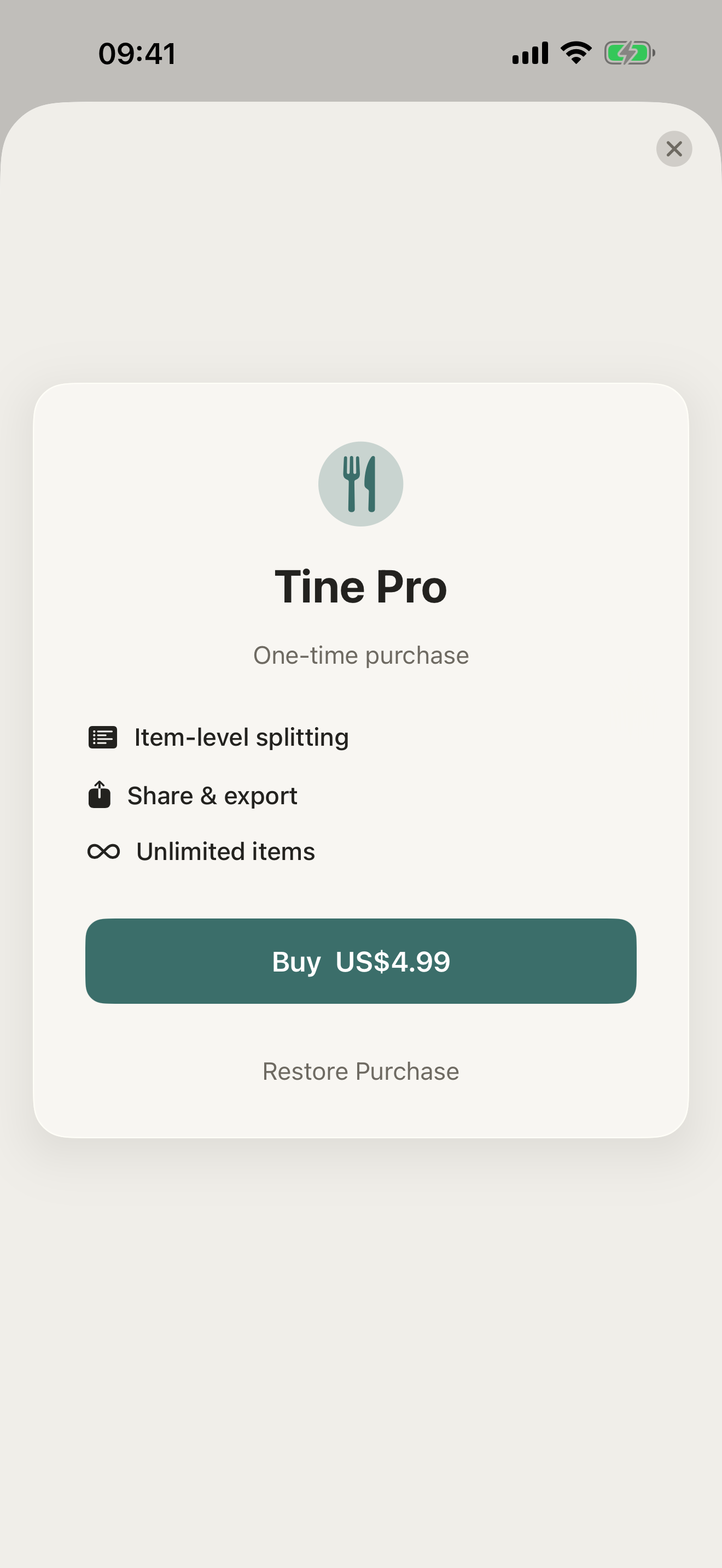
- 按菜品分账(Pro)——精确分配每道菜
- 一键分享账单明细(Pro)
- 完全离线——随时随地使用,无需账号
定价
Tine 本身免费,即时分账、小费预设与取整功能均已包含。Tine Pro 新增按菜品分账——将每道菜精确分配给对应的人——以及一键分享账单明细。
反馈
由一个小型独立团队打造。如有反馈、问题报告或功能建议,欢迎发邮件至 obeliskclubclub@gmail.com。
核心能力
即时分账——边输入边显示结果
五档小费预设,支持自定义比例
每人金额向上取整,避免零散找零
按菜品分账(Pro)——精确分配每道菜
一键分享账单明细(Pro)
完全离线——随时随地使用,无需账号
常见问题
- How do you split a restaurant bill with tip between friends?
- The usual approach is to add the tip to the total first and then divide by the number of people, so everyone shares the tip proportionally. Tine does this in seconds: enter the total, choose a tip, set the number of people, and each person's share appears instantly — with five tip presets plus a custom percentage.
- What's the fairest way to split a bill when people ordered different things?
- An equal split is fast but penalizes whoever ordered less; the fair alternative is itemizing, where each person pays for what they actually ordered. Tine Pro adds Item Split — enter each dish, assign it to the right person, and everyone pays exactly what they ate rather than an equal share of something they didn't.
- Does a bill splitting app work without internet?
- Tine does — it's fully offline with no account and no setup, so it works in a basement restaurant, on a trip abroad, or anywhere without signal. Splitting a bill is simple arithmetic, and there's no reason it should require a connection or a sign-up.
- How do I avoid awkward uneven amounts when splitting a bill?
- Cent-level shares like $23.47 are annoying to pay in cash or type into a payment app, so rounding each person's share up slightly is common — the small surplus typically just pads the tip. Tine has a round-up-per-person option built in to keep every share a clean number.
- Can I send everyone their share of the bill?
- Yes — Tine Pro lets you share the breakdown with one tap, so instead of reading amounts aloud at the table you can send each person exactly what they owe. The free version still shows the full per-person result instantly on screen.
界面展示

高保真界面
高保真界面
高保真界面
其他 Obelisk 应用

SnapPro
SnapPro 是 macOS 上最专业的截图和录屏工具。像素级无损捕获、无限时长录屏、端侧 OCR——均无需额外购买。 基于 ScreenCaptureKit、Vision 框架和 Metal 原生构建。针对 Apple Silicon 优化。基础档无水印。录屏无时长限制。 —…

ViewOne
手机在游乐园拍了 50 张连拍,现在堆在 Mac 里,你又懒得一张张挑。 ViewOne 帮你解决这个问题。把文件夹拖进来,立刻识别每一组连拍。并排对比、轻点挑出心仪的,剩下的一键扔进废纸篓。 挑不出来?交给 AI——它会分析清晰度、曝光、构图甚至表情,帮你找到最佳那张。 — V…

PhotoBridge
影像方舟(PhotoBridge)把 iPhone 照片直接备份到你自己的存储——群晖、QNAP、Nextcloud、AWS S3、MinIO、阿里云 OSS 或外接硬盘。不走第三方云,不订阅陌生人的照片仓库。 专为这些时刻设计:iCloud 账单越看越不爽,或者你只是想把照片放…