
ScoreFlow电钢琴自动翻页谱架
关于
ScoreFlow 是给琴童家庭的自动翻页谱架。
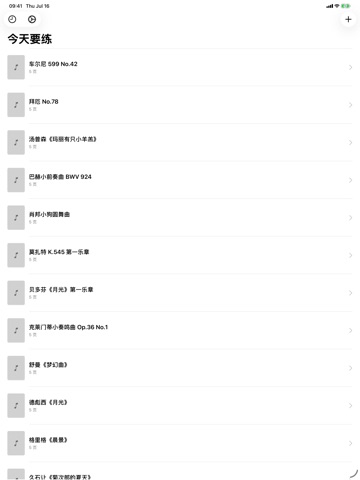
把 iPad 放在琴架上,用 USB 线连上电钢琴,孩子弹到哪一页,App 就自动翻到哪一页——再也不用停下来腾出手翻谱。
ScoreFlow 的独特之处
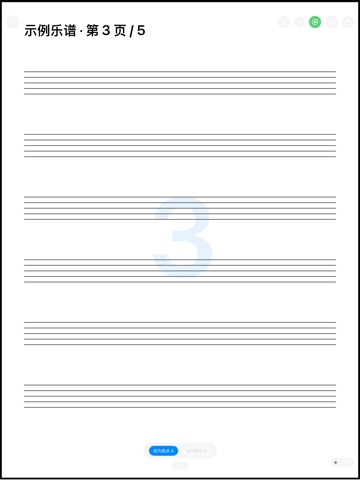
- 自动翻页:跟随实际弹奏的位置翻页
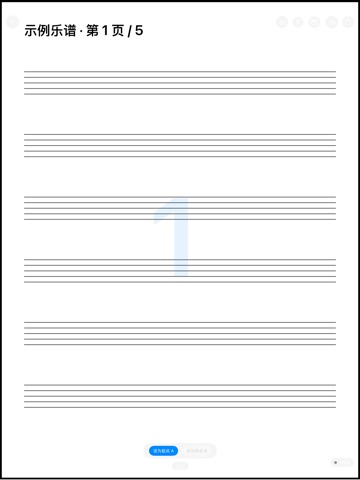
- 多种乐谱显示:单页 / 双页 / 半页,适配 A4 竖版谱
- 手势翻页:左右大区域轻触,防误触
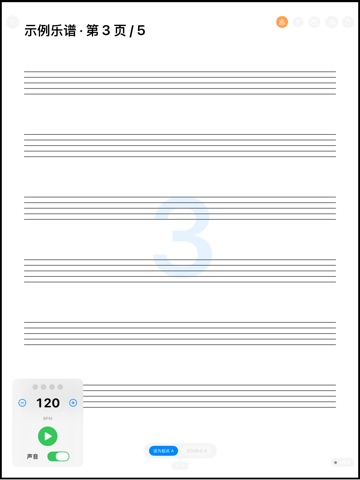
- 节拍器(40–240 BPM)可视节拍灯,配合 AB 段循环反复练习
- 谱面标记:圈、箭头、文字、橡皮擦
- 练琴统计:按曲目和当天累计时长
定价
ScoreFlow 完全免费,无需账号、无需订阅,也没有任何内购项目。
反馈
由一个小型独立团队打造。如有反馈、问题报告或功能建议,欢迎发邮件至 obeliskclubclub@gmail.com。
所有乐谱与练习数据都保存在本机,不收集、不上传任何个人信息。
核心能力
自动翻页
连接电钢琴后,跟随弹奏位置自动翻页。
练习工具
节拍器、AB 段循环、谱面标记一应俱全。
隐私优先
数据全部本地存储,不收集任何信息。
常见问题
- How does ScoreFlow's auto page-turn work?
- Connect your iPad to a digital piano over USB and prop it on the music stand. ScoreFlow follows what's actually being played and turns each PDF page as your child reaches it — no stopping mid-piece to flip.
- Does ScoreFlow collect or upload my child's data?
- No. All scores and practice data stay on your device. Nothing is collected or uploaded.
- Can I still turn pages by hand in ScoreFlow?
- Yes. Large-zone gesture page-turn is built in, with mis-touch protection so an accidental brush during playing doesn't flip the page.
- Does ScoreFlow have practice tools beyond page turning?
- Yes. It includes a metronome from 40 to 240 BPM with a visual beat light, an AB loop for repeating a passage, score markup with circle, arrow, text, and eraser tools, and practice-time stats per piece and per day.
- How does ScoreFlow display sheet music?
- PDF scores can be shown in single-page, two-up, or half-page layouts, designed for A4 portrait scores. The screen stays awake for the whole practice session.
界面展示
高保真界面
高保真界面
高保真界面
高保真界面
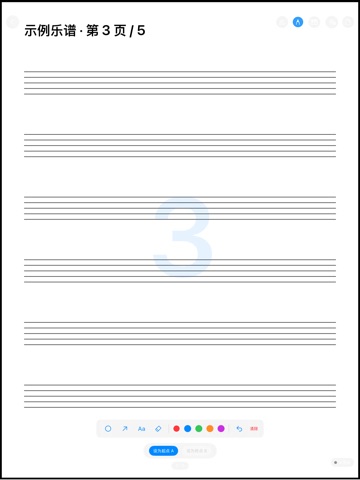
高保真界面
其他 Obelisk 应用

SnapPro
SnapPro 是 macOS 上最专业的截图和录屏工具。像素级无损捕获、无限时长录屏、端侧 OCR——均无需额外购买。 基于 ScreenCaptureKit、Vision 框架和 Metal 原生构建。针对 Apple Silicon 优化。基础档无水印。录屏无时长限制。 —…

ViewOne
手机在游乐园拍了 50 张连拍,现在堆在 Mac 里,你又懒得一张张挑。 ViewOne 帮你解决这个问题。把文件夹拖进来,立刻识别每一组连拍。并排对比、轻点挑出心仪的,剩下的一键扔进废纸篓。 挑不出来?交给 AI——它会分析清晰度、曝光、构图甚至表情,帮你找到最佳那张。 — V…

PhotoBridge
影像方舟(PhotoBridge)把 iPhone 照片直接备份到你自己的存储——群晖、QNAP、Nextcloud、AWS S3、MinIO、阿里云 OSS 或外接硬盘。不走第三方云,不订阅陌生人的照片仓库。 专为这些时刻设计:iCloud 账单越看越不爽,或者你只是想把照片放…