
QuickPix在本机压缩图片,画质可控
关于
QuickPix 是一款原生 macOS 图片压缩工具,全程本地运行。不上传、不需登录、不发送任何遥测。拖进来就完事。
基于 macOS 系统级 sips 引擎——Apple 自家的图像处理基建——输出质量与 Preview 导出一致,但速度像命令行、操作像 GUI。
QuickPix 的独特之处
- 100% 离线
图片永不离开你的 Mac。没有云端上传,没有第三方处理。内部截图、未发布的产品渲染、客户作品——任何不该上传的素材都不会上传。
- 读 28 种,写 12 种
可读 JPEG、PNG、HEIC、WebP、TIFF、GIF、BMP、PSD、JPEG 2000,以及佳能、尼康、索尼、富士、奥林巴斯、松下、宾得的 RAW 文件;可写 HEIC、PNG、JPEG、TIFF、GIF 等 12 种格式。
- 五档压缩预设
极限压缩、推荐平衡、网页优化、无损、自定义格式与质量。压完反而更大的文件可以自动跳过,原图不动。
- 单次处理不设上限
1,000 张还是 10,000 张,一次跑完。没有每日配额,也没有单批数量限制。
- 前后对比滑块
内置像素级对比视图,缩放精确。不只看文件大小数字——亲眼看到画质差异,再决定是否发布。
- 文件夹监听(Pro)
指定一个文件夹让 QuickPix 看着。任何放进去的新文件自动压缩。专为通过 Dropbox、Slack、Finder 收素材的设计师和团队设计。
- 保留颜色配置
sRGB 保持 sRGB,Display P3 保持 Display P3。默认剥离 EXIF 和 GPS 信息便于分享。Pro 可选保留特定元数据。
- 剪贴板粘贴
任意位置 ⌘⇧V。对于「截图后必须先压缩再发」的场景特别有用。
QuickPix 适合谁
- 把图片推送到 CMS、设计系统、营销网站的设计师
- 做图片密集型网页应用的开发者
- 需要批量处理但拒绝订阅的产品摄影师
- 需要压 HEIC 和 RAW,而不只是 JPEG、PNG 的人
- 被网页压缩工具 20 张/批限制卡住的人
批量工作的优化器
QuickPix 是为批量而生的图片优化器:HEIC 转 JPG 等图片转换、整个文件夹一次批量压缩、PNG 走无损压缩,把图片体积实实在在缩小。
定价
基础功能无需额外购买,单格式批量无上限,全部格式支持。Pro 一次性买断解锁文件夹监听、自定义预设、并行批量处理。不订阅。
反馈
独立开发者 Peter Zhang。所有邮件 obeliskclubclub@gmail.com 都会亲自阅读。少了你常用的格式?告诉我们。
了解更多:obelisk.club/quickpix-image-compressor
核心能力
一键压缩
拖入图片、选择预设(极限压缩、推荐平衡、网页优化、无损、自定义),点击压缩——就这么简单。
读 28 种,写 12 种
导入 JPEG、PNG、HEIC、WebP、RAW、PSD 等,导出 12 种格式包括 HEIC、PNG、JPEG、TIFF 和 GIF。
压缩前后对比
滑块对比视图让你在确认前验证画质——清楚看到哪些变了,哪些没变。
智能推荐
根据图片属性自动推荐最佳格式和质量——综合考虑透明通道、分辨率和色彩空间。
批量无上限 + 文件夹监听
拖入一个文件夹,得到一个文件夹——1,000 张还是 10,000 张都行,没有每日上限或单批限制。Pro 的文件夹监听会自动压缩放入受监听文件夹的任何文件。
100% 离线且私密
全程基于 Apple 原生 sips 引擎在本机运行——不上传、不登录、不发遥测。保留色彩配置(sRGB、Display P3),默认剥离 EXIF 与 GPS。
常见问题
- Does QuickPix upload my images to a server?
- No. QuickPix runs 100% offline on your Mac — no upload, no account, no telemetry. Internal screenshots, unreleased renders and client work never touch the internet.
- Can QuickPix compress HEIC photos from an iPhone?
- Yes. HEIC is supported natively, alongside 28+ formats including JPEG, PNG, WebP, AVIF, TIFF, GIF, BMP and PSD — both reading and writing.
- Is there a limit on how many images I can compress at once?
- No daily caps and no per-batch limits — drop a folder with 1,000 or 10,000 images and get a compressed folder back.
- Will compressing change my photo's colors or metadata?
- Color profiles are preserved — sRGB stays sRGB and Display P3 stays Display P3 — while EXIF and GPS metadata are stripped by default for safer sharing.
- Can QuickPix compress images automatically?
- With Pro's folder watching, pick a folder and anything dropped into it is compressed automatically — built for designers and teams receiving assets via Dropbox, Slack or Finder.
界面展示
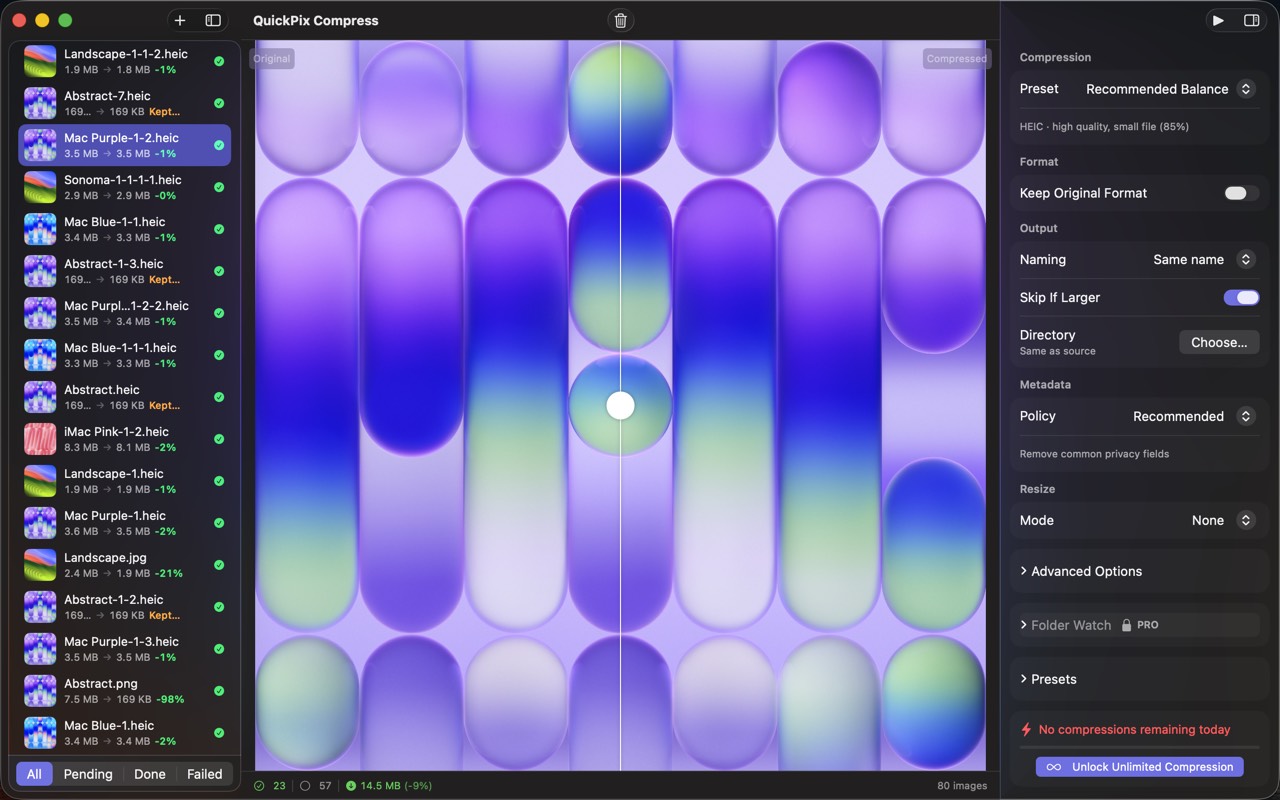
高保真界面
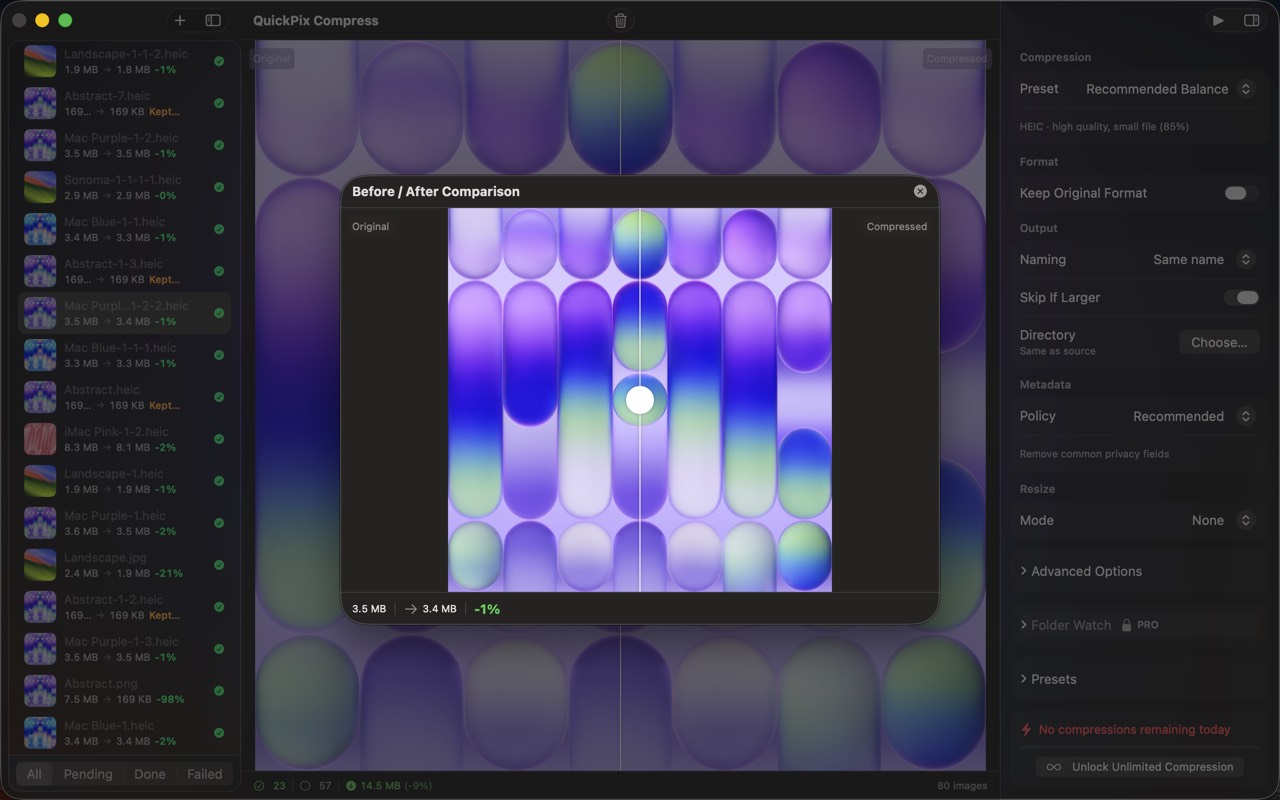
高保真界面
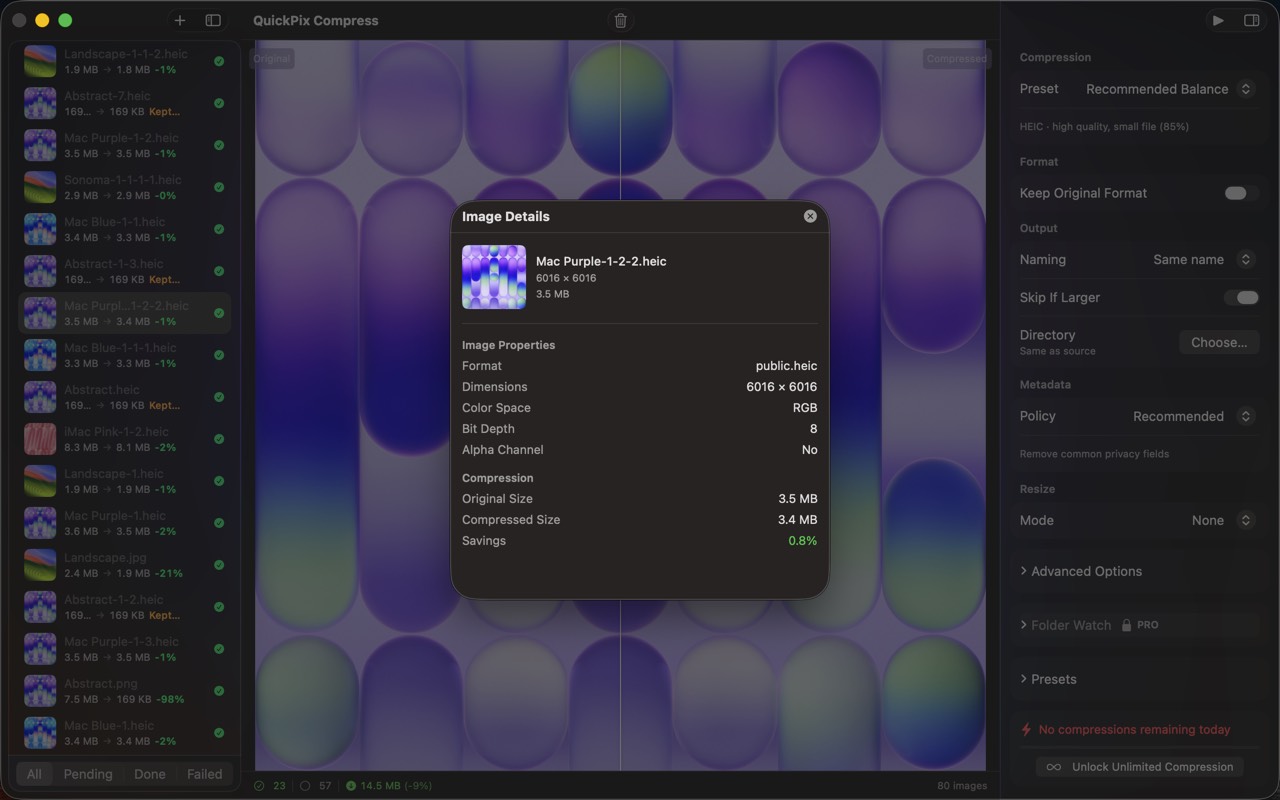
高保真界面
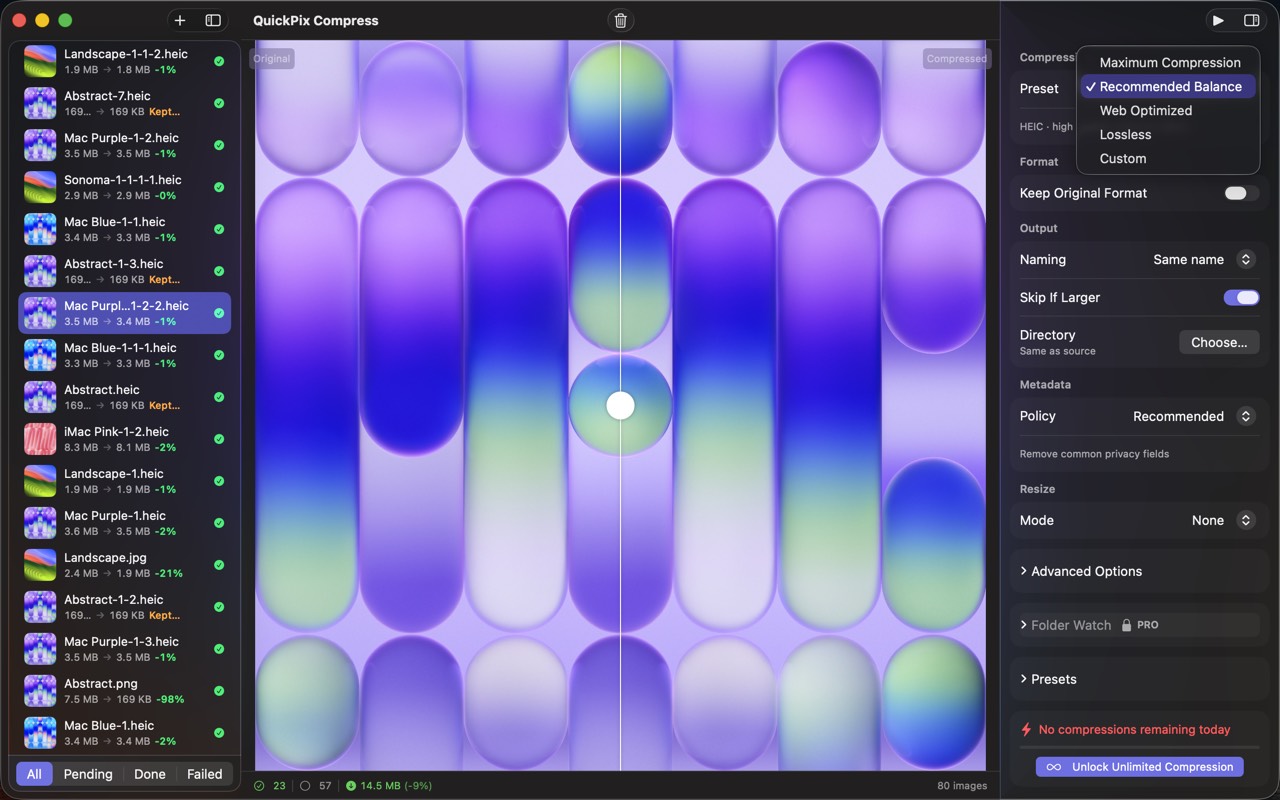
高保真界面
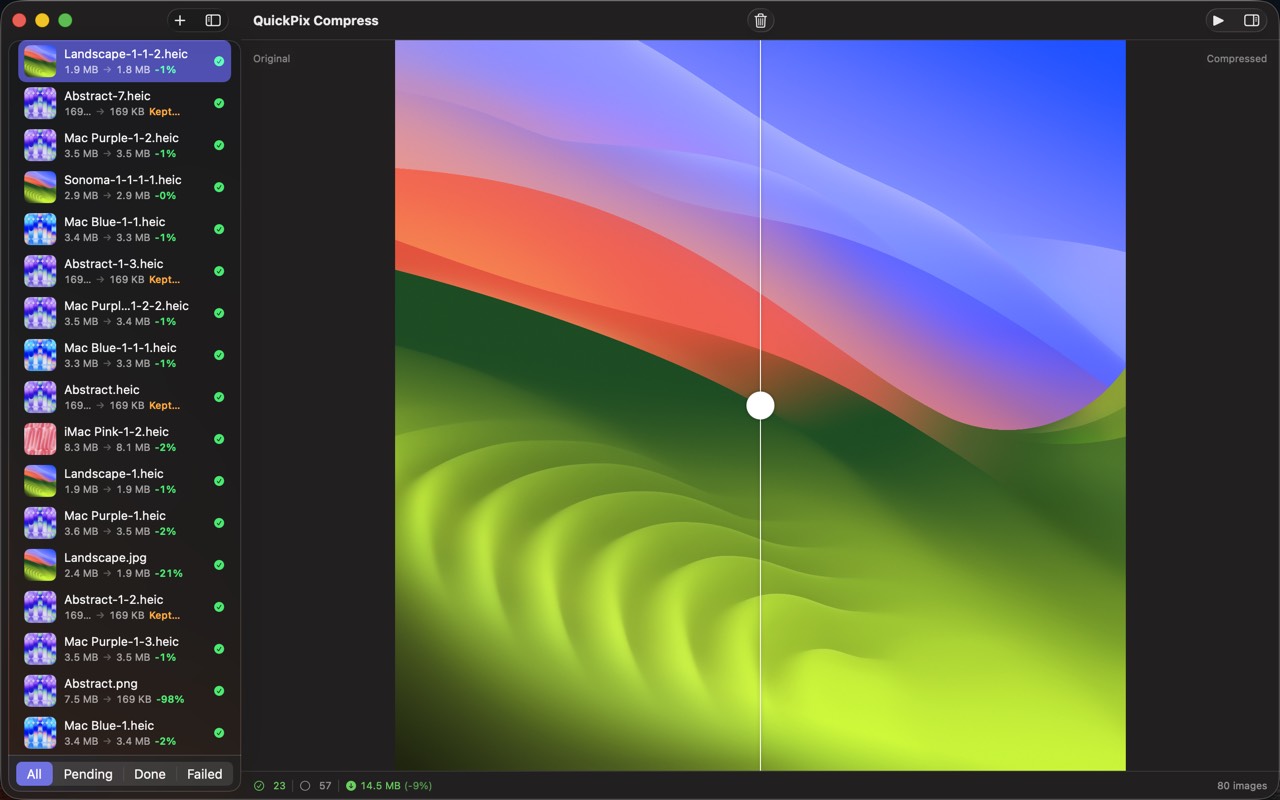
高保真界面
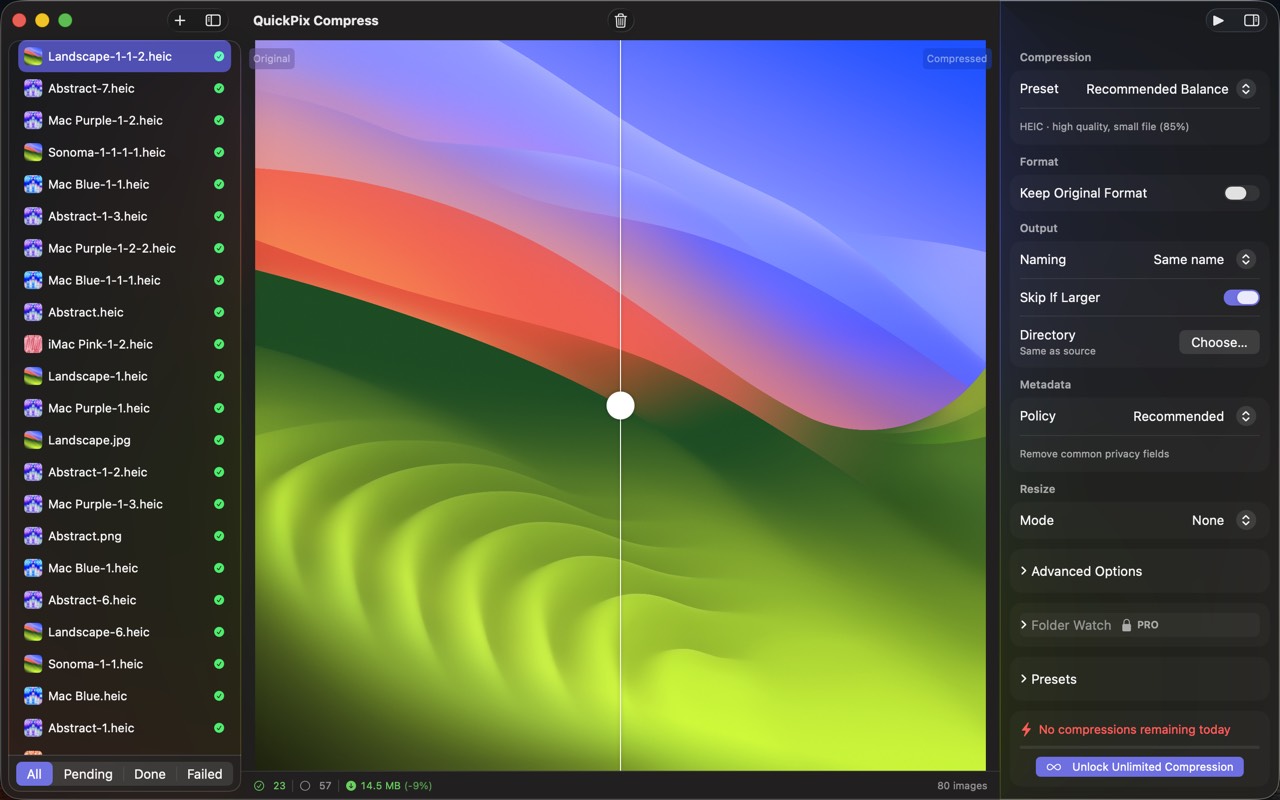
高保真界面
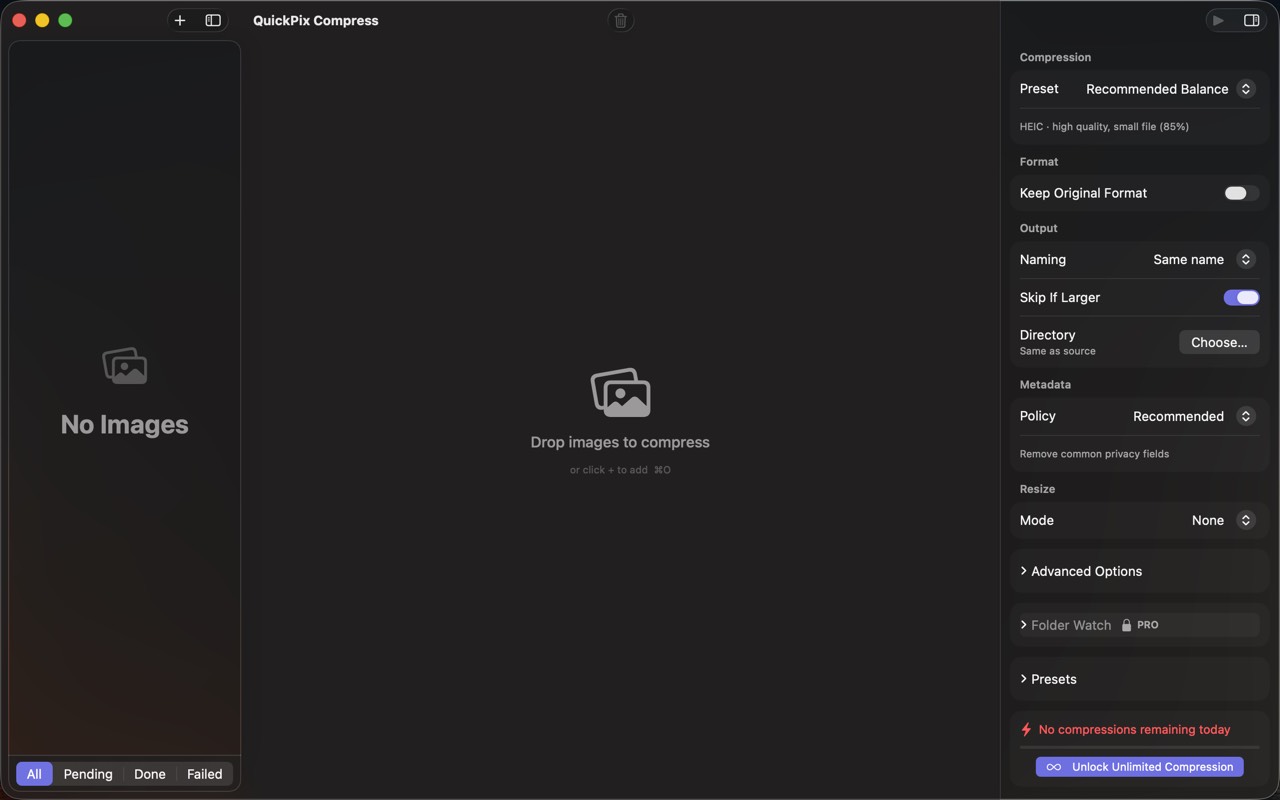
高保真界面
QuickPix 相关指南
WebP vs AVIF vs JPEG:Mac 上到底用哪个(附真实文件大小测试)
三种现代图片格式,三种不同取舍。这是 Mac 上的真实对比测试,附给网页、设计、归档场景的具体推荐。
macOS sips 命令完全指南(2026)
每一台 Mac 都自带一个又快又安全的图片处理器,叫 sips。可以缩放、转换、压缩、剥离元数据、批量处理——不用装任何东西。这里是它全部能做的事。
Mac 上离线压缩图片的完整指南(2026)
5 款 Mac 图片压缩工具实测对比 — 不上传、不收订阅、支持 HEIC,从命令行到 GUI 全部走一遍。
Squoosh on Mac — what it's great at, why it can't open HEIC, and offline alternatives
Squoosh is the best free way to compress one image in a browser. But it can't decode iPhone HEIC photos, has no batch mode, and its CLI is archived. Here's when it fits and what Mac users switch to.
How to compress HEIC images for a website on Mac
HEIC is efficient but not universal on the web. Learn when to use JPEG, WebP, or AVIF, how to resize and strip metadata, and how to batch offline on Mac.
WebP vs AVIF vs JPEG on Mac — when to use which (with real file-size numbers)
Three modern image formats, three different trade-offs. Here's a real-world test on Mac, with concrete recommendations for web, design, and archival use.
其他 Obelisk 应用

SnapPro
SnapPro 是 macOS 上最专业的截图和录屏工具。像素级无损捕获、无限时长录屏、端侧 OCR——均无需额外购买。 基于 ScreenCaptureKit、Vision 框架和 Metal 原生构建。针对 Apple Silicon 优化。基础档无水印。录屏无时长限制。 —…

ViewOne
手机在游乐园拍了 50 张连拍,现在堆在 Mac 里,你又懒得一张张挑。 ViewOne 帮你解决这个问题。把文件夹拖进来,立刻识别每一组连拍。并排对比、轻点挑出心仪的,剩下的一键扔进废纸篓。 挑不出来?交给 AI——它会分析清晰度、曝光、构图甚至表情,帮你找到最佳那张。 — V…

PhotoBridge
影像方舟(PhotoBridge)把 iPhone 照片直接备份到你自己的存储——群晖、QNAP、Nextcloud、AWS S3、MinIO、阿里云 OSS 或外接硬盘。不走第三方云,不订阅陌生人的照片仓库。 专为这些时刻设计:iCloud 账单越看越不爽,或者你只是想把照片放…
QuickPix 与同类工具对比
诚实的逐项对比——包括对方赢的地方。
Mac image compression
QuickPix vs ImageOptim
ImageOptim is a beloved open-source image compressor for Mac. Designers and developers have used it for over a decade. QuickPix is a newer entrant that takes a different technical approach. Here's a clear-eyed comparison so you can pick what fits your workflow.
Image compression
QuickPix vs TinyPNG
TinyPNG is the cloud-based image compression standard that millions of designers use daily. QuickPix is a Mac-native alternative that runs entirely on your device. Both produce smaller JPEGs and PNGs. The key difference is whether your images ever leave your computer.
Image compression
QuickPix vs Squoosh
Squoosh is Google's open-source web-based image compressor that runs entirely client-side in your browser. QuickPix is a native Mac app with similar privacy guarantees but a different workflow. Here's how they actually compare.
JPEG compression
QuickPix vs JPEGmini
JPEGmini is a long-running commercial JPEG optimizer for Mac with a proprietary algorithm that produces some of the smallest JPEGs in the industry. QuickPix is a newer macOS-native compressor built on Apple's sips engine. Both compress images well — here's how to decide.