
关于
Vytals 把你 Mac 的健康状态直接放进菜单栏——安静、迅速,且完全私密。
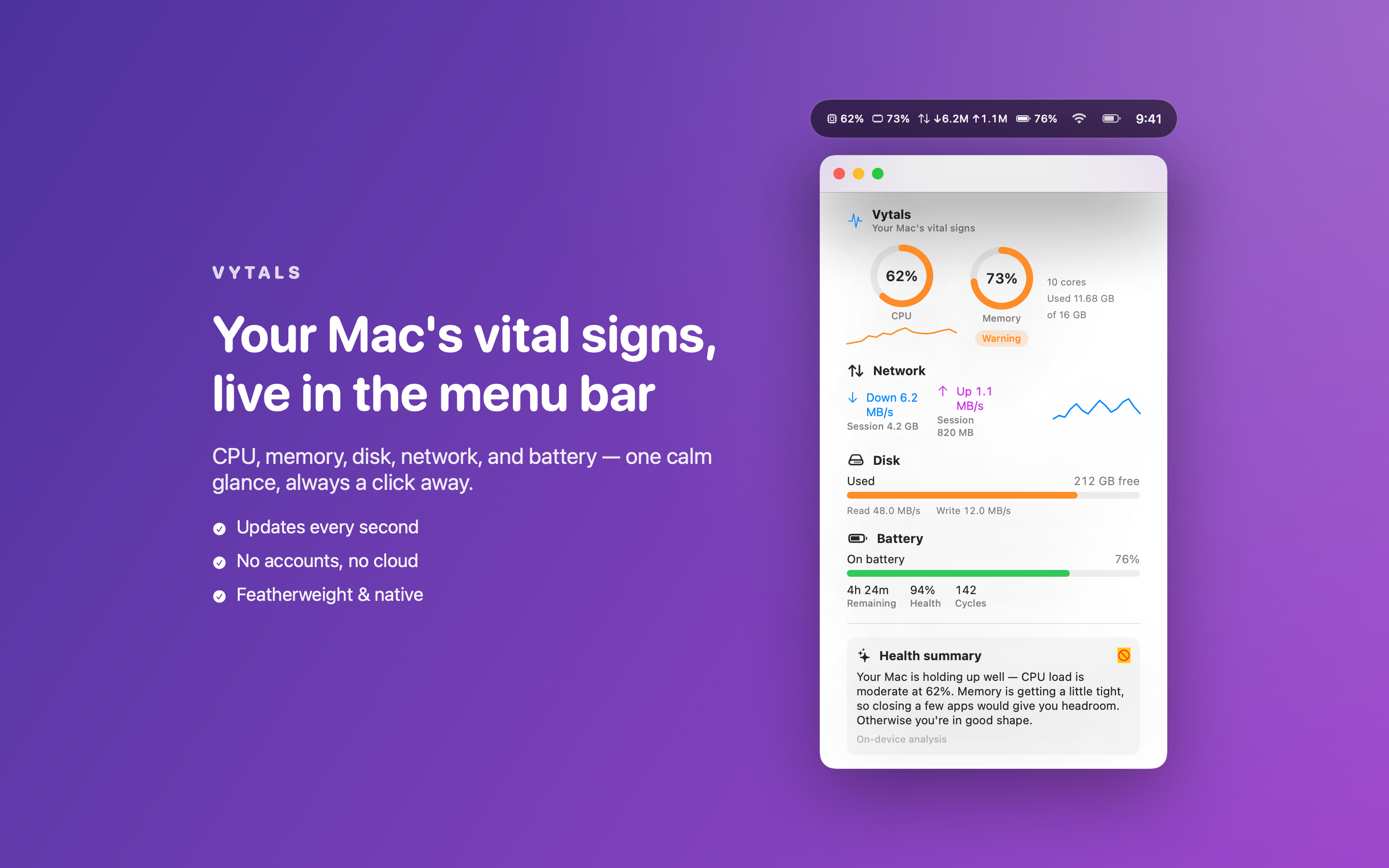
只需一眼,就能知道 Mac 当前的负载情况;点击一下,即可打开一个简洁的面板,展示你真正关心的一切:CPU 与各核心负载、内存使用与压力、剩余磁盘空间与活动、实时网络上下行速度,以及完整的电池健康状况。没有杂乱信息,无需配置仪表盘——只有你想看到的数字。
Vytals 的独特之处
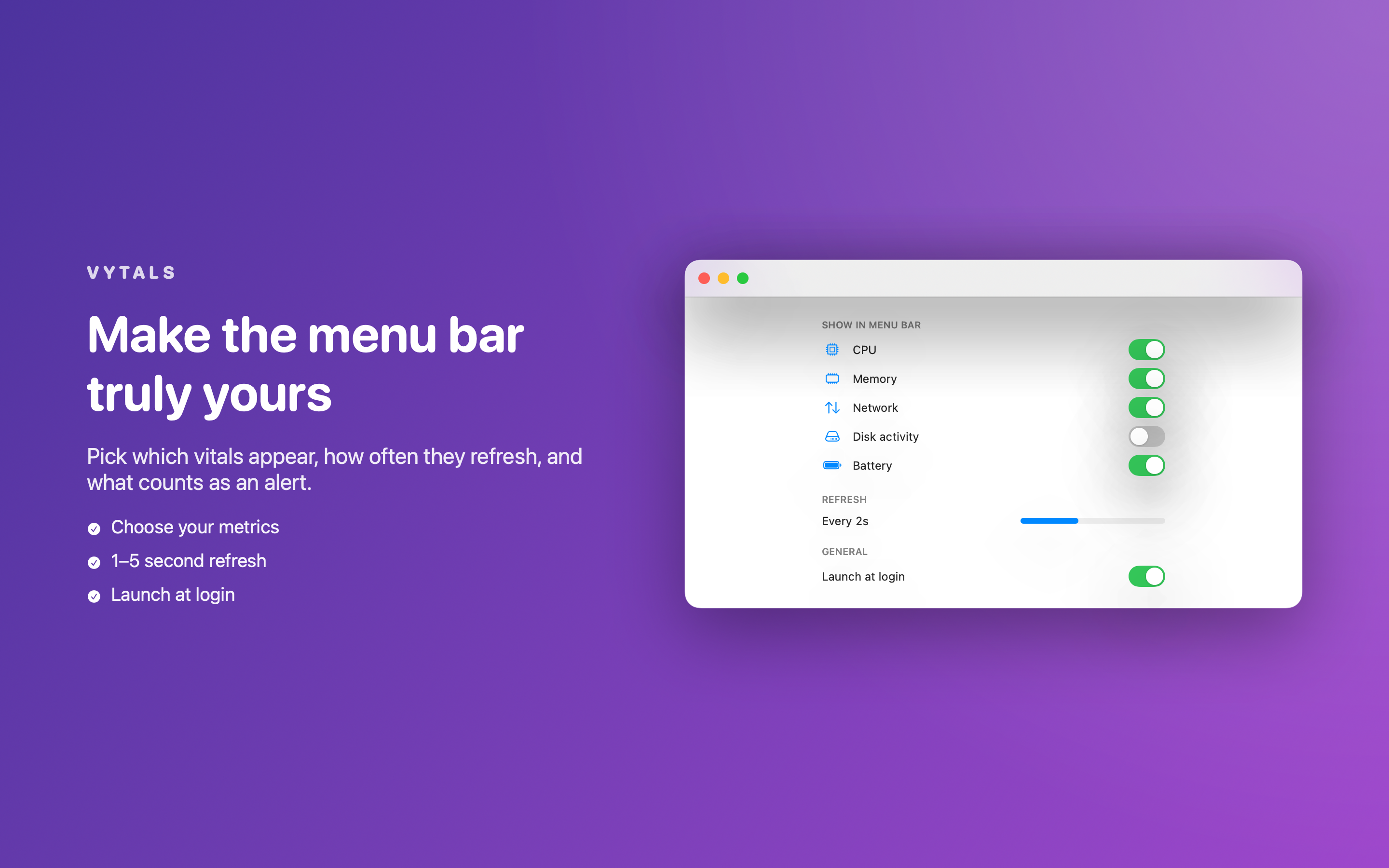
- 实时菜单栏显示——自由选择显示哪些指标,以及刷新频率
- 一个美观的面板——CPU、内存、磁盘、网络和电池的仪表盘与趋势图一应俱全
- 各核心 CPU 负载与实时历史趋势图,一眼看清变化
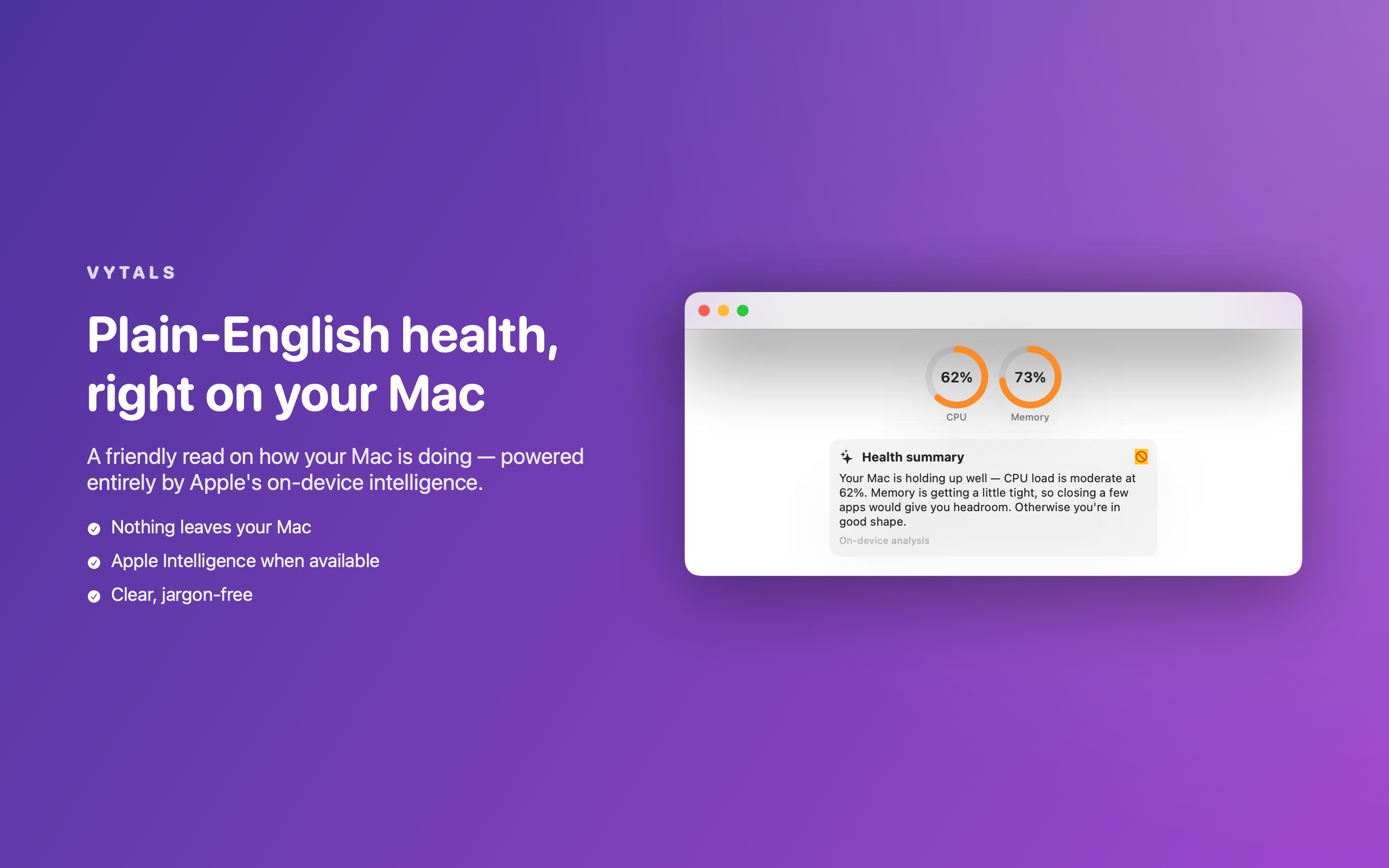
- 通俗易懂的健康摘要——完全基于 Apple 设备端智能生成,对 Mac 状态给出友好的说明(并内含本地兜底方案,始终可用)
- 智能提醒——当 CPU 过热、磁盘将满或电池电量过低时,收到系统原生通知
隐私优先的设计
Vytals 的所有数据都直接读取自 macOS 系统框架。没有账户、没有服务器、没有数据分析,也没有任何形式的网络访问。关于你 Mac 的一切信息都不会离开你的 Mac。
轻量、不占资源
采用原生 SwiftUI 与 Apple 官方框架构建,体积小巧——监控你 Mac 的工具,不会反过来拖慢它。
定价
Vytals 完全免费,无需账户、无需订阅、无需应用内购买。
反馈
由一个小型独立团队打造。如有反馈、问题或功能建议,欢迎发送邮件至 obeliskclubclub@gmail.com。
Vytals 安静地驻留在你的菜单栏,在你需要的那一刻随时可用。
核心能力
在菜单栏实时查看 CPU、内存、磁盘、网络和电池状态
一个简洁面板,包含仪表盘、趋势图与各核心负载
CPU、内存与网络的实时历史趋势图
通俗易懂的健康摘要,100% 设备端生成
针对 CPU 过高、磁盘不足和电量过低的智能提醒
完全本地运行——无账户、无网络、不收集数据
常见问题
- Does Vytals send any data off my Mac?
- No. Vytals reads everything straight from macOS system frameworks and has no accounts, no servers, no analytics, and no network access of any kind. Nothing about your Mac ever leaves your Mac.
- What does Vytals monitor?
- CPU and per-core load, memory usage and pressure, remaining disk space and activity, live network up/down, and full battery health. A glance at the menu bar shows your chosen vitals; one click opens a panel with gauges, sparklines, and live history graphs.
- Can Vytals alert me when something's wrong?
- Yes. Smart alerts send a native notification when CPU runs hot, disk fills up, or the battery dips.
- What is the plain-English health summary in Vytals?
- It's a friendly read on how your Mac is doing, powered entirely by Apple's on-device intelligence — with a built-in fallback so it always works, and nothing sent to any server.
- Will Vytals slow my Mac down?
- It's built not to. Vytals is native SwiftUI using Apple frameworks only, with a tiny footprint — so the tool that watches your Mac never becomes the thing slowing it down. You can also customize which metrics appear and how often they refresh.
界面展示
高保真界面
高保真界面
高保真界面
其他 Obelisk 应用

SnapPro
SnapPro 是 macOS 上最专业的截图和录屏工具。像素级无损捕获、无限时长录屏、端侧 OCR——均无需额外购买。 基于 ScreenCaptureKit、Vision 框架和 Metal 原生构建。针对 Apple Silicon 优化。基础档无水印。录屏无时长限制。 —…

ViewOne
手机在游乐园拍了 50 张连拍,现在堆在 Mac 里,你又懒得一张张挑。 ViewOne 帮你解决这个问题。把文件夹拖进来,立刻识别每一组连拍。并排对比、轻点挑出心仪的,剩下的一键扔进废纸篓。 挑不出来?交给 AI——它会分析清晰度、曝光、构图甚至表情,帮你找到最佳那张。 — V…

PhotoBridge
影像方舟(PhotoBridge)把 iPhone 照片直接备份到你自己的存储——群晖、QNAP、Nextcloud、AWS S3、MinIO、阿里云 OSS 或外接硬盘。不走第三方云,不订阅陌生人的照片仓库。 专为这些时刻设计:iCloud 账单越看越不爽,或者你只是想把照片放…