
ViewOneAI が選ぶ最高の1枚
About
iPhone で遊び場のバースト 50 枚を撮影。Mac に取り込んだけれど、一枚ずつ仕分けする気にはなれない。
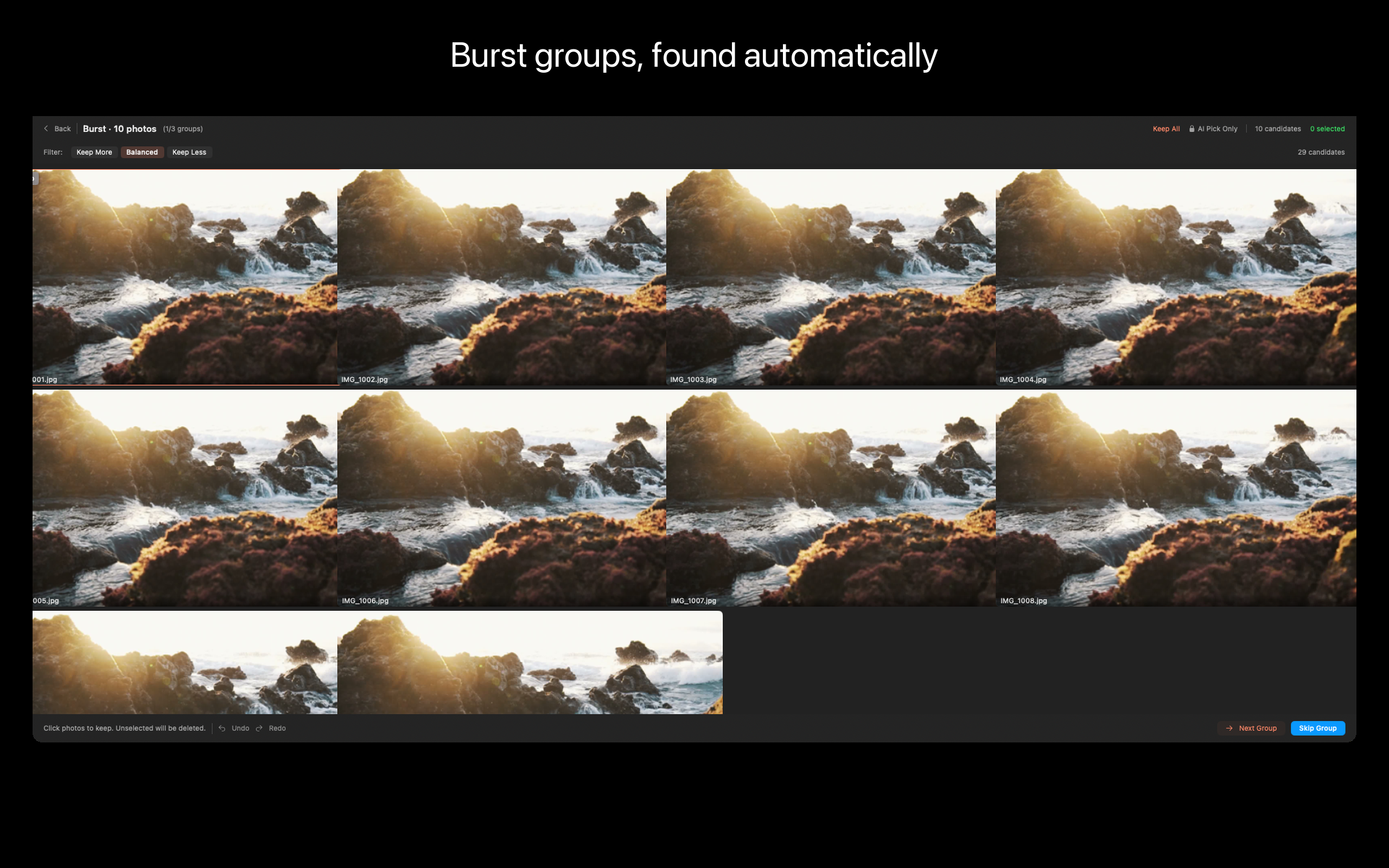
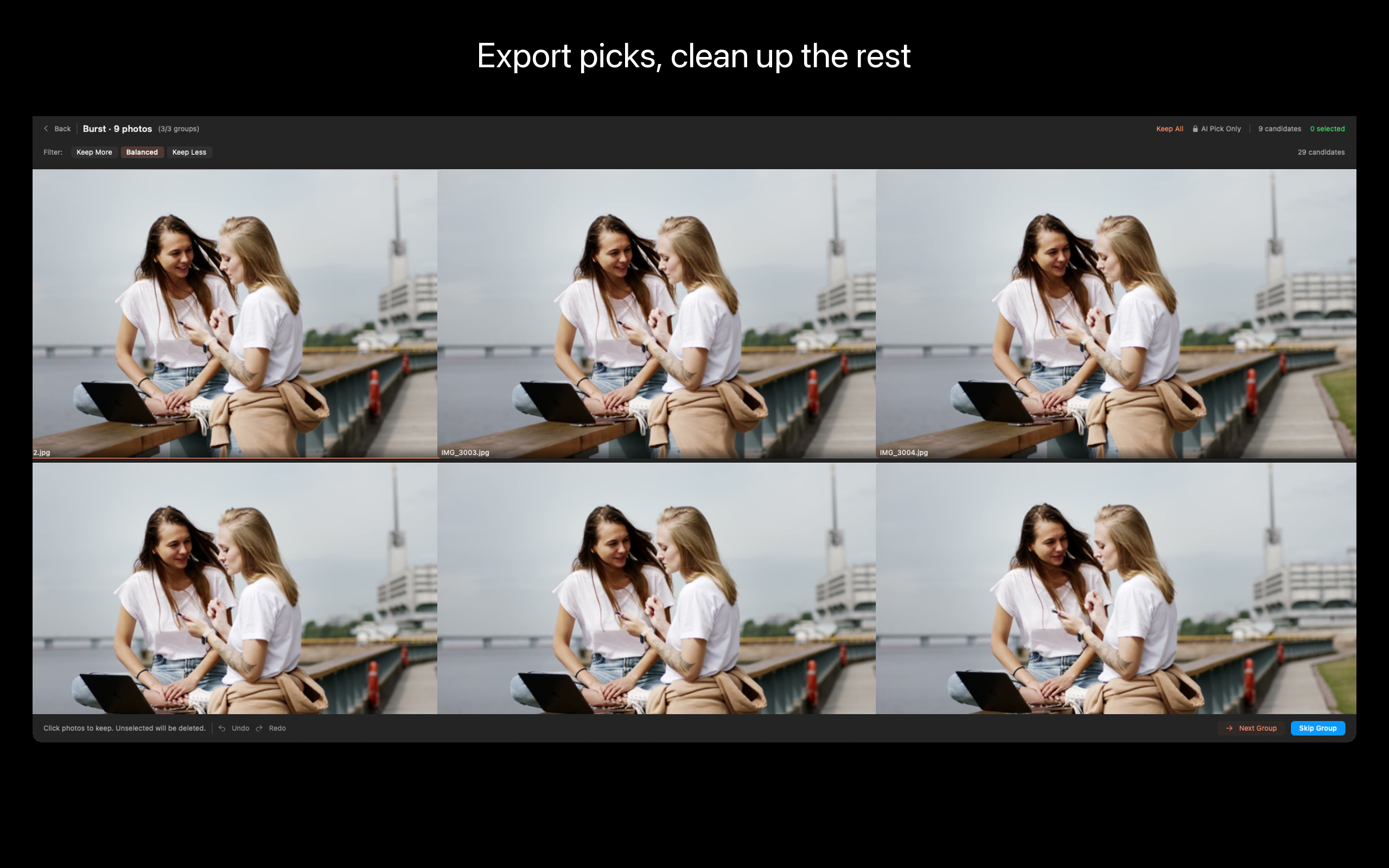
ViewOne がそれを解決します。フォルダをドロップすれば、連写グループを即座に検出。並べて比較し、お気に入りをタップで採用、残りはワンクリックでゴミ箱へ。
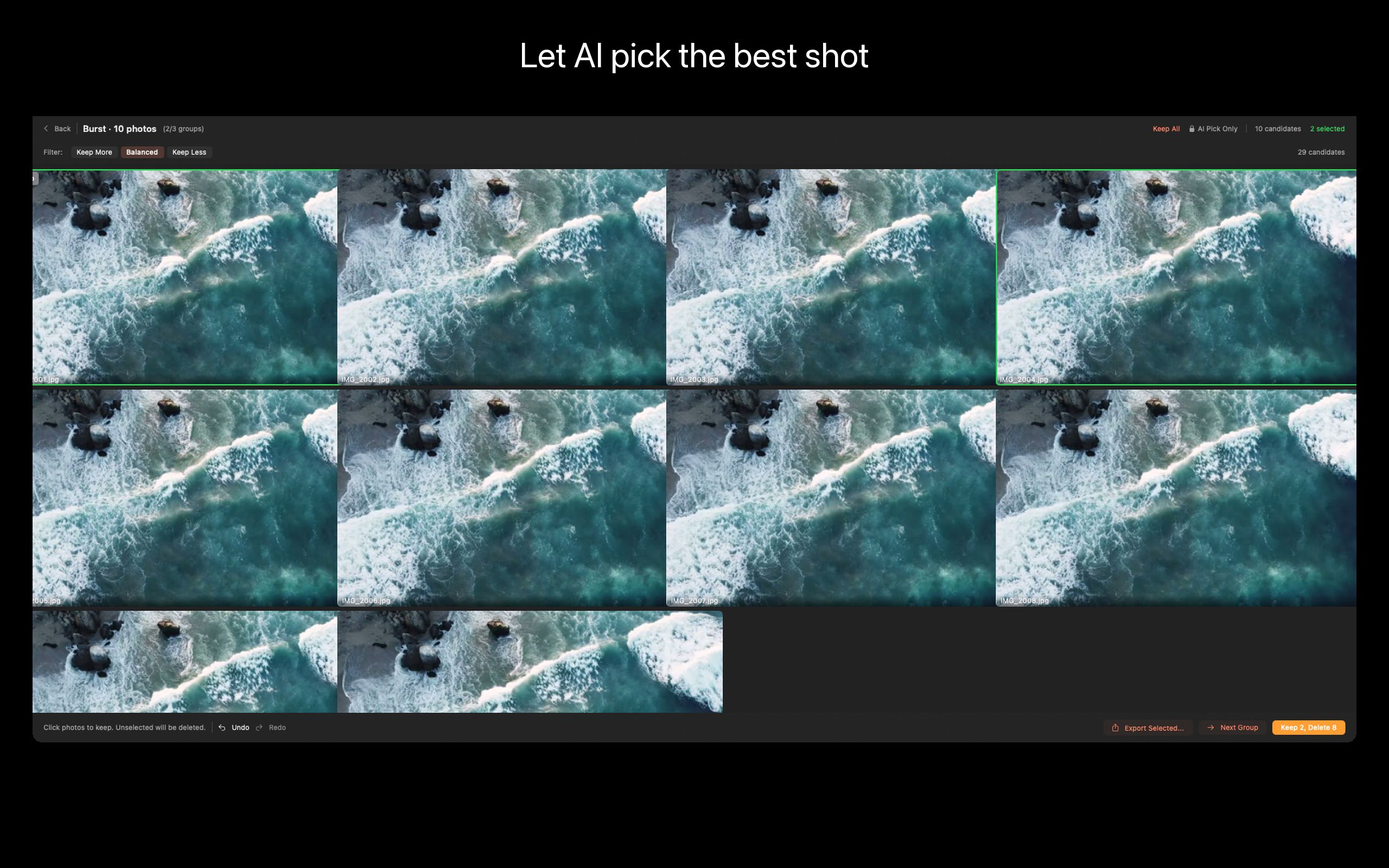
迷ったら AI に任せましょう——シャープネス、露出、構図、表情を分析して、ベストショットを提案します。
ViewOne の特長
- 連写の自動検出
任意のフォルダをドロップ。ViewOne が連写シーケンスを自動でグループ化——タグ付け不要、「EXIF で並べてタイムスタンプを目を細めて見比べる」必要もありません。iPhone の連写、一眼レフの連続撮影、画面キャプチャ連番に対応。
- 並べて比較
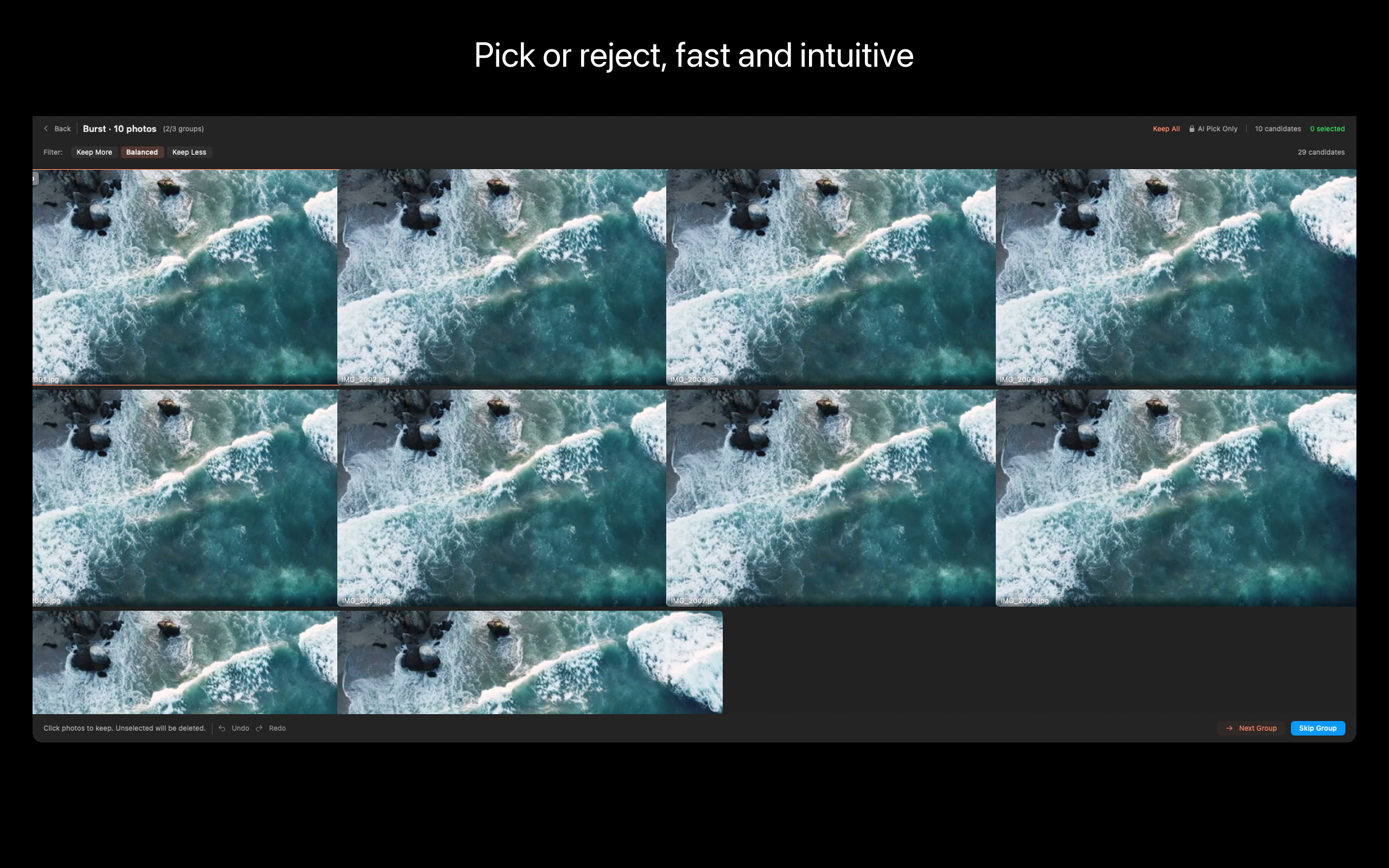
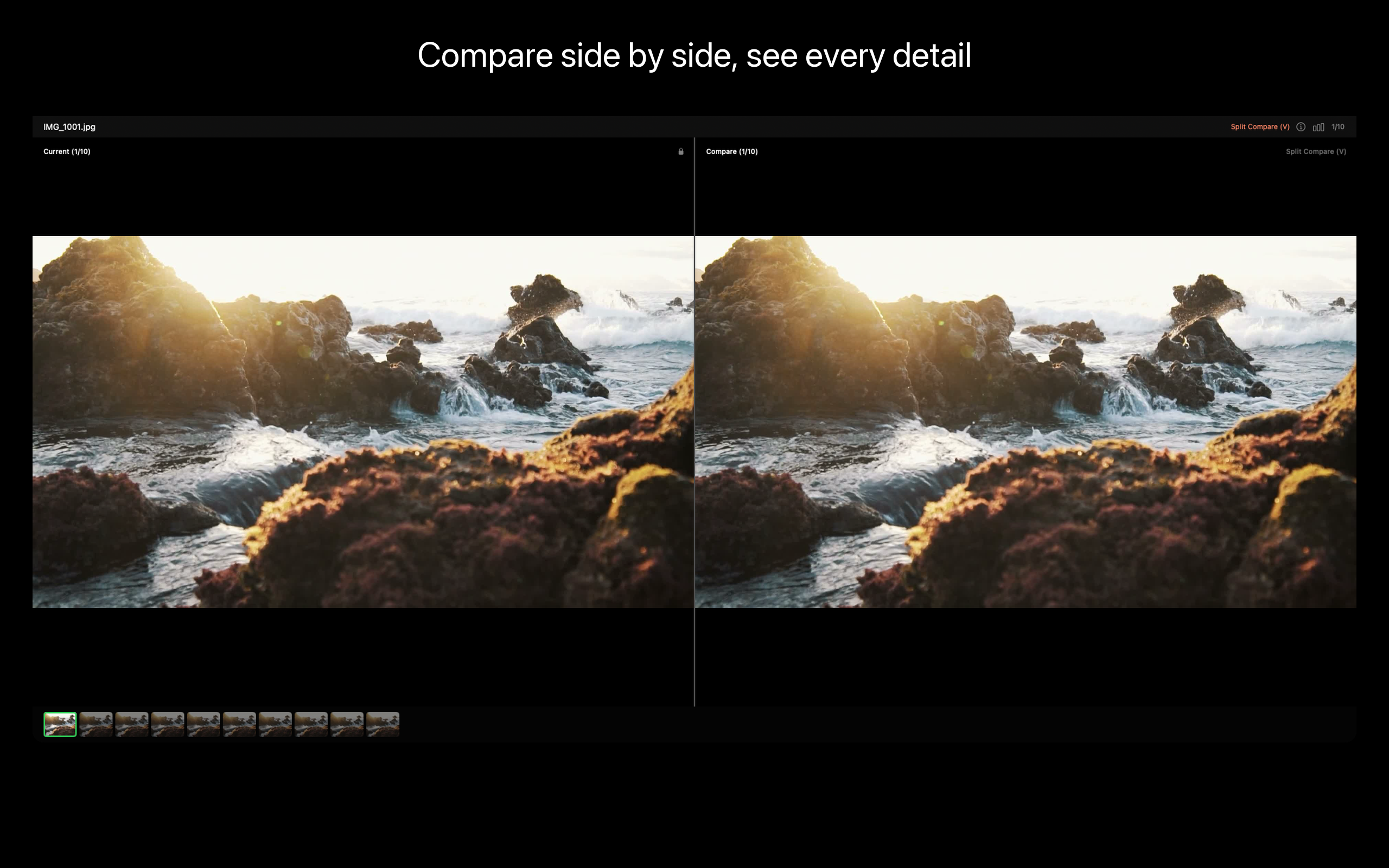
Review ワークベンチが連写グループをインラインで表示。V キーで分割画面のピクセル等倍比較。P で採用、X で却下。キーボード優先設計——200 枚を 15 分でさばけます。
- AI ベストピック (Pro)
AI が連写全体のシャープネス、露出、構図、表情を解析し、キーパーを推薦。目が開いて笑顔、ブレなし、構図ベスト。いつでも自分で上書きできます。
- EXIF パネル
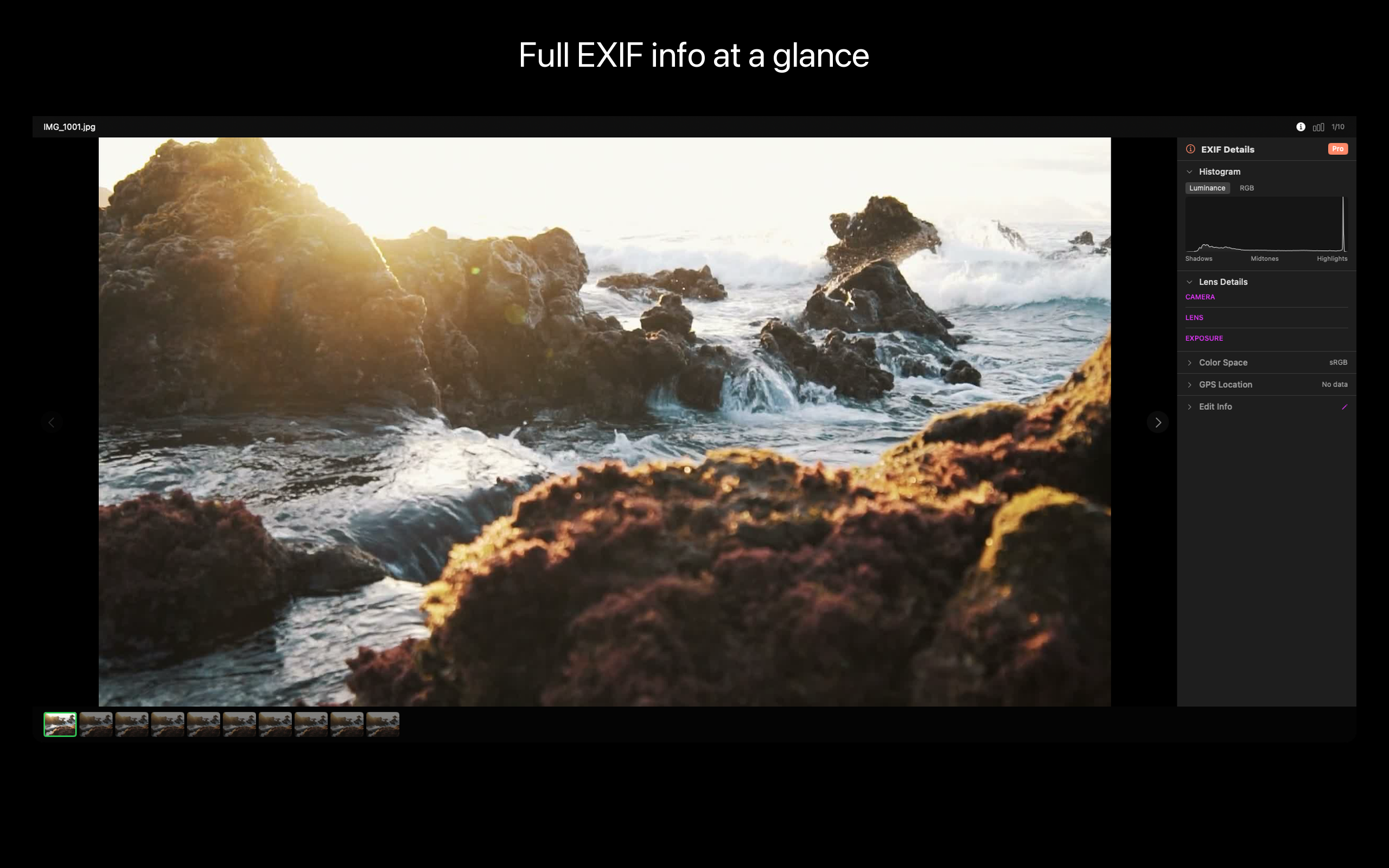
各写真の完全な EXIF——絞り、シャッター、ISO、レンズ、GPS、ボディ。必要に応じて編集可能(タイムゾーンを間違えた撮影の日付一括修正など)。
- ワンクリック整理
不要な写真はゴミ箱へ。採用カットは一括書き出し。残すべきは残し、SSD を圧迫していた重複は消えます。
- ローカルファースト
すべて Mac 上で完結。アップロードなし、クラウドアカウントなし、AI サーバーなし。Vision framework がローカルで解析します。
ViewOne はこんな方に
- カメラロールの 7 割が子どもの連写写真の親御さん
- 結婚式やスポーツの連続撮影を見返すカメラマン
- Gemini Photos の自動選択が大胆すぎると感じた方、PhotoSweeper の設定パネルで迷子になった方
- 写真ライブラリが 200 GB を超えて何に使ったか分からない方
- Live Photo を撮影し、瞬間ごとに 1 枚だけ残したい iPhone ユーザー
価格
読み込み、閲覧、比較、手動整理は無料。Pro で AI ベストピック、バッチ自動化、上級書き出しが利用できます(アプリ内課金が必要です; requires in-app purchase)。買い切りライセンス、サブスクなし。
フィードバック
開発: Peter Zhang。obeliskclubclub@gmail.com 宛のメールはすべて自分で読みます。対応していない連写フォーマットを見つけたら教えてください。
詳しくは: obelisk.club/viewone-burst-photo-picker
プライバシーポリシー: https://obelisk.club/viewone-burst-photo-picker/privacy 利用規約 (EULA): https://obelisk.club/viewone-burst-photo-picker/terms
Core Capabilities
スマート連写検出
フォルダを開けば連写グループを自動認識。手作業の仕分けは不要です。
Review ワークベンチ
並べて比較、Pick で採用、Reject で却下。キーボードショートカットで高速処理。
AI ベストピック (Pro)
シャープネス、露出、構図、表情を解析して、ベストカットを提案します。
分割画面で比較
V キーで分割表示、ピクセル等倍でディテールを見比べられます。
EXIF パネル
各写真の完全な EXIF メタデータを閲覧・編集できます。
書き出しと整理
採用カットを一括書き出し、不要カットはワンクリックでゴミ箱へ。
Frequently Asked Questions
- Does ViewOne work without a Photos library or Lightroom catalog?
- Yes. ViewOne is folder-based. Drop any folder and it scans in place — no catalog, no import database, no library file to maintain.
- Is ViewOne a subscription or a one-time purchase?
- Both. The Free tier covers manual burst review with no time limit. Pro is available as a $1.99/month subscription, a $12.99/year subscription, or a $29.99 lifetime purchase.
- Does ViewOne upload my photos to the cloud or use a server-side AI?
- No. All analysis runs on-device using Apple's Vision framework. There is no network access and no telemetry enabled by default.
- How does ViewOne handle RAW + JPEG pairs?
- When you reject a JPEG that has a same-name RAW sibling (DNG, ARW, CR3, NEF, RAF, ORF, RW2, CR2), the RAW automatically follows to the Trash. A +RAW badge marks paired photos before you commit.
- What's the difference between ViewOne and PhotoSweeper or Aftershoot?
- PhotoSweeper focuses on library-wide duplicate detection. Aftershoot targets wedding-scale shoots with a subscription. ViewOne is purpose-built for burst-group review on macOS with a keyboard-first workbench, folder-based workflow, and a $29.99 lifetime option.
Interface
High Fidelity UI
High Fidelity UI
High Fidelity UI
High Fidelity UI
High Fidelity UI
High Fidelity UI
More from Obelisk

SnapPro
SnapPro is the professional screenshot and screen recording tool macOS deserves. Pixel-perfect capture, unlimited recording, on-device OCR —…

PhotoBridge
PhotoBridge backs up your iPhone photos directly to storage you own — Synology, QNAP, Nextcloud, AWS S3, MinIO, Aliyun OSS, or an external d…

SipNote
SipNoteはコーヒー・お茶・ミルクティー・エナジードリンクを愛する人のための、美しくデザインされた飲料記録アプリ。カップやレシートを撮影するだけでオンデバイスOCRが自動記録 — 入力不要。ホーム画面とApple Watchで今日の摂取を一目で確認、訪れた場所のマップを振り返…
How ViewOne compares
Honest, dimension-by-dimension comparisons — including where the other tool wins.
Mac photo culling tool
ViewOne vs Photo Mechanic
Photo Mechanic is the photojournalism standard. Sports shooters, wedding pros, and wire-service photographers have used it for two decades to ingest, tag, and cull thousands of frames per assignment. ViewOne is a younger, narrower tool built for a different audience: people who have a folder of burst photos on a Mac and want the keeper picked quickly, without buying a $150 professional tool. Here is an honest comparison so you can pick what fits.
Mac photo deduplication and review
ViewOne vs PhotoSweeper
PhotoSweeper is the go-to Mac app for finding and removing duplicate photos across an entire library. It is mature, fast, and very good at what it does. ViewOne is built for an adjacent but distinct job: reviewing a fresh folder of burst photos and picking the keeper from each group. Here is when each tool is the right answer.
AI photo culling
ViewOne vs Aftershoot
Aftershoot is the AI culling app built for wedding, event, and portrait pros who shoot thousands of frames per assignment and need software to triage them. It is excellent at that. ViewOne is built for a different audience: people who shoot bursts in everyday life on a Mac and want a sharp keeper picked from each group without a subscription. Here is an honest, dimension-by-dimension comparison.
Photo culling for Mac
ViewOne vs Narrative Select
Narrative Select is the culling tool professional wedding and portrait photographers name-check: focus and blink detection, a Close-Ups panel that locks onto faces, scene grouping, and one-click shipping into Lightroom or Capture One. ViewOne aims at a smaller, sharper job — detect the burst groups in a folder, pick the keeper from each, trash the rest — with a keyboard-first workflow and a one-time price. Which one fits depends on whether you cull shoots for a living or bursts for your sanity.