ScoreFlowAuto page-turn for piano kids
About
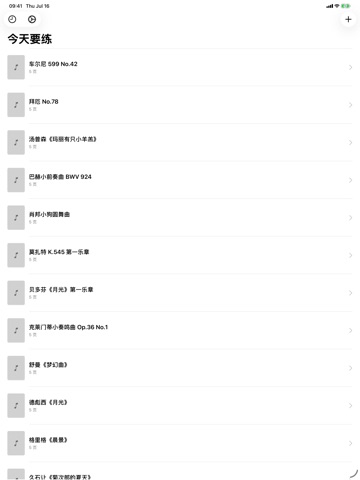
ScoreFlow is a hands-free music stand for young piano students.
Prop your iPad on the music stand, connect it to a digital piano over USB, and the app turns each PDF page as your child reaches it — no more stopping mid-piece to flip the page.
WHAT MAKES SCOREFLOW DIFFERENT
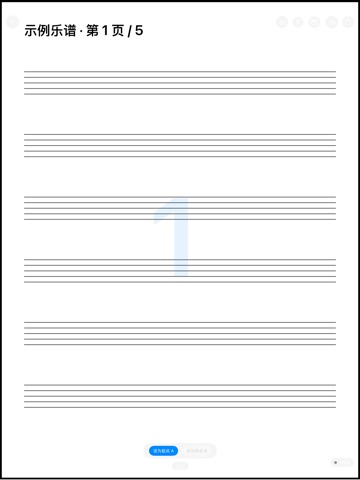
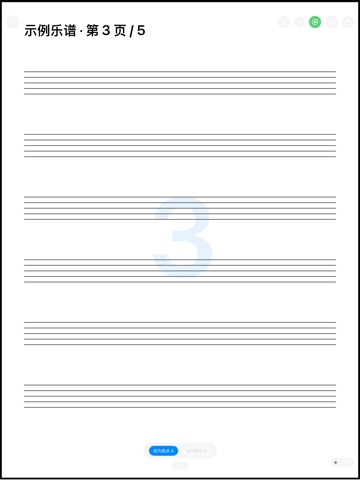
- Auto page-turn that follows what’s actually played
- Single / two-up / half-page display for A4 portrait scores
- Large-zone gesture page-turn with mis-touch protection
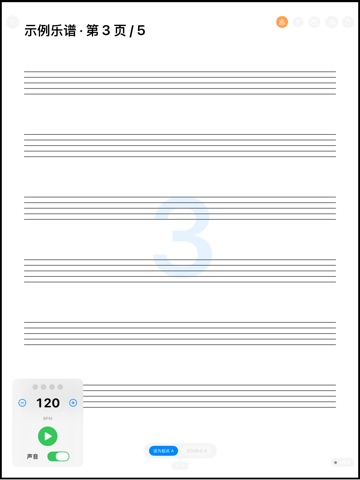
- Metronome (40–240 BPM) with a visual beat light, plus AB loop to repeat a passage
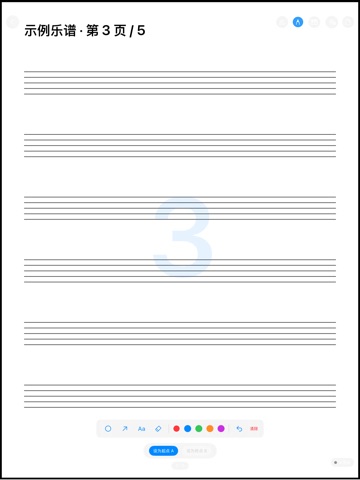
- Score markup: circle, arrow, text, eraser
- Practice-time stats per piece and per day
PRICING
ScoreFlow is completely free, with no account, no subscription, and no in-app purchases.
FEEDBACK
Made by a small indie team. Email obeliskclubclub@gmail.com with feedback, bug reports, or feature requests.
All scores and practice data stay on your device. Nothing is collected or uploaded.
Core Capabilities
Auto page-turn
Pages follow what your child actually plays.
Practice tools
Metronome, AB loop, and score markup built in.
Privacy first
Everything stays on device. Nothing collected.
Frequently Asked Questions
- How does ScoreFlow's auto page-turn work?
- Connect your iPad to a digital piano over USB and prop it on the music stand. ScoreFlow follows what's actually being played and turns each PDF page as your child reaches it — no stopping mid-piece to flip.
- Does ScoreFlow collect or upload my child's data?
- No. All scores and practice data stay on your device. Nothing is collected or uploaded.
- Can I still turn pages by hand in ScoreFlow?
- Yes. Large-zone gesture page-turn is built in, with mis-touch protection so an accidental brush during playing doesn't flip the page.
- Does ScoreFlow have practice tools beyond page turning?
- Yes. It includes a metronome from 40 to 240 BPM with a visual beat light, an AB loop for repeating a passage, score markup with circle, arrow, text, and eraser tools, and practice-time stats per piece and per day.
- How does ScoreFlow display sheet music?
- PDF scores can be shown in single-page, two-up, or half-page layouts, designed for A4 portrait scores. The screen stays awake for the whole practice session.
Interface
High Fidelity UI
High Fidelity UI
High Fidelity UI
High Fidelity UI
High Fidelity UI
More from Obelisk

SnapPro
SnapPro is the professional screenshot and screen recording tool macOS deserves. Pixel-perfect capture, unlimited recording, on-device OCR —…

ViewOne
Your iPhone fired off 50 burst photos at the playground. Now they're sitting on your Mac, and you can't bring yourself to sort through them.…

PhotoBridge
PhotoBridge backs up your iPhone photos directly to storage you own — Synology, QNAP, Nextcloud, AWS S3, MinIO, Aliyun OSS, or an external d…
How ScoreFlow compares
Honest, dimension-by-dimension comparisons — including where the other tool wins.