
QuickPix画像をまとめてオフラインで圧縮
About
QuickPix は、完全にローカルで動作するネイティブ macOS 画像コンプレッサーです。アップロードなし、アカウント不要、テレメトリなし。ドラッグ&ドロップだけで完結します。
Apple 内部でも使われている macOS 標準の sips エンジンを採用しているため、出力品質はプレビューの「書き出し」と同等、速度は CLI 並み、操作感は GUI そのままです。
QuickPix の特徴
- 100% オフライン
画像が Mac から外に出ることはありません。社内スクリーンショット、未公開のプロダクト画像、クライアント案件のアセットなど、ネットに上げたくない素材も安心して扱えます。
- 読み込み 28 種類、書き出し 12 種類
JPEG、PNG、HEIC、WebP、TIFF、GIF、BMP、PSD、JPEG 2000 に加え、キヤノン・ニコン・ソニー・富士フイルム・オリンパス・パナソニック・ペンタックスの RAW も読み込めます。書き出しは HEIC、PNG、JPEG、TIFF、GIF ほか計 12 種類です。
- 5 つの圧縮プリセット
最大圧縮、推奨バランス、Web 最適化、可逆圧縮、または形式と画質を自分で指定。圧縮するとかえって大きくなるファイルは自動でスキップできます。
- 1 回の処理に上限なし
1,000 枚でも 10,000 枚でも一度に処理できます。1 日あたりの制限も、1 バッチあたりの枚数制限もありません。
- ビフォー / アフター比較
ピクセル単位のズームに対応した比較スライダーを内蔵。ファイルサイズの数字だけでなく、実際の画質を目で確認してから書き出せます。
- フォルダ監視 (Pro)
監視対象フォルダに新しい画像が入ると自動で圧縮。Dropbox、Slack、Finder などで素材を受け取るデザイナーやチームに最適です。
- カラープロファイル維持
sRGB は sRGB、Display P3 は Display P3 のまま。EXIF と GPS はデフォルトで除去するので共有用途も安心。Pro なら特定メタデータの保持も可能。
- クリップボードからペースト
⌘⇧V でどこからでも貼り付け。共有前にスクリーンショットを圧縮する用途で便利です。
こんな方におすすめ
- CMS、デザインシステム、マーケサイトに画像を入稿するデザイナー
- 画像が多い Web アプリを開発するエンジニア
- サブスクリプションなしで一括処理したいプロダクトフォトグラファー
- JPEG や PNG だけでなく HEIC や RAW も圧縮したい方
- Web ツールの 1 バッチ 20 枚という制限に困った経験のある方
料金
基本機能は永続無料、単一フォーマットのバッチ無制限、全フォーマット対応。Pro へのワンタイム購入でフォルダ監視、カスタムプリセット、並列バッチ処理が解放されます。サブスクリプションはありません。
フィードバック
開発者は Peter Zhang。obeliskclubclub@gmail.com 宛のメールはすべて目を通します。必要なフォーマットが欠けていたら教えてください。
詳しくは:obelisk.club/quickpix-image-compressor
Core Capabilities
プリセットを選ぶだけ
最大圧縮、推奨バランス、Web 最適化、可逆圧縮、または形式と画質を自分で指定。圧縮すると大きくなるファイルは自動でスキップできます。
公開前に画質を確認
ピクセル単位でズームできる圧縮前後の比較スライダーに加え、透明度・解像度・色空間から最適な形式と画質を提案します。
読み込み 28 種類、書き出し 12 種類
JPEG、PNG、HEIC、WebP、TIFF、GIF、BMP、PSD、JPEG 2000 と 7 社の RAW を読み込み、HEIC、PNG、JPEG、TIFF、GIF ほか 12 種類で書き出します。
Frequently Asked Questions
- Does QuickPix upload my images to a server?
- No. QuickPix runs 100% offline on your Mac — no upload, no account, no telemetry. Internal screenshots, unreleased renders and client work never touch the internet.
- Can QuickPix compress HEIC photos from an iPhone?
- Yes. HEIC is supported natively, alongside 28+ formats including JPEG, PNG, WebP, AVIF, TIFF, GIF, BMP and PSD — both reading and writing.
- Is there a limit on how many images I can compress at once?
- No daily caps and no per-batch limits — drop a folder with 1,000 or 10,000 images and get a compressed folder back.
- Will compressing change my photo's colors or metadata?
- Color profiles are preserved — sRGB stays sRGB and Display P3 stays Display P3 — while EXIF and GPS metadata are stripped by default for safer sharing.
- Can QuickPix compress images automatically?
- With Pro's folder watching, pick a folder and anything dropped into it is compressed automatically — built for designers and teams receiving assets via Dropbox, Slack or Finder.
Interface
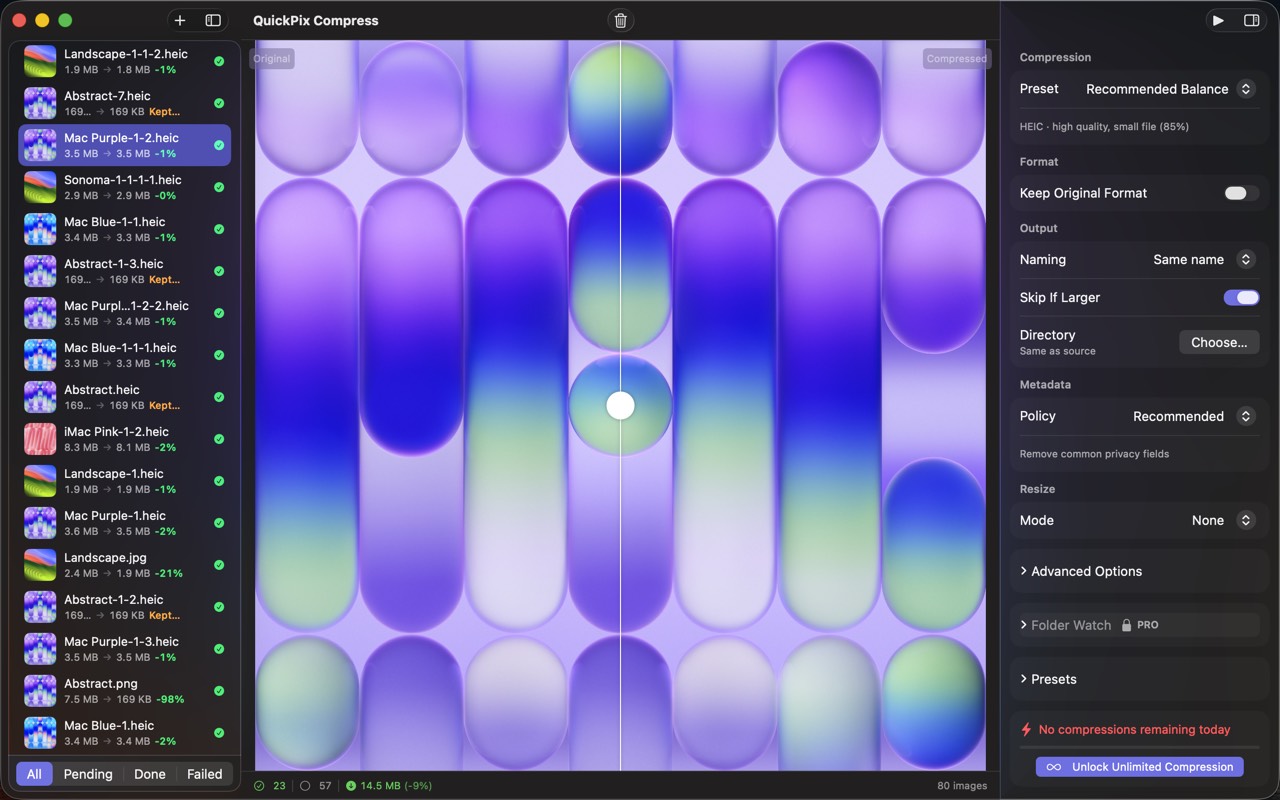
High Fidelity UI
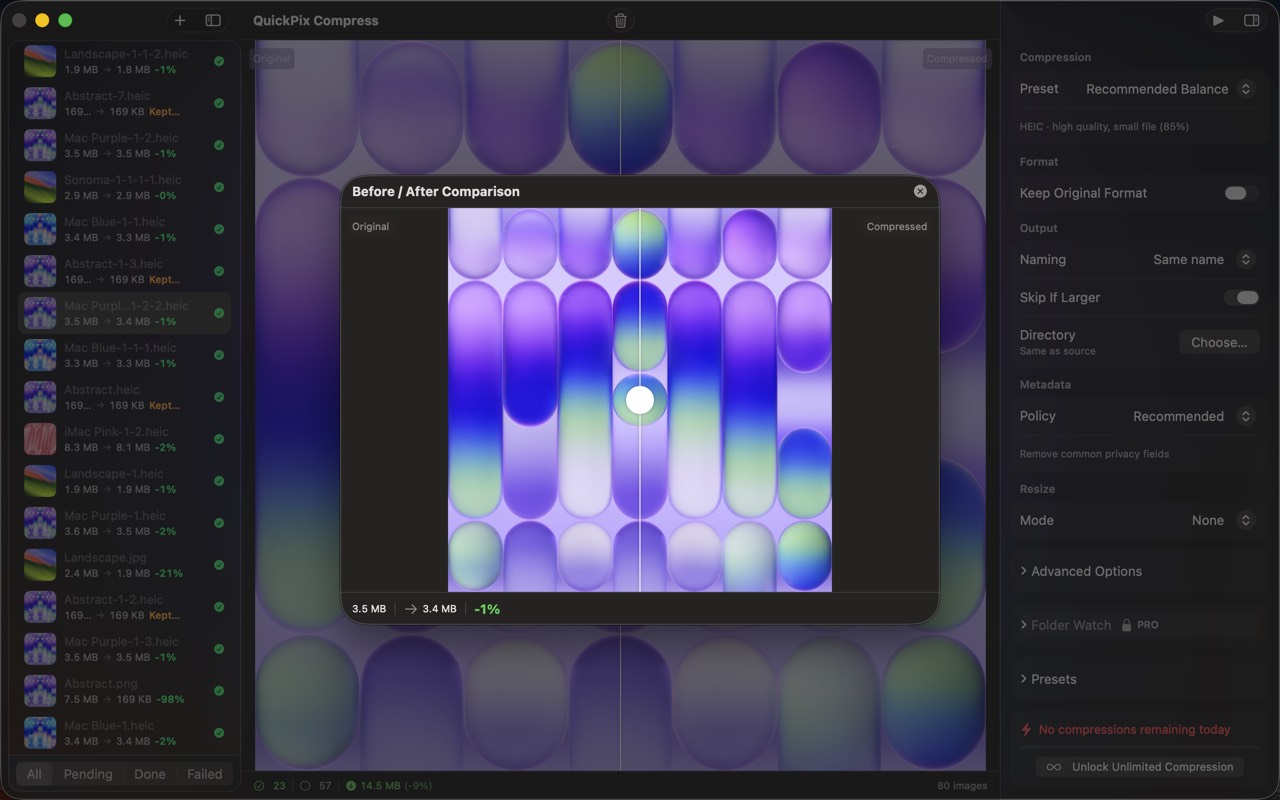
High Fidelity UI
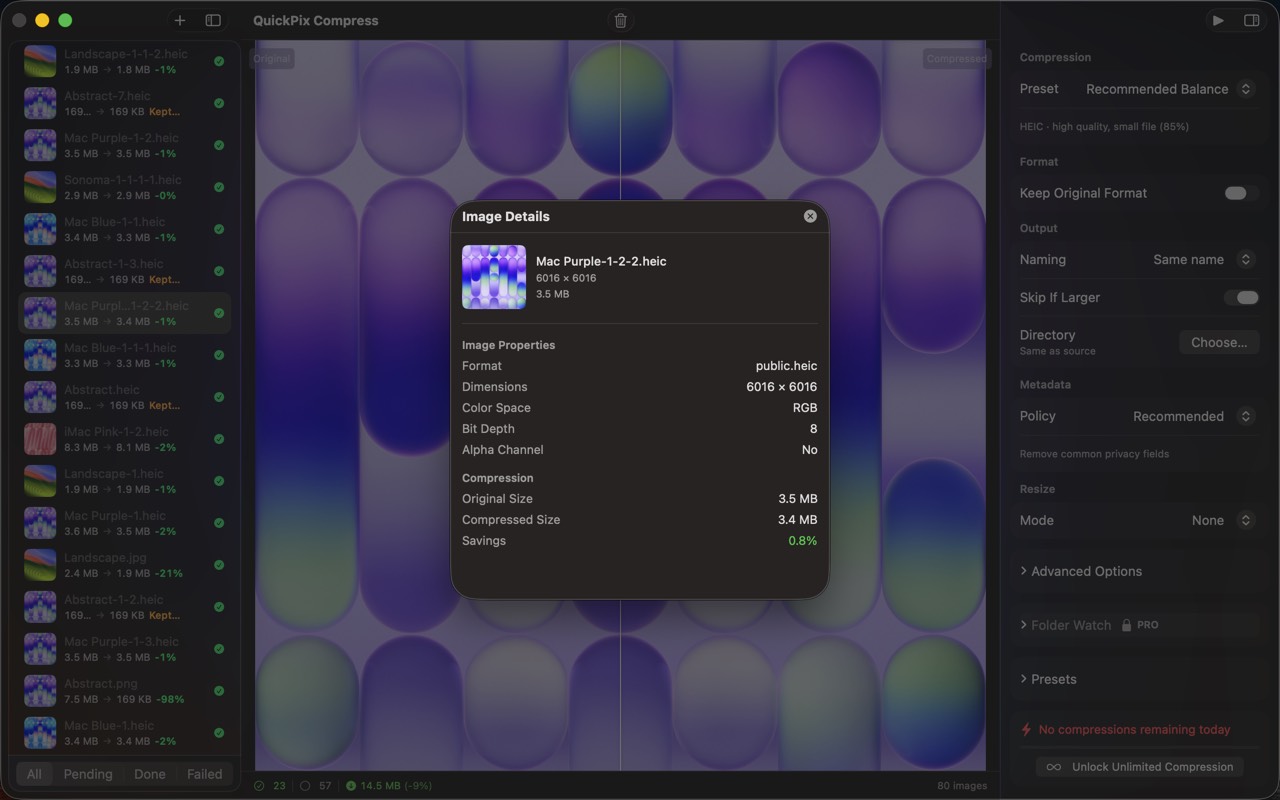
High Fidelity UI
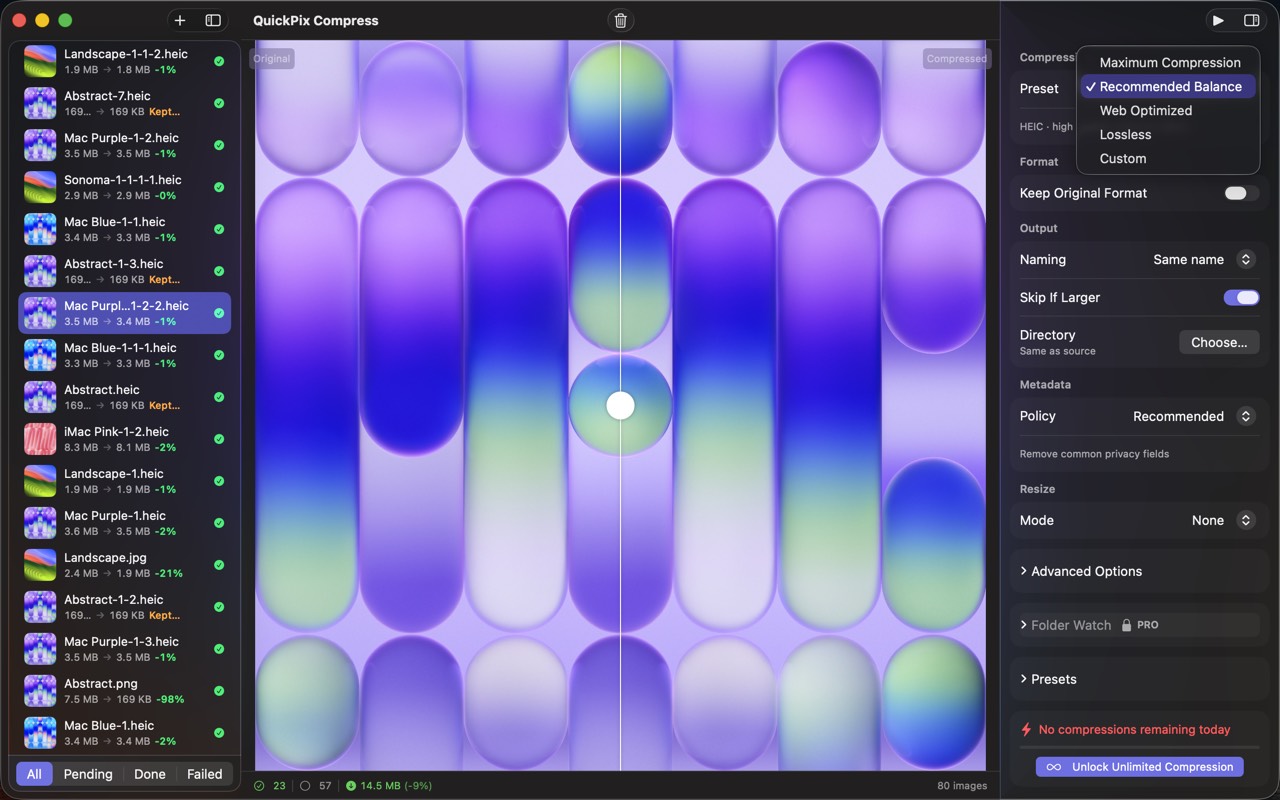
High Fidelity UI
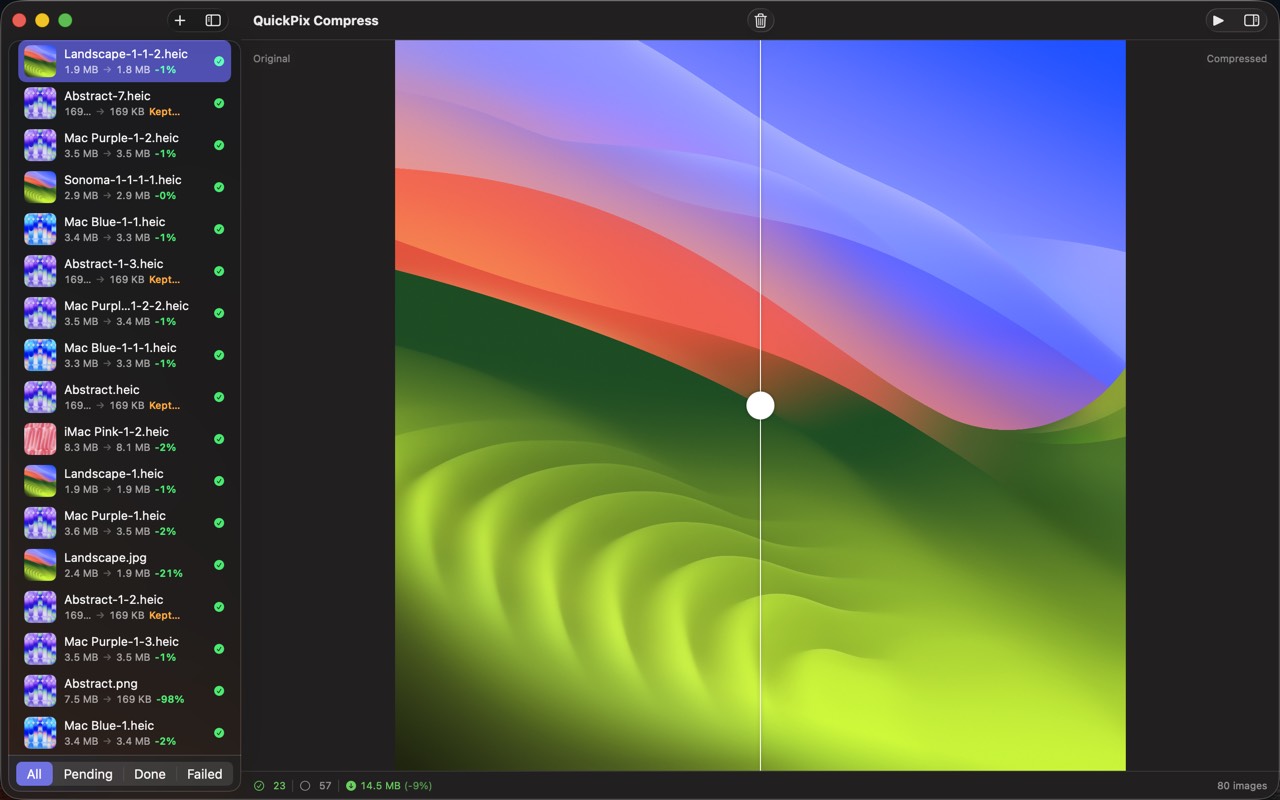
High Fidelity UI
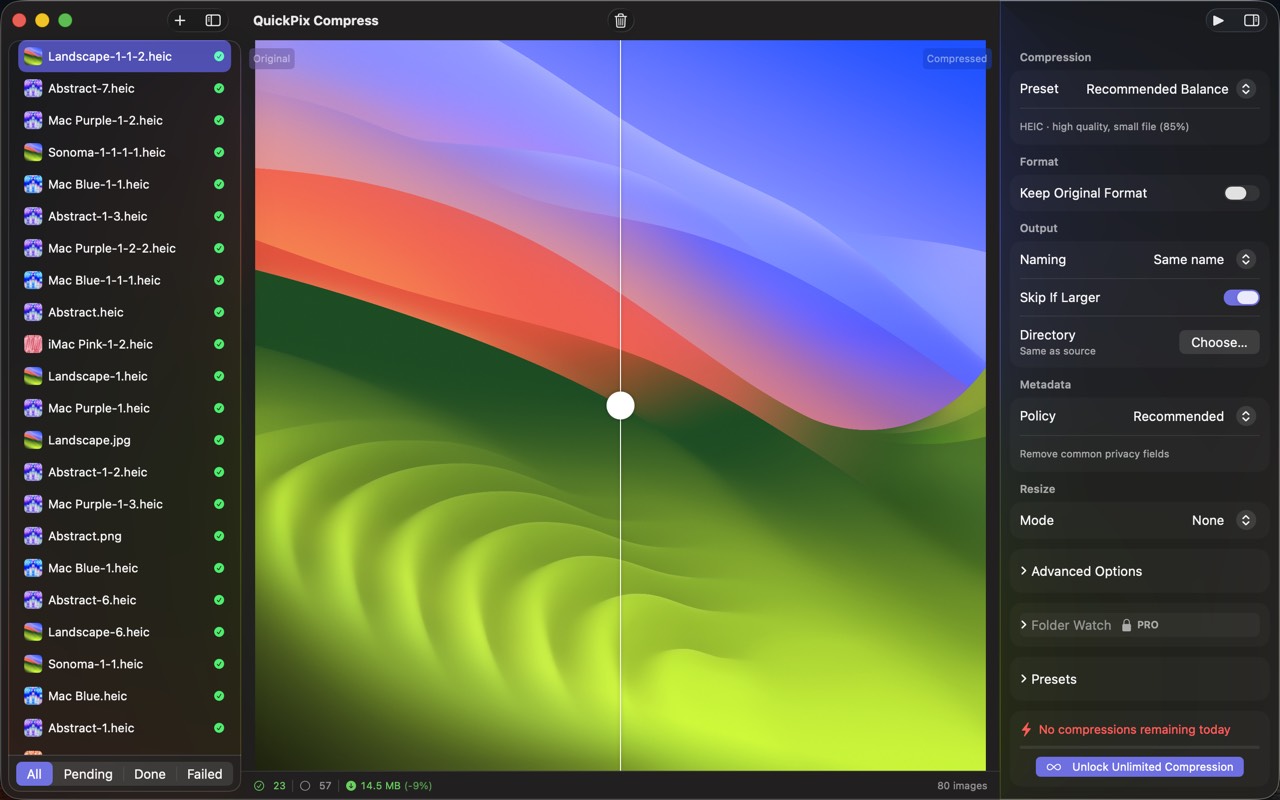
High Fidelity UI
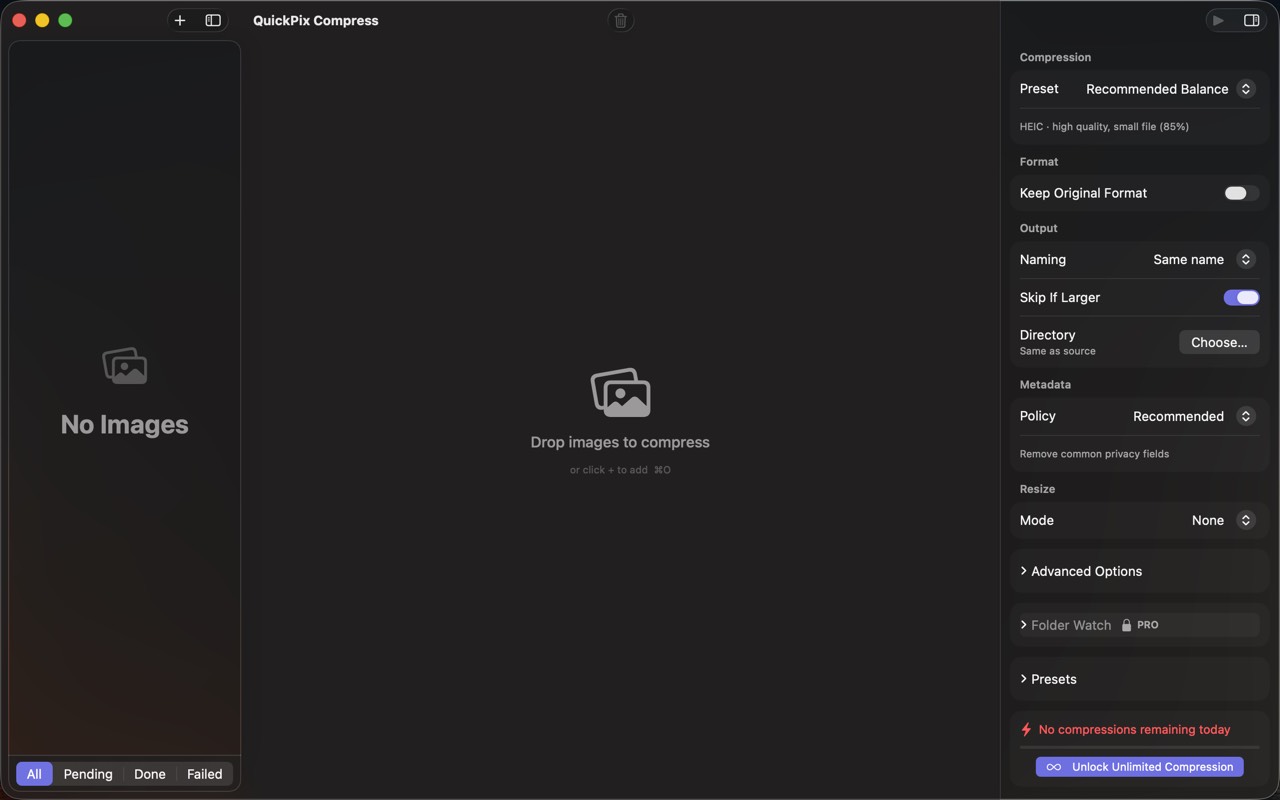
High Fidelity UI
Guides for QuickPix
Squoosh on Mac — what it's great at, why it can't open HEIC, and offline alternatives
Squoosh is the best free way to compress one image in a browser. But it can't decode iPhone HEIC photos, has no batch mode, and its CLI is archived. Here's when it fits and what Mac users switch to.
How to compress HEIC images for a website on Mac
HEIC is efficient but not universal on the web. Learn when to use JPEG, WebP, or AVIF, how to resize and strip metadata, and how to batch offline on Mac.
WebP vs AVIF vs JPEG on Mac — when to use which (with real file-size numbers)
Three modern image formats, three different trade-offs. Here's a real-world test on Mac, with concrete recommendations for web, design, and archival use.
macOS sips command — the complete guide (2026)
Every Mac ships with a fast, sandbox-safe image processor called sips. Resize, convert, compress, strip metadata, batch — without installing anything. Here's everything it can do.
How to convert HEIC to JPEG on Mac in batch (4 ways, ranked)
iPhone photos are HEIC by default. Sending them to Windows, Android, or older web tools means converting. Here are the four practical ways on Mac.
How to compress images on Mac without uploading them anywhere (2026)
A practical guide for shrinking PNG, JPEG, HEIC, and WebP images on macOS while keeping every byte on your own machine — with five real options compared.
More from Obelisk

SnapPro
SnapPro is the professional screenshot and screen recording tool macOS deserves. Pixel-perfect capture, unlimited recording, on-device OCR —…

ViewOne
iPhone で遊び場のバースト 50 枚を撮影。Mac に取り込んだけれど、一枚ずつ仕分けする気にはなれない。 ViewOne がそれを解決します。フォルダをドロップすれば、連写グループを即座に検出。並べて比較し、お気に入りをタップで採用、残りはワンクリックでゴミ箱へ。 迷った…

PhotoBridge
PhotoBridge backs up your iPhone photos directly to storage you own — Synology, QNAP, Nextcloud, AWS S3, MinIO, Aliyun OSS, or an external d…
How QuickPix compares
Honest, dimension-by-dimension comparisons — including where the other tool wins.
Mac image compression
QuickPix vs ImageOptim
ImageOptim is a beloved open-source image compressor for Mac. Designers and developers have used it for over a decade. QuickPix is a newer entrant that takes a different technical approach. Here's a clear-eyed comparison so you can pick what fits your workflow.
Image compression
QuickPix vs TinyPNG
TinyPNG is the cloud-based image compression standard that millions of designers use daily. QuickPix is a Mac-native alternative that runs entirely on your device. Both produce smaller JPEGs and PNGs. The key difference is whether your images ever leave your computer.
Image compression
QuickPix vs Squoosh
Squoosh is Google's open-source web-based image compressor that runs entirely client-side in your browser. QuickPix is a native Mac app with similar privacy guarantees but a different workflow. Here's how they actually compare.
JPEG compression
QuickPix vs JPEGmini
JPEGmini is a long-running commercial JPEG optimizer for Mac with a proprietary algorithm that produces some of the smallest JPEGs in the industry. QuickPix is a newer macOS-native compressor built on Apple's sips engine. Both compress images well — here's how to decide.