
About
QuickPix is a fast, native macOS image compressor that runs entirely on your Mac. No upload, no account, no telemetry. Just drag and drop.
Built on macOS's native sips engine — the same image-processing system Apple uses internally — so output quality matches what Preview's Export gives you, with the speed of a CLI and the convenience of a drag-and-drop GUI.
WHAT MAKES QUICKPIX DIFFERENT
- 100% OFFLINE
Your images never leave your Mac. No upload to a server, no third-party processing. Internal screenshots, unreleased product renders, client work — none of it touches the internet.
- 28 FILE TYPES IN, 12 OUT
Reads JPEG, PNG, HEIC, WebP, TIFF, GIF, BMP, PSD, JPEG 2000 and RAW files from Canon, Nikon, Sony, Fuji, Olympus, Panasonic and Pentax. Writes HEIC, PNG, JPEG, TIFF, GIF and seven more.
- FIVE COMPRESSION PRESETS
Maximum Compression, Recommended Balance, Web Optimized, Lossless, or Custom format and quality. QuickPix can skip any file that would come out larger than the original.
- NO CAP ON A SINGLE RUN
A thousand images or ten thousand, in one pass. No daily quota and no per-batch limit.
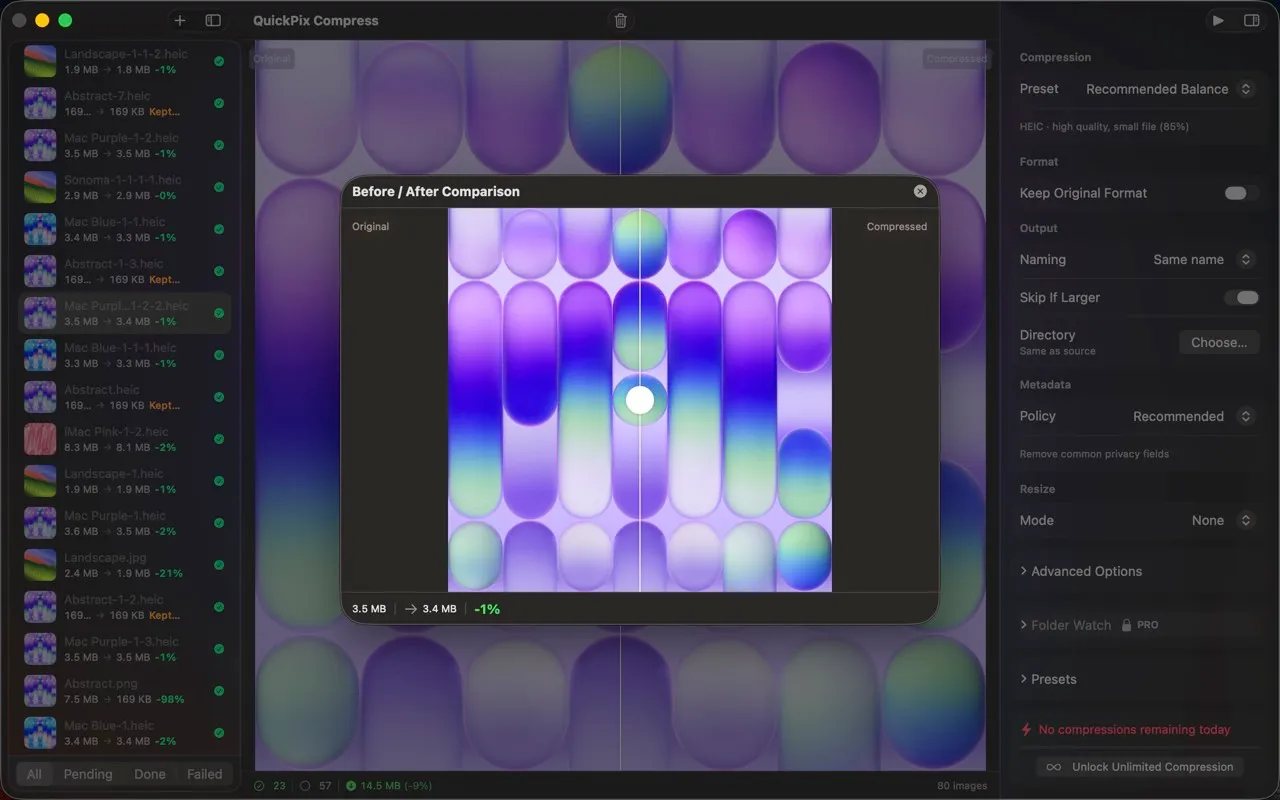
- BEFORE / AFTER SLIDER
Built-in visual comparison with pixel-level zoom. Don't trust a file-size number alone — see the actual quality difference, then ship with confidence.
- FOLDER WATCHING (Pro)
Pick a folder, let QuickPix watch it. Anything you drop in gets compressed automatically. Built for designers and teams who receive assets via Dropbox, Slack, or Finder.
- PRESERVES COLOR PROFILE
sRGB stays sRGB, Display P3 stays Display P3. Strips EXIF and GPS by default for shareable images. Pro lets you keep specific metadata.
- PASTE FROM CLIPBOARD
⌘⇧V from any clipboard. Useful for screenshots that have to be compressed before sharing.
WHO IS QUICKPIX FOR?
- Designers shipping images to a CMS, design system, or marketing site
- Developers building image-heavy web apps
- Product photographers who need batch processing without subscriptions
- Anyone who needs HEIC and RAW compressed, not just JPEG and PNG
- Anyone who has hit a twenty-image cap on a web compressor
PRICING
Everyday use is included at no additional purchase — unlimited single-format batches, all the formats. One-time Pro unlock adds folder watching, custom presets, and parallel batch processing. Never a subscription.
FEEDBACK
Made by Peter Zhang. Every email at obeliskclubclub@gmail.com is read personally. Found a format we miss? Tell us.
Learn more: obelisk.club/quickpix
Core Capabilities
Compress With a Preset
Maximum Compression, Recommended Balance, Web Optimized, Lossless, or Custom format and quality — and QuickPix can skip any file that would come out larger than the original.
Check the Quality Before You Ship
A before/after slider at pixel-level zoom, plus a suggested format and quality worked out from the image's alpha channel, resolution and colour space.
28 File Types In, 12 Out
Reads JPEG, PNG, HEIC, WebP, TIFF, GIF, BMP, PSD, JPEG 2000 and RAW from seven camera makers. Writes HEIC, PNG, JPEG, TIFF, GIF and seven more.
Frequently Asked Questions
- Does QuickPix upload my images to a server?
- No. QuickPix runs 100% offline on your Mac — no upload, no account, no telemetry. Internal screenshots, unreleased renders and client work never touch the internet.
- Can QuickPix compress HEIC photos from an iPhone?
- Yes. HEIC is supported natively, alongside 28+ formats including JPEG, PNG, WebP, AVIF, TIFF, GIF, BMP and PSD — both reading and writing.
- Is there a limit on how many images I can compress at once?
- No daily caps and no per-batch limits — drop a folder with 1,000 or 10,000 images and get a compressed folder back.
- Will compressing change my photo's colors or metadata?
- Color profiles are preserved — sRGB stays sRGB and Display P3 stays Display P3 — while EXIF and GPS metadata are stripped by default for safer sharing.
- Can QuickPix compress new images as they arrive?
- With Pro's folder watching, pick a folder and anything dropped into it is compressed as it arrives — built for designers and teams receiving assets via Dropbox, Slack or Finder.
Interface
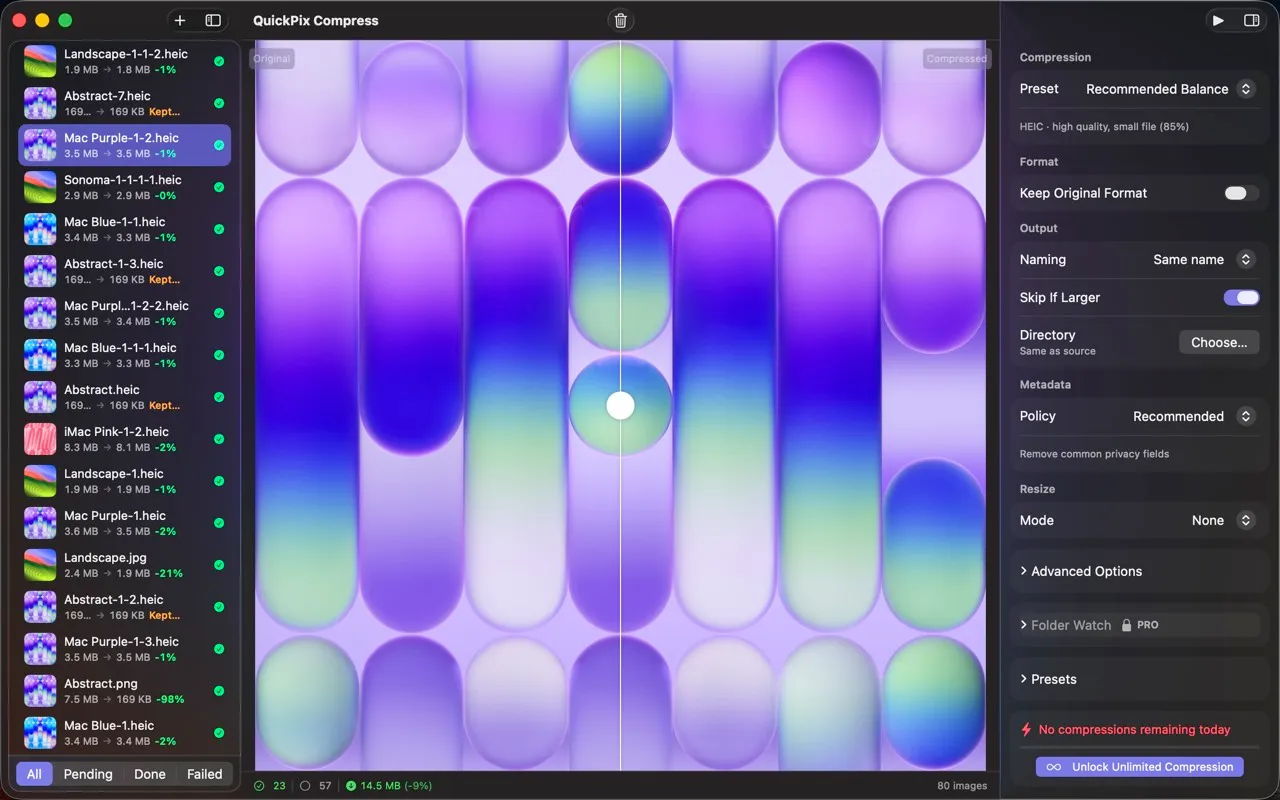
High Fidelity UI
High Fidelity UI
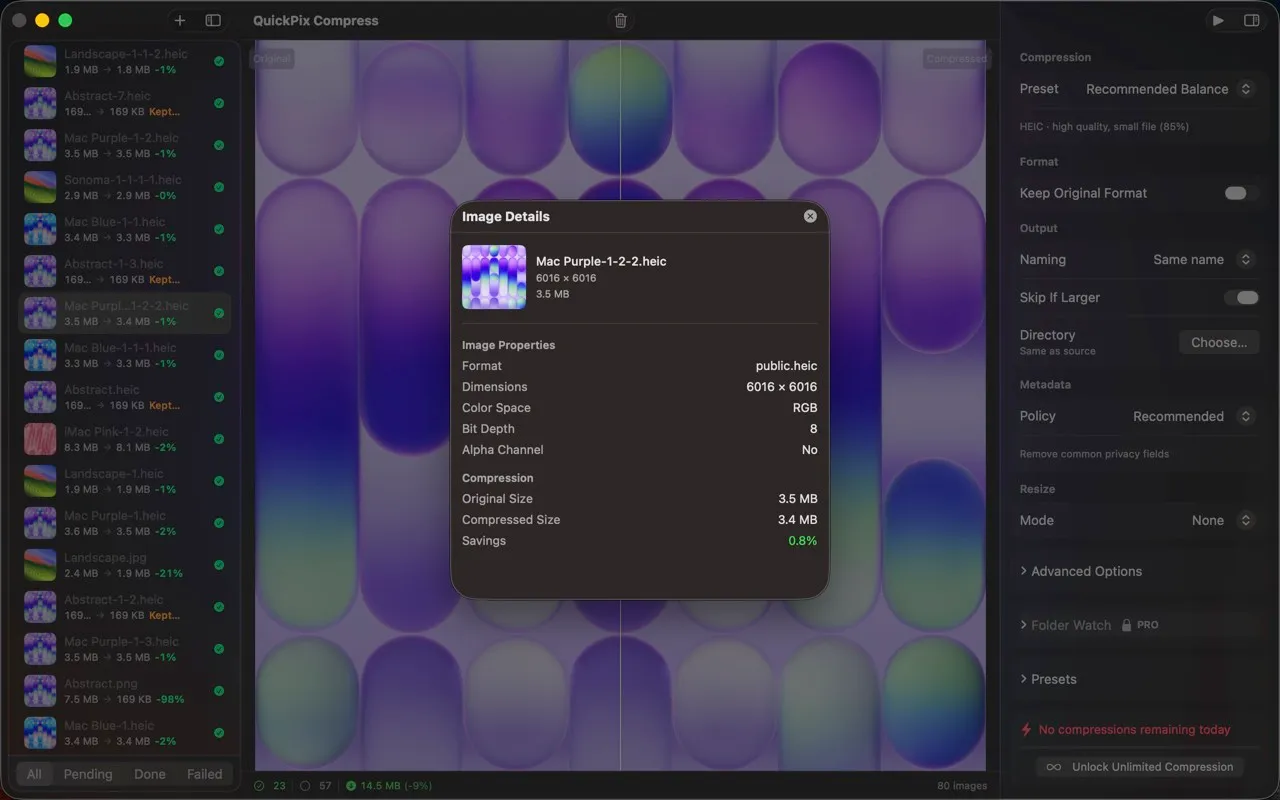
High Fidelity UI
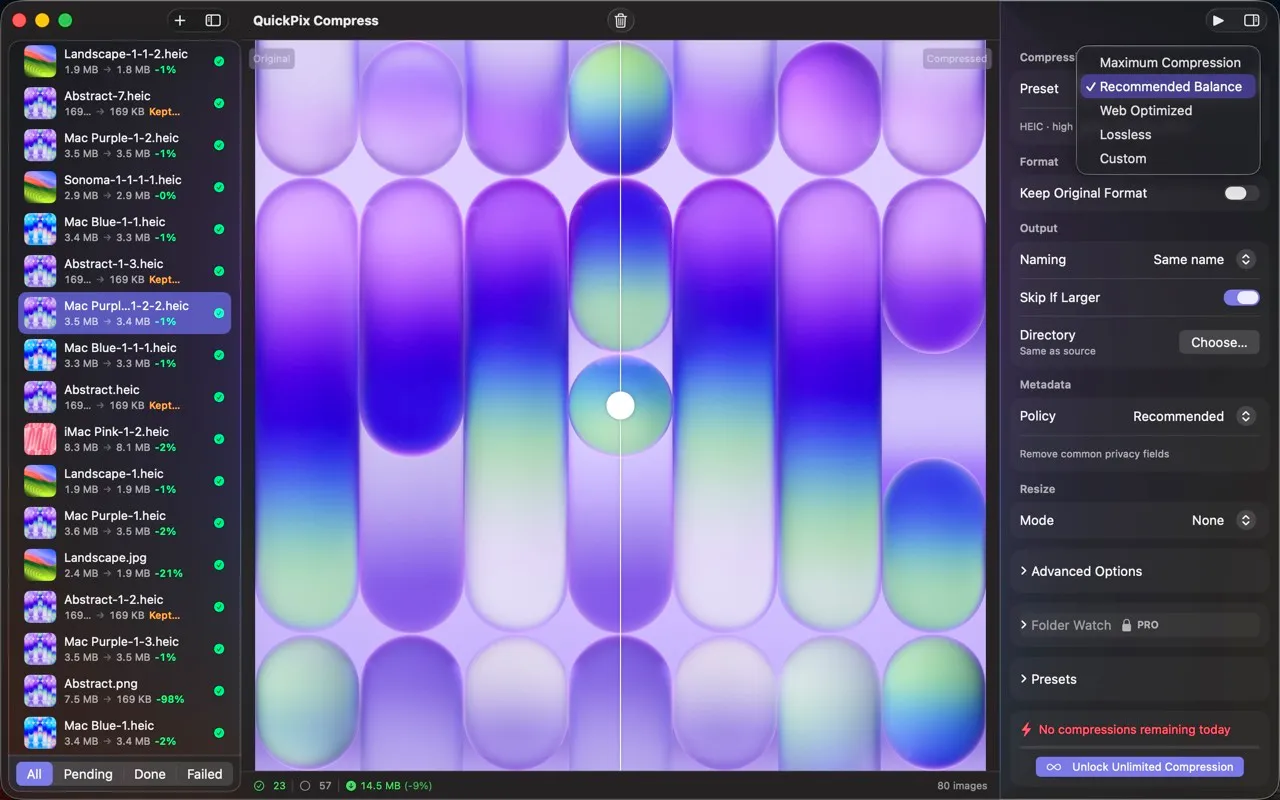
High Fidelity UI
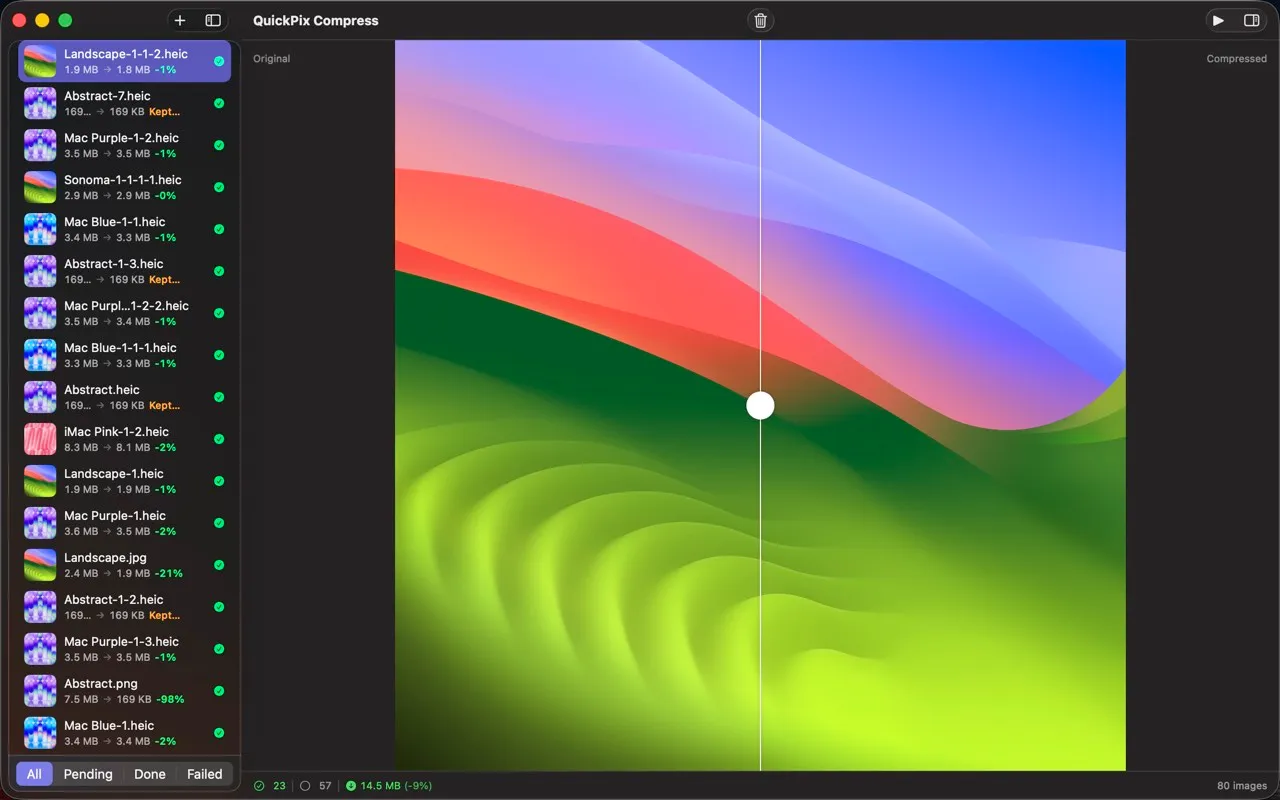
High Fidelity UI
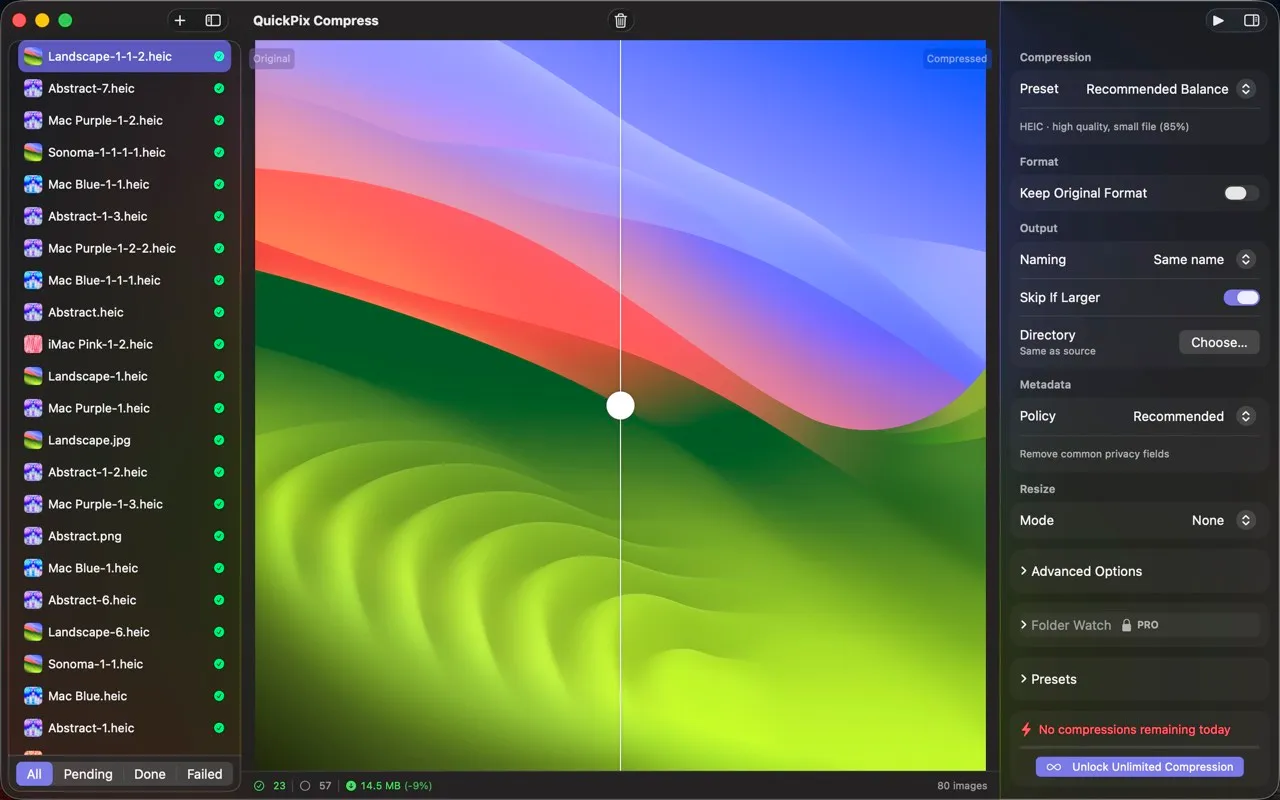
High Fidelity UI
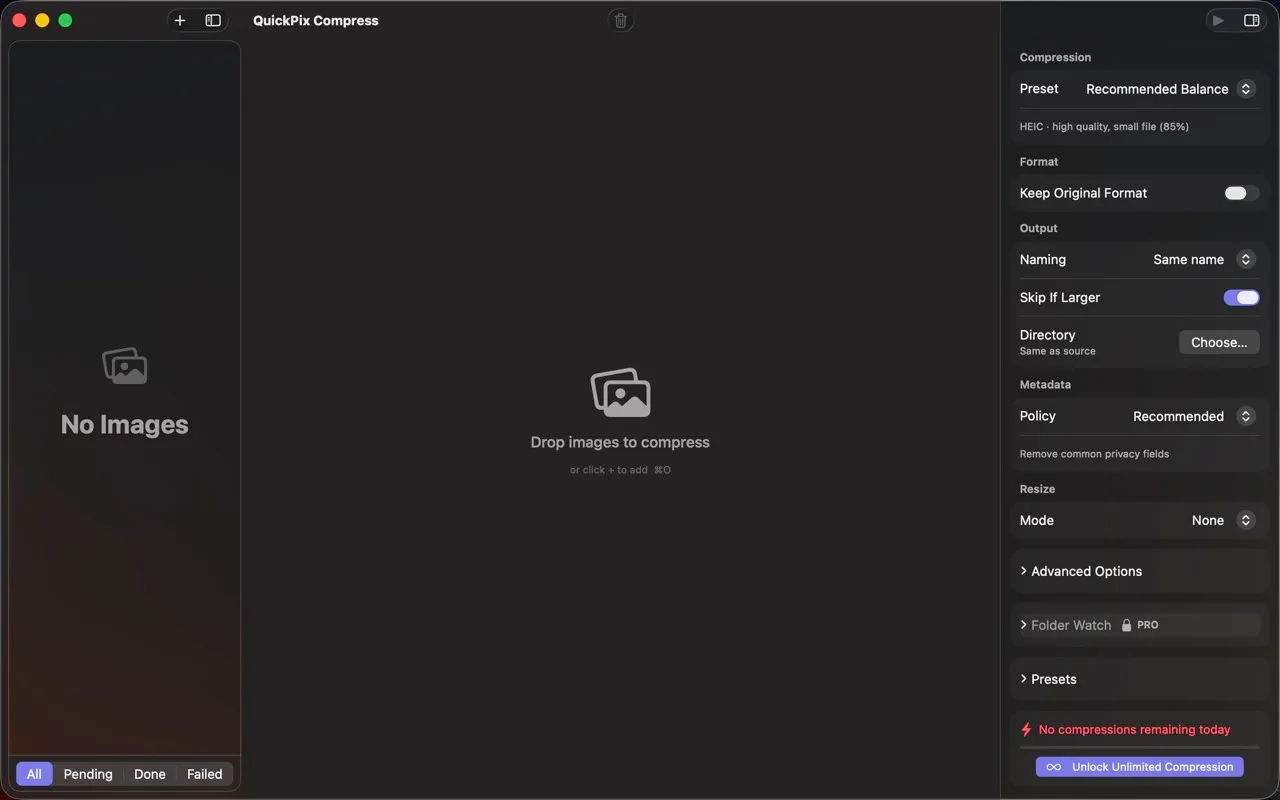
High Fidelity UI
Guides for QuickPix
Squoosh on Mac: why it can't open HEIC, and offline alternatives
Squoosh is the best free way to compress one image in a browser. But it can't decode iPhone HEIC photos, has no batch mode, and its CLI is archived. Here's when it fits and what Mac users switch to.
How to compress HEIC images for a website on Mac
HEIC is efficient but not universal on the web. Learn when to use JPEG, WebP, or AVIF, how to resize and strip metadata, and how to batch offline on Mac.
WebP vs AVIF vs JPEG on Mac — when to use which (with real file-size numbers)
Three modern image formats, three different trade-offs. Here's a real-world test on Mac, with concrete recommendations for web, design, and archival use.
macOS sips command — the complete guide (2026)
Every Mac ships with a fast, sandbox-safe image processor called sips. Resize, convert, compress, batch — without installing anything. Here's everything it can do.
How to convert HEIC to JPEG on Mac in batch (4 ways, ranked)
iPhone photos are HEIC by default. Sending them to Windows, Android, or older web tools means converting. Here are the four practical ways on Mac.
How to compress images on Mac without uploading them anywhere (2026)
A practical guide for shrinking PNG, JPEG, HEIC, and WebP images on macOS while keeping every byte on your own machine — with five tools compared, four of them truly offline.
More from Obelisk

SnapPro
Pixel-perfect capture, unlimited recording, on-device OCR — included at no additional purchase.

ViewOne
Your iPhone fired off 50 burst photos at the playground. Now they're sitting on your Mac, and you can't bring yourself to sort through them. ViewOne fixes that.

PhotoBridge
No third-party cloud. No subscription to a stranger's photo silo.
How QuickPix compares
Honest, dimension-by-dimension comparisons — including where the other tool wins.
Mac image compression
QuickPix vs ImageOptim
ImageOptim is a beloved open-source image compressor for Mac. Designers and developers have used it for over a decade. QuickPix is a newer entrant that takes a different technical approach. Here's a clear-eyed comparison so you can pick what fits your workflow.
Image compression
QuickPix vs TinyPNG
TinyPNG is the cloud-based image compression standard that millions of designers use daily. QuickPix is a Mac-native alternative that runs entirely on your device. Both produce smaller JPEGs and PNGs. The key difference is whether your images ever leave your computer.
Image compression
QuickPix vs Squoosh
Squoosh is Google's open-source web-based image compressor that runs entirely client-side in your browser. QuickPix is a native Mac app with similar privacy guarantees but a different workflow. Here's how they actually compare.
JPEG compression
QuickPix vs JPEGmini
JPEGmini is a long-running commercial JPEG optimizer for Mac with a proprietary algorithm that produces some of the smallest JPEGs in the industry. QuickPix is a newer macOS-native compressor built on Apple's sips engine. Both compress images well — here's how to decide.