About
Vytals puts your Mac's vital signs right in the menu bar — calm, fast, and completely private.
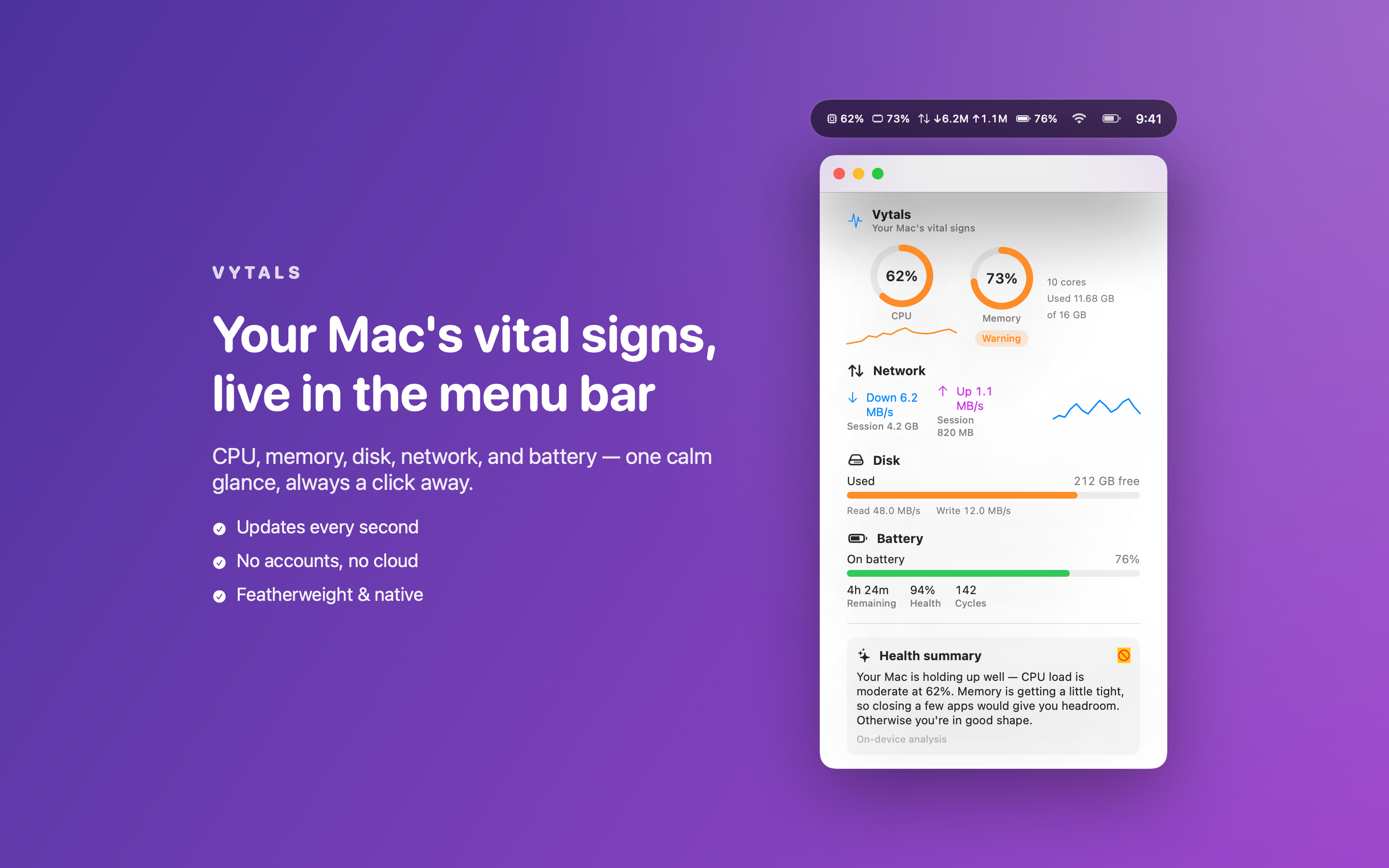
One glance tells you how hard your Mac is working. One click opens a clean panel with everything that matters: CPU and per-core load, memory usage and pressure, remaining disk space and activity, live network up/down, and full battery health. No clutter, no dashboards to configure — just the numbers you actually want.
WHAT MAKES VYTALS DIFFERENT
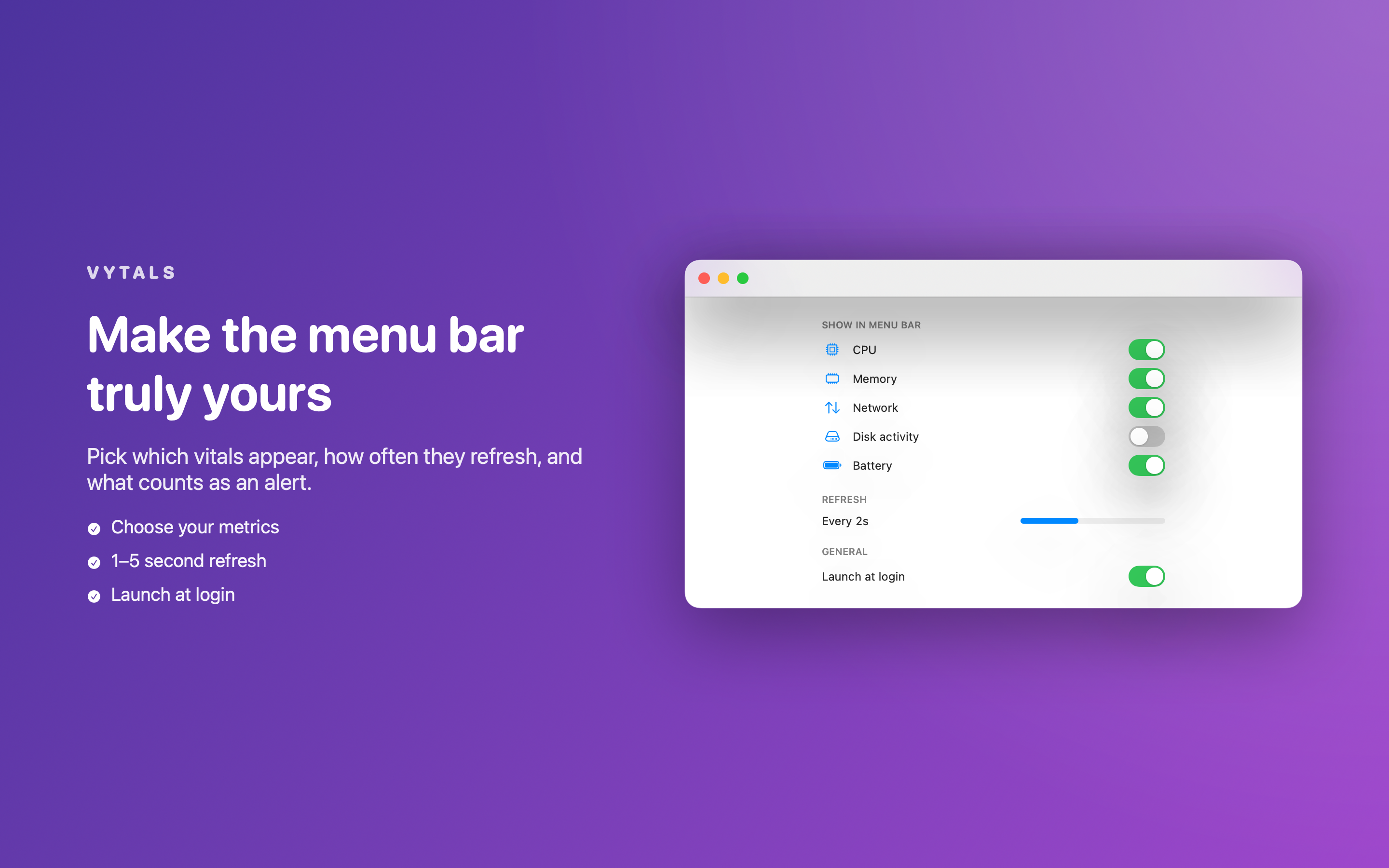
- Live menu bar readout — choose which vitals appear and how often they refresh
- A single, beautiful panel — gauges and sparklines for CPU, memory, disk, network, and battery
- Per-core CPU load and live history graphs, so you can see trends at a glance
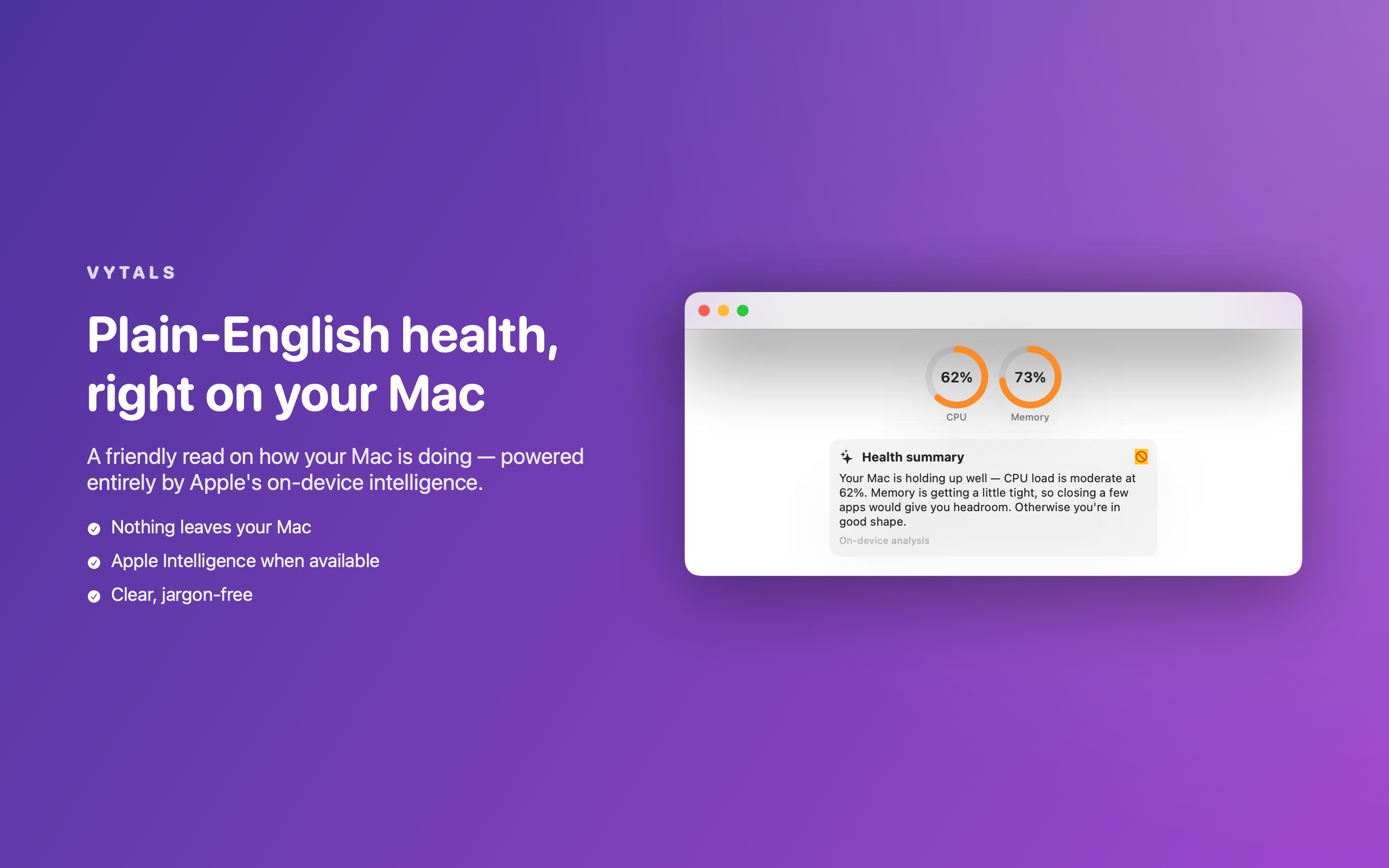
- Plain-English health summary — a friendly read on how your Mac is doing, powered entirely by Apple's on-device intelligence (with a built-in fallback so it always works)
- Smart alerts — get a native notification when CPU runs hot, disk fills up, or the battery dips
PRIVATE BY DESIGN
Vytals reads everything straight from macOS system frameworks. There are no accounts, no servers, no analytics, and no network access of any kind. Nothing about your Mac ever leaves your Mac.
LIGHT ON RESOURCES
Native SwiftUI, Apple frameworks only, and a tiny footprint — so the tool that watches your Mac never becomes the thing slowing it down.
PRICING
Vytals is completely free, with no account, subscription, or in-app purchase required.
FEEDBACK
Made by a small indie team. Email obeliskclubclub@gmail.com with feedback, bug reports, or feature requests.
Vytals lives quietly in your menu bar and is there the moment you need it.
Terms of Use (EULA): https://obelisk.club/menubarmonitor/terms
Core Capabilities
Live CPU, memory, disk, network, and battery in your menu bar
One clean panel with gauges, sparklines, and per-core load
Live history graphs for CPU, memory, and network
Plain-English health summary, 100% on-device
Smart alerts for high CPU, low disk, and low battery
Fully local — no accounts, no network, no data collection
Frequently Asked Questions
- Does Vytals send any data off my Mac?
- No. Vytals reads everything straight from macOS system frameworks and has no accounts, no servers, no analytics, and no network access of any kind. Nothing about your Mac ever leaves your Mac.
- What does Vytals monitor?
- CPU and per-core load, memory usage and pressure, remaining disk space and activity, live network up/down, and full battery health. A glance at the menu bar shows your chosen vitals; one click opens a panel with gauges, sparklines, and live history graphs.
- Can Vytals alert me when something's wrong?
- Yes. Smart alerts send a native notification when CPU runs hot, disk fills up, or the battery dips.
- What is the plain-English health summary in Vytals?
- It's a friendly read on how your Mac is doing, powered entirely by Apple's on-device intelligence — with a built-in fallback so it always works, and nothing sent to any server.
- Will Vytals slow my Mac down?
- It's built not to. Vytals is native SwiftUI using Apple frameworks only, with a tiny footprint — so the tool that watches your Mac never becomes the thing slowing it down. You can also customize which metrics appear and how often they refresh.
Interface
High Fidelity UI
High Fidelity UI
High Fidelity UI
More from Obelisk
SnapPro
SnapPro is the professional screenshot and screen recording tool macOS deserves. Pixel-perfect capture, unlimited recording, on-device OCR —…
ViewOne
Your iPhone fired off 50 burst photos at the playground. Now they're sitting on your Mac, and you can't bring yourself to sort through them.…
PhotoBridge
PhotoBridge backs up your iPhone photos directly to storage you own — Synology, QNAP, Nextcloud, AWS S3, MinIO, Aliyun OSS, or an external d…