About
Kanjika turns any kanji into its meaning and readings the instant you need it — a lightweight Mac lookup tool that stays out of your way until a global hotkey summons it, anywhere you are reading or writing Japanese.
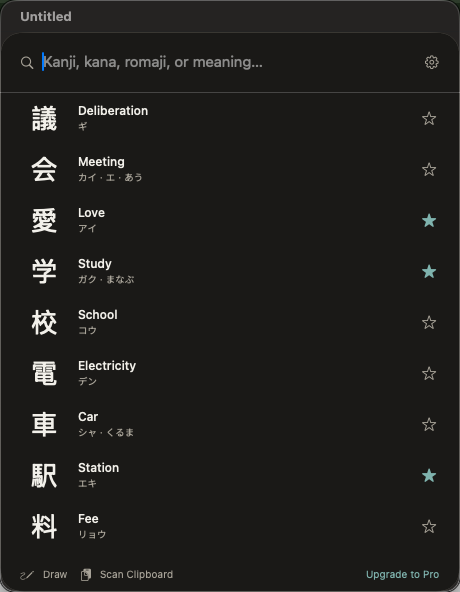
Type romaji or kana and Kanjika matches as you go, with forgiving fuzzy matching that still finds the character when you are unsure of the exact reading. Open any result to see its English meanings, on'yomi and kun'yomi readings, stroke count, school grade, and radical — the context you need to actually learn a character, not just identify it. (JLPT level is coming in a future update.)
HOW IT WORKS Press your global hotkey from any app to bring up the lookup panel, search by reading or meaning, and pick a result to see the full breakdown. Your recent lookups and favorites are one keystroke away, so building a personal study list happens naturally as you read. Everything is on-device and works with no internet connection.
WHAT MAKES KANJIKA DIFFERENT
- Global-hotkey lookup panel that opens over any app, on any Mac screen
- Forgiving fuzzy matching finds a character even when you're unsure of the exact reading
- Full detail per kanji — meanings, on'yomi/kun'yomi, strokes, grade, radical (JLPT level coming soon)
- Runs entirely on your Mac — no servers, no accounts, no tracking of any kind
PRICING
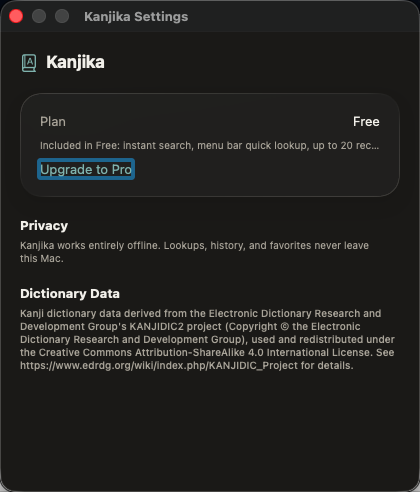
The lookup panel, search, full kanji detail, and history are included by default. Kanjika Pro is a single one-time purchase that unlocks Draw-to-Lookup (sketch a kanji you can't type or read to find it by hand), a Clipboard Kanji Scanner (batch-look-up every kanji in a copied passage), and unlimited history and favorites.
FEEDBACK
Made by a small indie team. Email obeliskclubclub@gmail.com with feedback, bug reports, or feature requests.
Terms of Use (EULA): https://obelisk.club/kanjilookup/terms
Core Capabilities
Global-hotkey lookup panel that opens over any app
Search by romaji, kana, or meaning with forgiving fuzzy matching
Full detail per kanji: meanings, on'yomi/kun'yomi, strokes, grade, radical (JLPT level coming soon)
Recent-lookup history and a favorites list for study
Calm, native Mac design that respects light and dark mode
Pro: Draw-to-Lookup and a Clipboard Kanji Scanner for power users
Interface
High Fidelity UI
High Fidelity UI
High Fidelity UI
More from Obelisk

SnapPro
Pixel-perfect capture, unlimited recording, on-device OCR — included at no additional purchase.

ViewOne
Your iPhone fired off 50 burst photos at the playground. Now they're sitting on your Mac, and you can't bring yourself to sort through them. ViewOne fixes that.

PhotoBridge
No third-party cloud. No subscription to a stranger's photo silo.