CairnbarLives in your menu bar
About
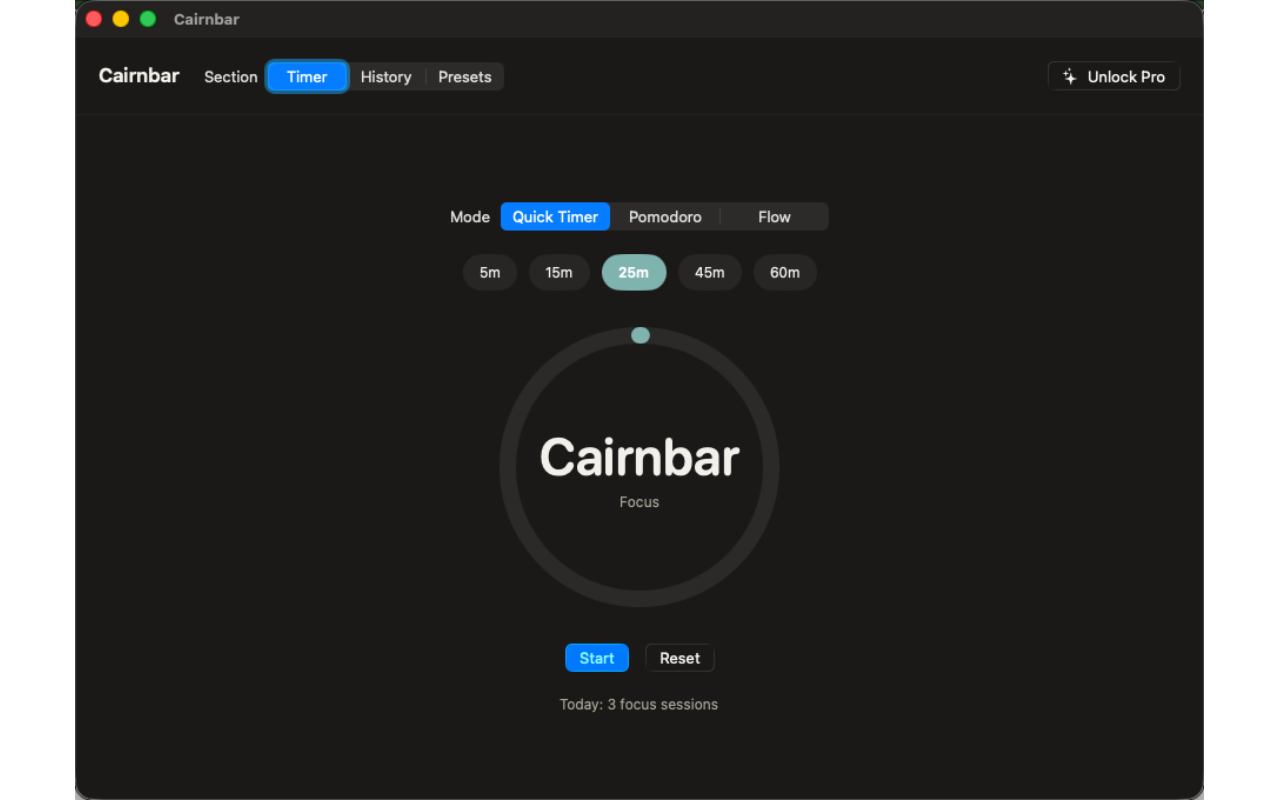
Cairnbar is a focus timer that actually lives in your Mac's menu bar — no dock window to manage, no account to create. Pick a duration, watch the countdown tick down right in the menu bar text, and get back to work.
Start with an ad-hoc Quick Timer for any task, or switch to a Classic Pomodoro cycle with automatic work and break intervals. Every session is logged on your device the instant it finishes, so today's focus count is always one glance away — right there in the menu bar, whether the window is open or not.
Cairnbar runs entirely offline. Nothing is collected, nothing syncs, nothing phones home.
WHAT MAKES CAIRNBAR DIFFERENT
- Menu bar countdown
See time remaining without opening a window.
- Quick Timer
No setup — pick minutes for any task and go.
- Classic Pomodoro cycle
Automatic work and break intervals.
- Fully offline
No account, no sync, nothing collected.
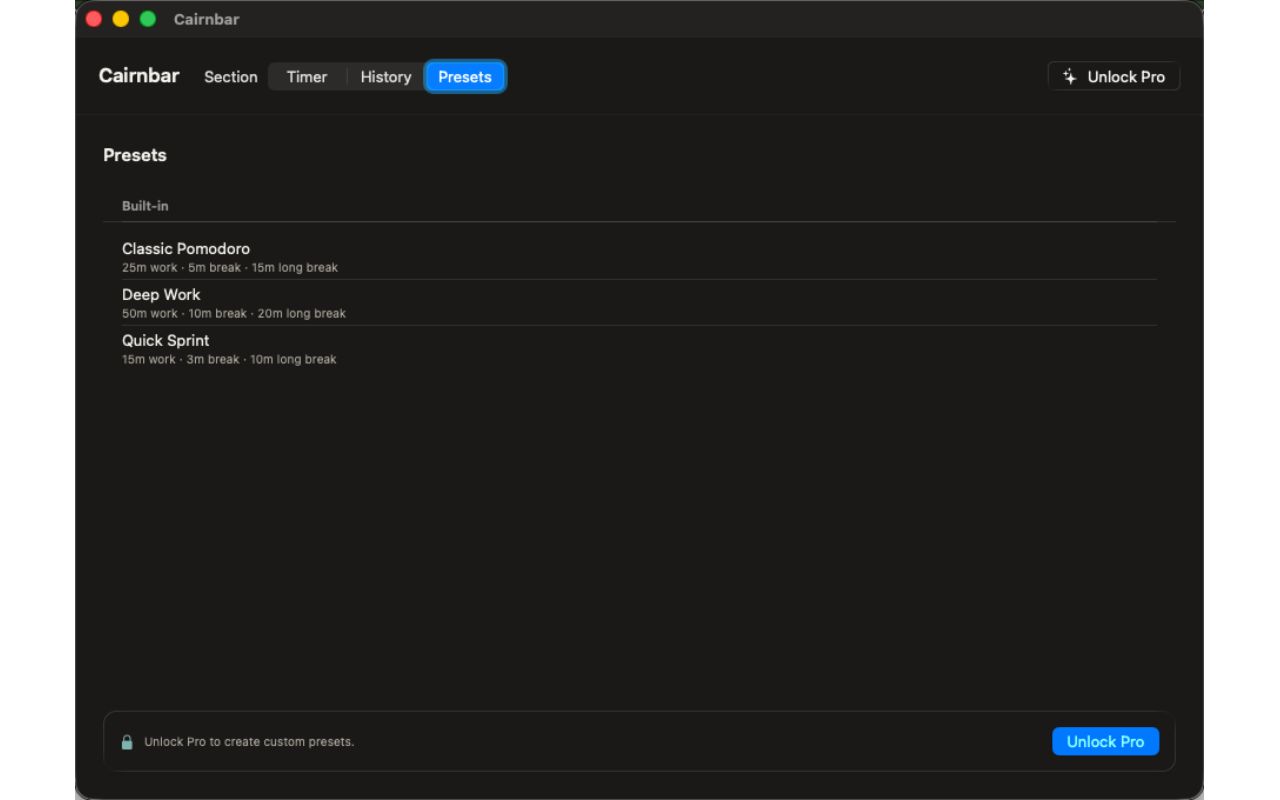
- Unlimited custom presets (Pro)
Build presets for your own rhythm.
- Flow mode, history & streaks (Pro)
Open-ended Flow mode, full session history, weekly stats, streaks, and CSV export.
PRICING
Cairnbar is free to use from the first launch, including Quick Timer presets, the Classic Pomodoro cycle, the live menu bar countdown, and today's session count. Cairnbar Pro is a one-time unlock — no subscription — that adds unlimited custom presets, an open-ended Flow mode, full session history with weekly stats and streaks, CSV export, and extra completion chimes.
FEEDBACK
Made by a small indie team. Email obeliskclubclub@gmail.com with feedback, bug reports, or feature requests.
Core Capabilities
Menu bar countdown — see time remaining without opening a window
Quick Timer for any task, no setup — pick minutes and go
Classic Pomodoro cycle with automatic work and break intervals
Runs fully offline — no account, no sync, nothing collected
Pro: unlimited custom presets for your own rhythm
Pro: open-ended Flow mode, full history, streaks, and CSV export
Interface
High Fidelity UI

High Fidelity UI
High Fidelity UI
More from Obelisk

SnapPro
SnapPro is the professional screenshot and screen recording tool macOS deserves. Pixel-perfect capture, unlimited recording, on-device OCR —…

ViewOne
Your iPhone fired off 50 burst photos at the playground. Now they're sitting on your Mac, and you can't bring yourself to sort through them.…

PhotoBridge
PhotoBridge backs up your iPhone photos directly to storage you own — Synology, QNAP, Nextcloud, AWS S3, MinIO, Aliyun OSS, or an external d…
How Cairnbar compares
Honest, dimension-by-dimension comparisons — including where the other tool wins.