
About
Point your camera at anything and Chromaloom instantly extracts a five-color palette — the fastest way for designers, stylists, and makers to turn real-world color into usable hex codes and mood boards.
Every extraction comes as five swipeable variations — Balanced, Vibrant, Muted, Deep, and Bright — so one photo gives you several distinct color directions instead of a single fixed guess. Lock the swatches you love, drag to reorder, long-press to fine-tune hue and brightness, then save your favorites as a named mood board with tags.
WHAT MAKES CHROMALOOM DIFFERENT
- Snap a photo or pick one from your library — instant on-device extraction, no upload, no waiting
- Five lens variations per photo: Balanced, Vibrant, Muted, Deep, Bright
- Lock, drag-to-reorder, and long-press to fine-tune any swatch
- Save mood boards with names, tags, and dates to build a growing color library
- Export palettes as Adobe Swatch (.ase) or CSS variables for Figma and other design tools
- Fully offline — no accounts, no analytics, nothing ever leaves your device
PRICING
Chromaloom is completely free — no account, no subscription, and no in-app purchases required.
FEEDBACK
Made by a small indie team. Email obeliskclubclub@gmail.com with feedback, bug reports, or feature requests.
Chromaloom is a focused color-scouting tool, not a full design app: it does one job — turning inspiration into usable palettes — extremely well.
Need a quick one-off? Try the free color palette extractor in your browser.
Core Capabilities
Instant on-device palette extraction from photo or camera
Five swipeable lens variations per photo
Lock, reorder, and fine-tune any swatch
One-tap hex copy and share
Mood board library with names, tags, and dates
Export as Adobe Swatch (.ase) or CSS variables
Interface
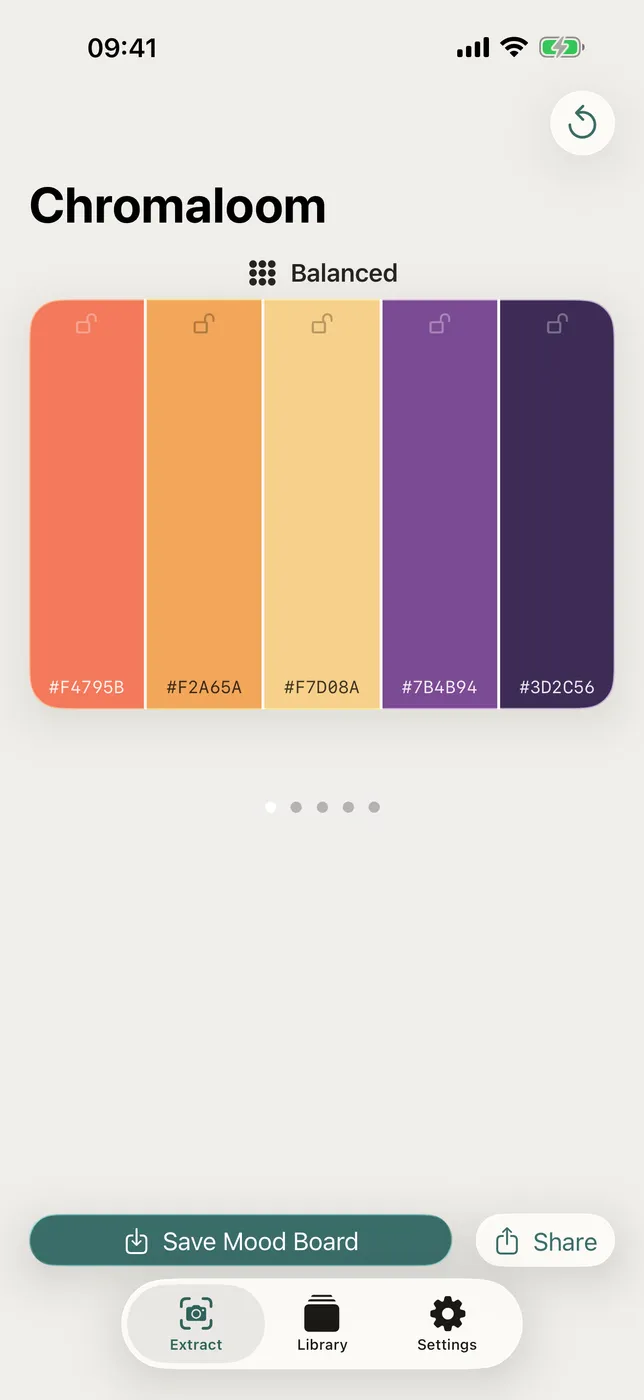
High Fidelity UI
More from Obelisk

SnapPro
Pixel-perfect capture, unlimited recording, on-device OCR — included at no additional purchase.

ViewOne
Your iPhone fired off 50 burst photos at the playground. Now they're sitting on your Mac, and you can't bring yourself to sort through them. ViewOne fixes that.

PhotoBridge
No third-party cloud. No subscription to a stranger's photo silo.
How Chromaloom compares
Honest, dimension-by-dimension comparisons — including where the other tool wins.