 Subnetic
A subnet mask says which part of an IPv4 address names the network and which part names the device. In 192.168.1.20 with the mask 255.255.255.0, the first three numbers (192.168.1) are the network and the last one (20) is the device. CIDR writes the same mask as the number of network bits after a slash: 255.255.255.0 is 24 ones in binary, so it's written /24.
A /24 holds 256 addresses. The first (.0) is the network address and the last (.255) is the broadcast address, so 254 are usable by devices.
Why it's about bits
An IPv4 address is 32 bits, written as four numbers from 0 to 255. A mask is also 32 bits: a run of 1s followed by 0s. The 1s mark the network part, the 0s the host part.
address  192.168.10.77   11000000.10101000.00001010.01001101
mask     /26             11111111.11111111.11111111.11000000
network  192.168.10.64   11000000.10101000.00001010.01000000
To get the network address, keep the address bits where the mask has a 1 and set the rest to 0 (a bitwise AND). Here the last number, 77, is 01001101; keeping only its first two bits gives 01000000, which is 64.
Network, broadcast and usable hosts by hand
Take 192.168.10.77/26:
- Block size. 32 − 26 = 6 host bits, and 2⁶ = 64 addresses per subnet.
- Network address. Subnets start at multiples of 64 in the last number: 0, 64, 128, 192. 77 falls in the block starting at 64, so the network is
192.168.10.64. - Broadcast address. The last address in the block: 64 + 64 − 1 = 127, so
192.168.10.127. - Usable hosts. Everything in between:
192.168.10.65to192.168.10.126, which is 62 addresses. - Mask. 26 ones is
255.255.255.192(the last number is 256 − 64).
The same shortcut works when the boundary is in an earlier number. 10.20.30.0/23 has 9 host bits, 512 addresses, and spans two values of the third number: 10.20.30.0 to 10.20.31.255. The last usable address is 10.20.31.254.
CIDR cheat sheet
| CIDR | Subnet mask | Wildcard | Addresses | Usable hosts |
|---|---|---|---|---|
| /8 | 255.0.0.0 | 0.255.255.255 | 16,777,216 | 16,777,214 |
| /16 | 255.255.0.0 | 0.0.255.255 | 65,536 | 65,534 |
| /20 | 255.255.240.0 | 0.0.15.255 | 4,096 | 4,094 |
| /22 | 255.255.252.0 | 0.0.3.255 | 1,024 | 1,022 |
| /23 | 255.255.254.0 | 0.0.1.255 | 512 | 510 |
| /24 | 255.255.255.0 | 0.0.0.255 | 256 | 254 |
| /25 | 255.255.255.128 | 0.0.0.127 | 128 | 126 |
| /26 | 255.255.255.192 | 0.0.0.63 | 64 | 62 |
| /27 | 255.255.255.224 | 0.0.0.31 | 32 | 30 |
| /28 | 255.255.255.240 | 0.0.0.15 | 16 | 14 |
| /29 | 255.255.255.248 | 0.0.0.7 | 8 | 6 |
| /30 | 255.255.255.252 | 0.0.0.3 | 4 | 2 |
| /31 | 255.255.255.254 | 0.0.0.1 | 2 | 2 (point-to-point link, RFC 3021) |
| /32 | 255.255.255.255 | 0.0.0.0 | 1 | 1 (a single host) |
Usable hosts is addresses − 2, because the network and broadcast addresses can't be given to a device. The two exceptions are at the bottom: a /31 has no broadcast address when it's used for a link between two routers, so both addresses are usable, and a /32 is one address on its own.
The wildcard is the mask with every bit flipped (255 minus each number). Cisco access lists and OSPF use it instead of the mask.
Splitting a network into subnets
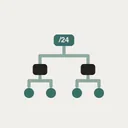
Each extra bit in the prefix halves the block. A /24 split into four /26 subnets:
| Subnet | Network | Broadcast | Usable |
|---|---|---|---|
| 192.168.10.0/26 | .0 | .63 | .1–.62 |
| 192.168.10.64/26 | .64 | .127 | .65–.126 |
| 192.168.10.128/26 | .128 | .191 | .129–.190 |
| 192.168.10.192/26 | .192 | .255 | .193–.254 |
To size a subnet, find the smallest block that holds your hosts plus two: 50 devices need 52 addresses, so a /26 (64). When different subnets need different sizes, allocate the largest first so the blocks line up; this is called VLSM (variable-length subnet masking).
Private address ranges
These blocks (RFC 1918) are reserved for private networks and aren't routed on the internet:
| Range | CIDR | Addresses |
|---|---|---|
| 10.0.0.0 – 10.255.255.255 | 10.0.0.0/8 | 16,777,216 |
| 172.16.0.0 – 172.31.255.255 | 172.16.0.0/12 | 1,048,576 |
| 192.168.0.0 – 192.168.255.255 | 192.168.0.0/16 | 65,536 |
Most home routers use a /24 inside 192.168.0.0/16, such as 192.168.1.0/24.
Checking your answer
- In the browser: the free subnet calculator shows the network, broadcast, mask and usable range for any IPv4 or IPv6 prefix, splits a block into subnets and plans VLSM. Nothing is uploaded.
- On iPhone: Subnetic draws the network and host bits under a prefix slider as you drag it from /0 to /32. The IPv4 calculator and the binary view are free; the one-time Pro unlock adds the subnet splitter, VLSM allocation and IPv6.
- In Terminal on a Mac, Python is often installed:
python3 -c "import ipaddress; n=ipaddress.ip_network('192.168.10.77/26', strict=False); print(n, n.broadcast_address, n.num_addresses)"prints192.168.10.64/26 192.168.10.127 64.
FAQ
Is /24 the same as 255.255.255.0? Yes. /24 means the first 24 bits are the network part, and 24 ones in binary are 255.255.255.0.
How many usable hosts are in a /24? 254: 256 addresses minus the network address (.0) and the broadcast address (.255).
What's the difference between a subnet mask and CIDR notation? They carry the same information. The mask writes the network bits as four numbers (255.255.255.192); CIDR counts them after a slash (/26).
Why does a /30 have only 2 usable addresses? It has 4 addresses, and two of them are the network and broadcast addresses. A /30 was the classic size for a link between two routers; a /31 does the same job with 2 addresses and no waste.
What is a wildcard mask? The subnet mask with every bit flipped: 255.255.255.0 becomes 0.0.0.255. Cisco ACLs and OSPF use it to say which bits must match.