
QuickVid메일·메신저용 영상 압축기
About
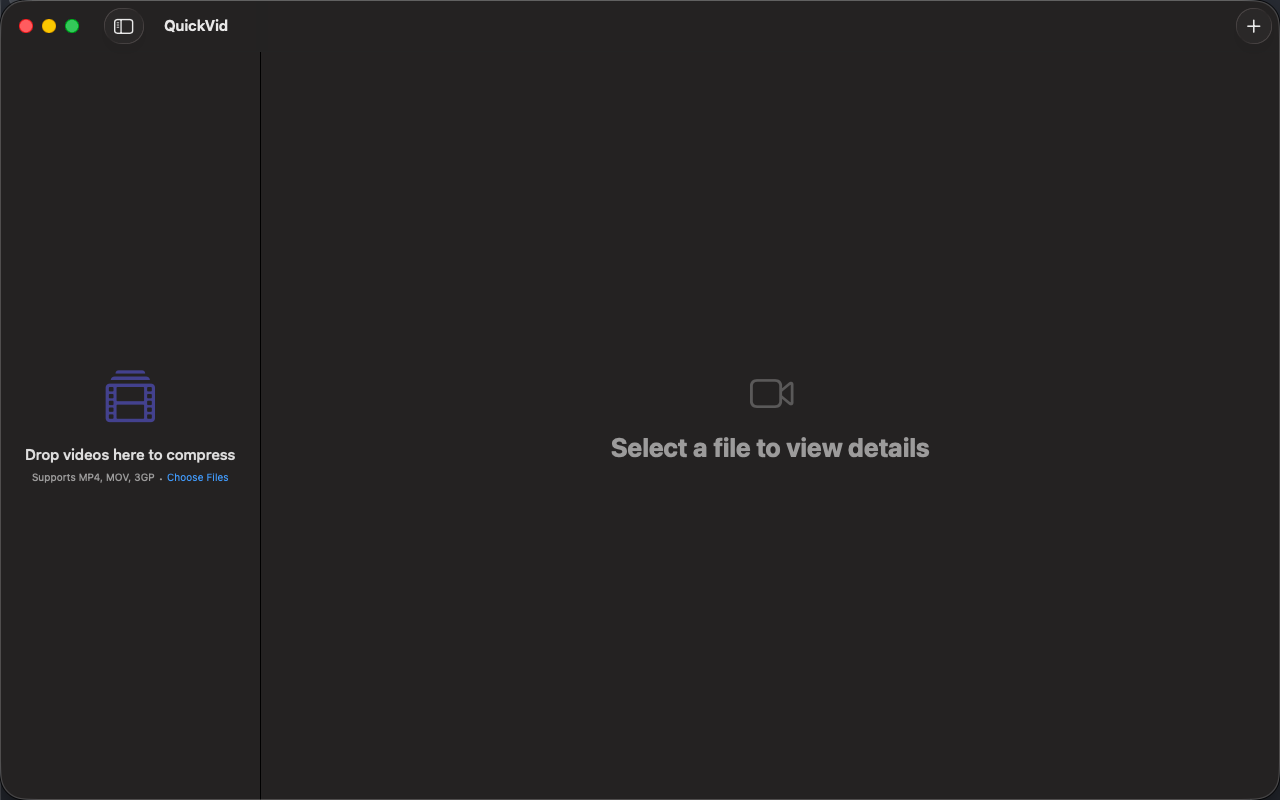
QuickVid Compress는 Mac에서 동영상을 가장 간단하게 줄이는 도구입니다. 파일을 드롭하고, 모드를 고르고, 저장하면 끝. 코덱 메뉴도, 비트레이트 계산도, 학습 곡선도 없습니다.
이메일 첨부 한도, 디스코드 업로드 제한, 카카오톡으로 영상이 안 갈 때——그 순간을 위해 만들었습니다.
QuickVid의 차별점
- 세 번의 클릭
동영상을 드롭, 모드를 선택(추천 / 고압축 / 호환), 저장. 처음부터 끝까지 약 30초. 설정 고민이 필요 없습니다.
- 상황별 프리셋
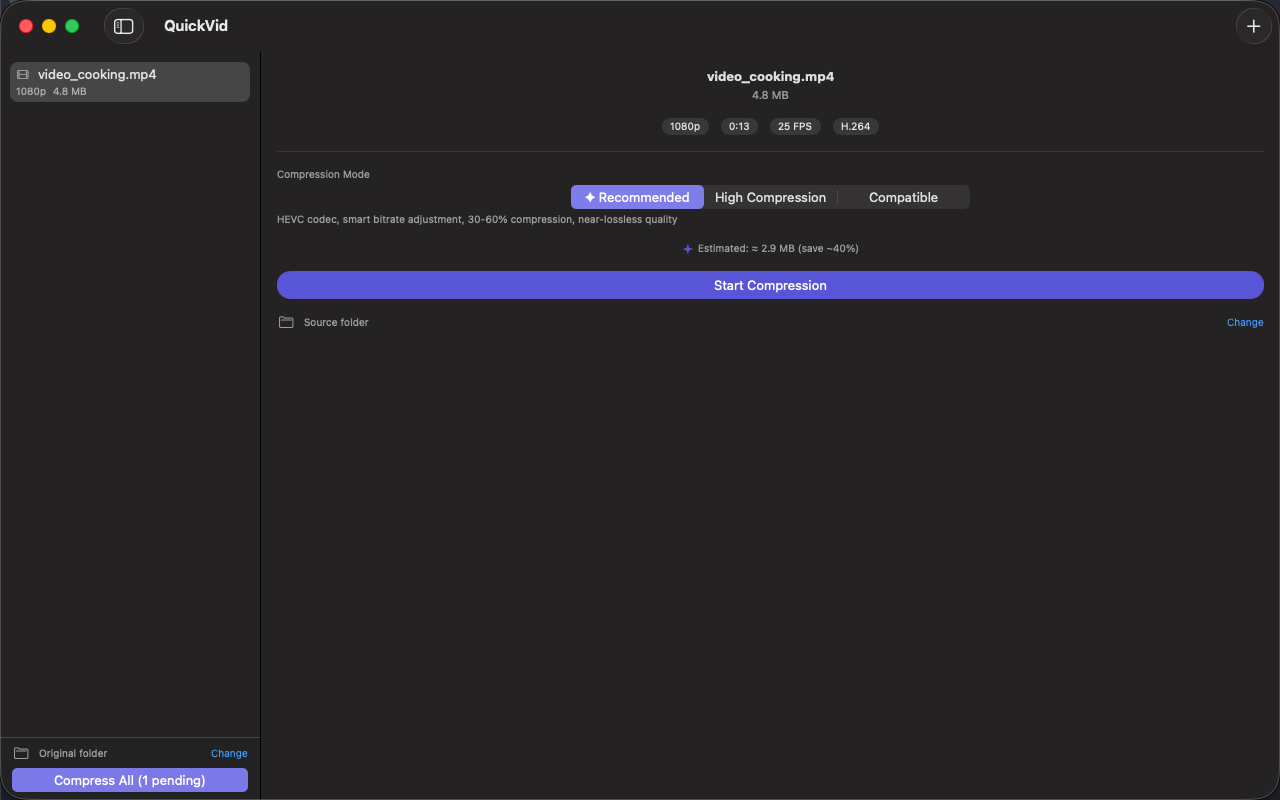
추천: 30~60% 작게, 화질 거의 무손실——범용. 고압축: 50~70% 작게——메일·메신저 용량 제한을 정조준. 호환: H.264 출력으로 어디서나 재생——공유에 최적.
- Apple Silicon 네이티브
VideoToolbox 하드웨어 인코딩 사용. M1 이상에서 1분 분량 4K 영상을 몇 초 만에 압축. HandBrake 소프트웨어 인코더보다 훨씬 빠릅니다.
- HEVC와 H.264 모두 지원
HEVC: 받는 사람이 Apple 기기일 때 H.264보다 약 30% 작게. H.264: 메일·디스코드 어디서나 재생되는 범용 포맷.
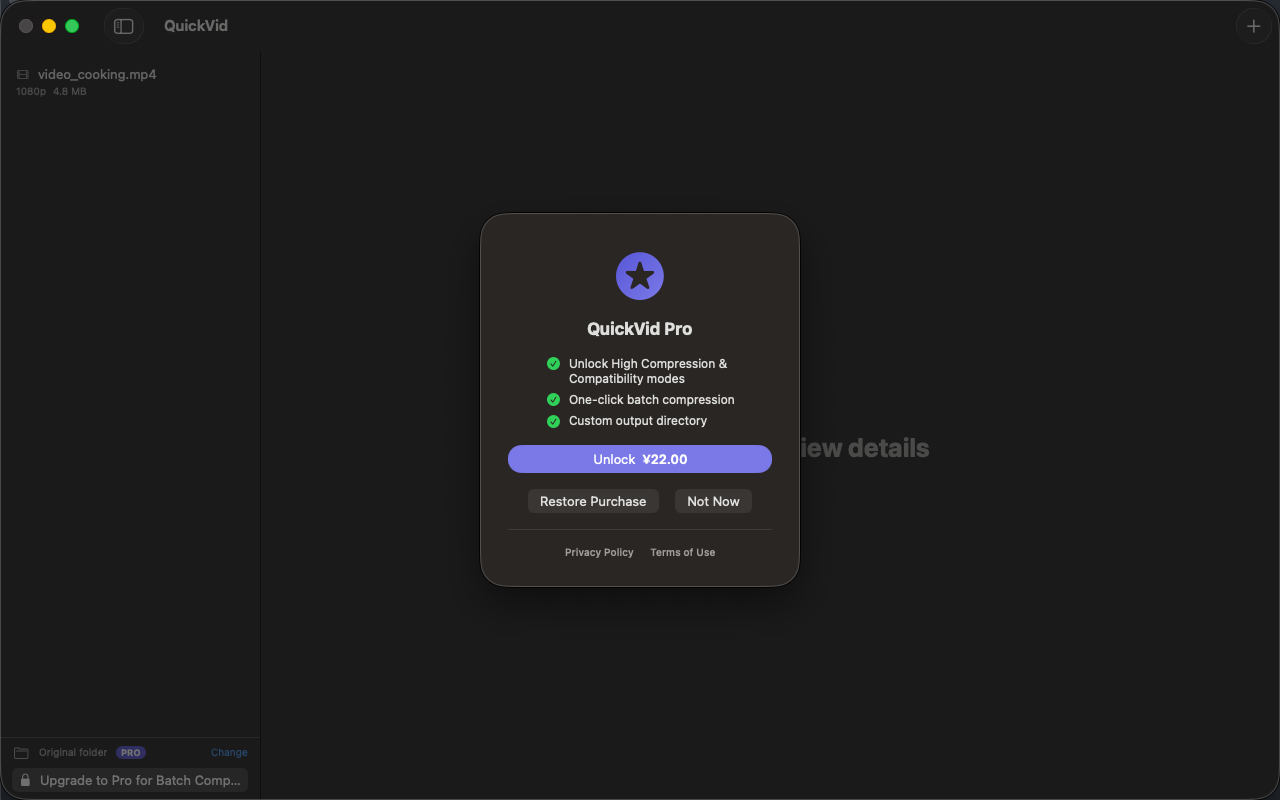
- 병렬 일괄 처리(Pro)
여러 파일을 드롭하면 Mac의 코어 수가 허용하는 만큼 병렬 인코딩. HandBrake 기본 큐는 순차 처리입니다.
- 100% 로컬
업로드 없음, 텔레메트리 없음, 계정 불필요. 가족 동영상, 업무 녹화, 화면 캡처——모두 Mac 밖으로 나가지 않습니다.
누구를 위한 도구?
- 메일·디스코드·카카오톡 업로드 한도에 부딪힌 분
- HandBrake를 열었다가 코덱 메뉴 보고 닫은 분
- Apple Silicon Mac에서 하드웨어 가속을 원하는 분
- 매주 한 번 동영상을 압축하지만 영상 전문가는 아닌 분
QuickVid가 아닌 것
Final Cut Compressor나 HandBrake의 대체품이 아닙니다. ProRes 마스터링, 2-pass 인코딩, AV1 출력이 필요하다면 다른 도구가 더 적합합니다.
가격
추천 모드 단발성 사용은 무료. Pro 일회성 결제로 3가지 모드 전체, 병렬 일괄 처리, 해상도 조정, 사용자 지정 출력 폴더가 해제됩니다. 구독제 아닙니다.
피드백
개발: Peter Zhang. obeliskclubclub@gmail.com으로 오는 모든 메일은 직접 읽습니다. 지원하지 않는 포맷이 있다면 알려주세요.
자세히: obelisk.club/quickvid-compress
Core Capabilities
스마트 압축
세 가지 모드——추천(HEVC, 30~60% 절감), 고압축(50~70% 절감), 호환(H.264, 최고의 공유 호환성). 무료 사용자는 추천 모드 무제한 사용.
드래그 앤 드롭
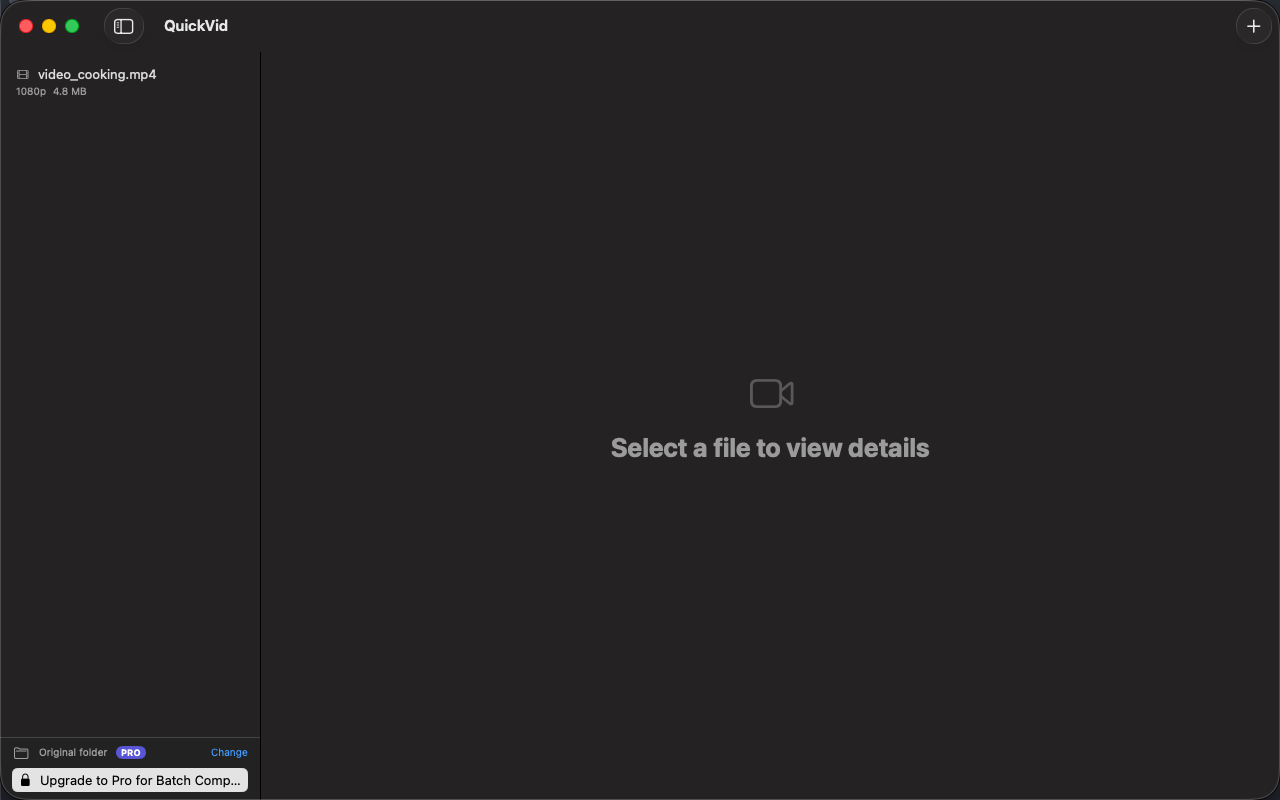
비디오 파일이나 폴더 전체를 창에 드롭. 메타데이터가 즉시 로드되어 압축 전에 해상도, 길이, 코덱, 프레임레이트를 확인할 수 있습니다.
일괄 처리
여러 동영상을 대기열에 넣고 한 번의 클릭으로 모두 압축. Pro 사용자는 라이브러리 전체를 단일 작업으로 처리할 수 있습니다.
전후 비교
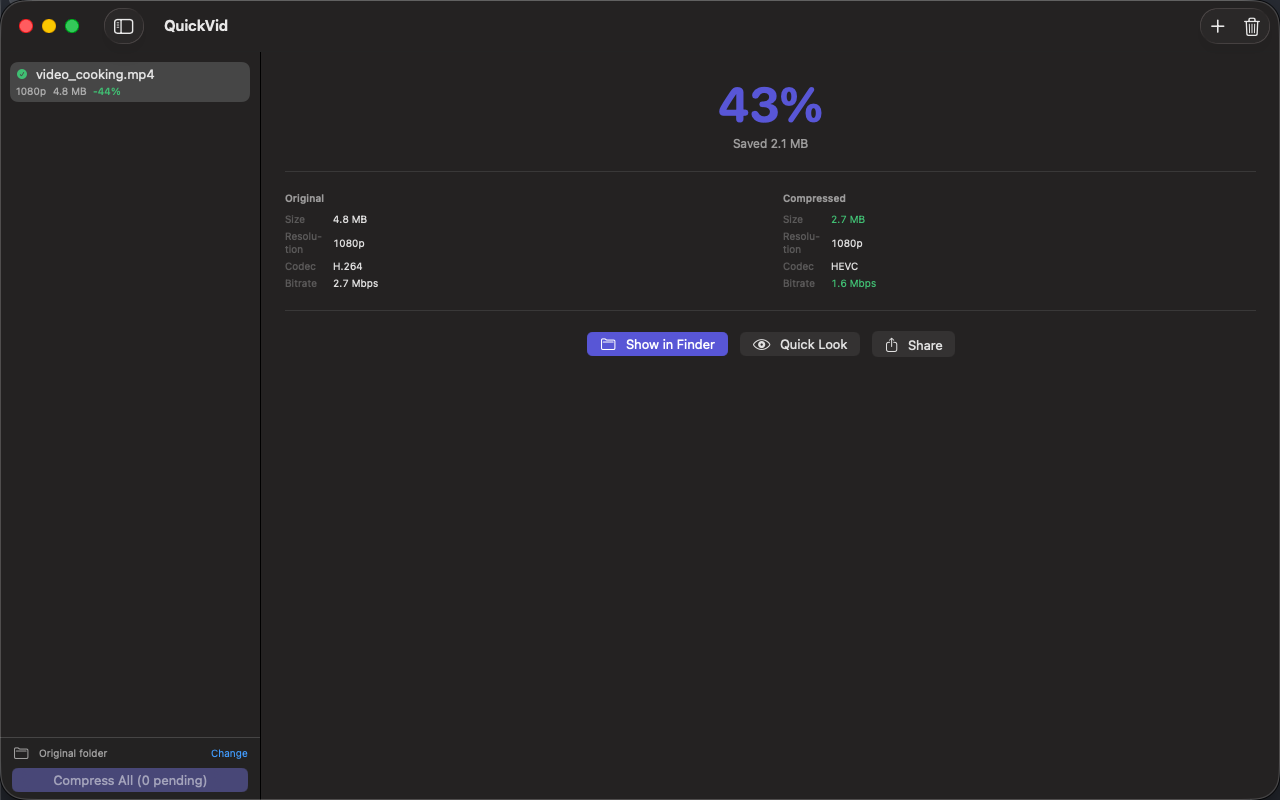
원본과 압축본의 크기, 코덱, 비트레이트, 해상도를 한 장의 카드로 명확히 비교. 출력 파일을 Finder에서 원클릭으로 열기.
Apple Silicon 네이티브
VideoToolbox 하드웨어 인코딩——1분 분량 4K 영상이 M1 이상에서 몇 초 만에 압축됩니다. 동일 작업의 소프트웨어 인코더보다 훨씬 빠릅니다.
100% 로컬 및 프라이빗
업로드 없음, 텔레메트리 없음, 계정 불필요. 가족 동영상, 업무 녹화, 화면 캡처——그 무엇도 Mac 밖으로 나가지 않습니다.
Frequently Asked Questions
- How do I make a video small enough for Discord or email?
- Drop the video into QuickVid, pick High Compression mode (50–70% smaller — aimed straight at messaging upload caps) or Recommended mode (30–60% smaller with virtually no visible quality loss), and save. The whole workflow takes about 30 seconds.
- Is QuickVid faster than HandBrake?
- For everyday shrink-this-video jobs, yes. QuickVid uses VideoToolbox hardware encoding on Apple Silicon, so a 1-minute 4K video compresses in seconds — significantly faster than software encoders — and Pro encodes batches in parallel rather than one at a time.
- Should I choose HEVC or H.264 when compressing?
- HEVC produces roughly 30% smaller files and is ideal when your audience is on Apple devices. H.264 is the universal choice for email, Discord and older players.
- Does QuickVid upload my videos anywhere?
- No. Compression is 100% local — no upload, no telemetry, no account. Family videos, work recordings and screen captures never leave your Mac.
Interface
High Fidelity UI
High Fidelity UI
High Fidelity UI
High Fidelity UI
High Fidelity UI
Guides for QuickVid
What is CRF in video compression? A practical guide for non-engineers
CRF is the single most useful knob in modern video encoding — but most guides explain it wrong. Here's what it actually does, with concrete recommendations.
'iMessage attachment too big' — how to fix it on Mac and iPhone
Why iMessage rejects your video, what the actual size limits are, and three ways to compress a video down to a working size — including a one-click Mac fix.
How to compress an MP4 without losing quality (Mac, 2026)
"Visually lossless" is achievable. Here's the recipe — codec, CRF, preset — and how much smaller you can realistically expect.
How to compress video for Discord, iMessage, and email on Mac
Every chat app has a different upload limit, and every codec choice has a different trade-off. A practical guide to shrinking videos on macOS for the platforms you actually share to.
More from Obelisk

SnapPro
SnapPro is the professional screenshot and screen recording tool macOS deserves. Pixel-perfect capture, unlimited recording, on-device OCR —…

ViewOne
아이폰으로 놀이터에서 연속 촬영 50장. 이제 Mac에 쌓여 있는데, 한 장씩 골라낼 엄두가 안 납니다. ViewOne이 해결해 드립니다. 폴더를 끌어다 놓으면 ViewOne이 모든 연속 촬영 그룹을 즉시 찾아냅니다. 나란히 비교하고 마음에 드는 사진…

PhotoBridge
PhotoBridge backs up your iPhone photos directly to storage you own — Synology, QNAP, Nextcloud, AWS S3, MinIO, Aliyun OSS, or an external d…
How QuickVid compares
Honest, dimension-by-dimension comparisons — including where the other tool wins.
Mac video compression
QuickVid vs HandBrake
HandBrake is the open-source standard for video transcoding on Mac. It's free, powerful, scriptable, and has been the answer to 'how do I shrink this video' for over a decade. QuickVid Compress is a much newer, much simpler app aimed at people who don't want to learn HandBrake. Here's how to decide which fits your need.
Video compression
QuickVid vs Compressor
Compressor is Apple's professional video encoding tool, designed for Final Cut Pro workflows. QuickVid Compress is a much simpler app aimed at people who just need a video to be smaller. Here's an honest take on when to pick which.
Video compression
QuickVid vs Permute
Permute is a popular Mac media converter that handles video, audio, and image format conversion. QuickVid Compress is a focused video shrinker. Here's how to decide which fits the task.
Video compression
QuickVid vs ffmpeg
ffmpeg is the open-source command-line video tool that powers most of the video software on the internet. QuickVid Compress is a Mac GUI app that wraps a focused subset of what ffmpeg can do. Most video pros end up using both — here's how to think about when to use which.