
QuickPixBilder offline verkleinern
About
QuickPix ist ein schneller, nativer macOS-Bildkompressor, der vollständig auf deinem Mac läuft. Kein Upload, kein Konto, keine Telemetrie. Einfach reinziehen.
Basiert auf der nativen macOS-Engine sips — derselben Bildverarbeitung, die Apple intern verwendet. Die Ausgabequalität entspricht dem Export aus der Vorschau, mit der Geschwindigkeit eines CLI und dem Komfort einer Drag-and-Drop-GUI.
WAS QUICKPIX BESONDERS MACHT
- 100 % OFFLINE
Deine Bilder verlassen deinen Mac nicht. Kein Upload, keine Drittanbieter. Interne Screenshots, unveröffentlichte Produkt-Renderings, Kundenarbeiten — nichts davon landet im Internet.
- 28 FORMATE LESEN, 12 SCHREIBEN
Liest JPEG, PNG, HEIC, WebP, TIFF, GIF, BMP, PSD, JPEG 2000 sowie RAW-Dateien von Canon, Nikon, Sony, Fujifilm, Olympus, Panasonic und Pentax. Schreibt HEIC, PNG, JPEG, TIFF, GIF und sieben weitere.
- FÜNF KOMPRIMIERUNGS-PRESETS
Maximale Komprimierung, empfohlene Balance, web-optimiert, verlustfrei oder Format und Qualität selbst wählen. Dateien, die dabei größer würden, überspringt QuickPix auf Wunsch.
- KEIN LIMIT PRO DURCHLAUF
1.000 Bilder oder 10.000, in einem Durchgang. Keine Tageslimits und keine Grenze pro Stapel.
- VORHER / NACHHER-VERGLEICH
Integrierter visueller Vergleich mit pixelgenauem Zoom. Verlass dich nicht nur auf eine Dateigrößenangabe — sieh den tatsächlichen Qualitätsunterschied und entscheide dann.
- ORDNERÜBERWACHUNG (Pro)
Wähle einen Ordner, QuickPix passt auf. Alles, was du hineinlegst, wird automatisch komprimiert. Gebaut für Designer und Teams, die Assets über Dropbox, Slack oder Finder erhalten.
- FARBPROFIL BLEIBT ERHALTEN
sRGB bleibt sRGB, Display P3 bleibt Display P3. EXIF und GPS werden standardmäßig entfernt — ideal für geteilte Bilder. Pro erlaubt das Beibehalten bestimmter Metadaten.
- AUS ZWISCHENABLAGE EINFÜGEN
⌘⇧V aus jeder Zwischenablage. Praktisch für Screenshots, die vor dem Teilen komprimiert werden müssen.
FÜR WEN IST QUICKPIX?
- Designer, die Bilder in ein CMS, Design-System oder Marketing-Site liefern
- Entwickler bildlastiger Web-Apps
- Produktfotografen, die Batch-Verarbeitung ohne Abo brauchen
- Alle, die HEIC und RAW komprimieren müssen, nicht nur JPEG und PNG
- Alle, die schon einmal am 20-Bild-Limit eines Web-Tools hängengeblieben sind
PREISE
Grundfunktionen dauerhaft kostenlos, unbegrenzte Single-Format-Batches, alle Formate. Einmalkauf-Pro für Ordnerüberwachung, eigene Voreinstellungen und parallele Batch-Verarbeitung. Niemals ein Abo.
FEEDBACK
Von Peter Zhang. Jede E-Mail an obeliskclubclub@gmail.com wird persönlich gelesen. Format fehlt? Sag Bescheid.
Mehr erfahren: obelisk.club/quickpix-image-compressor
Core Capabilities
Mit einem Preset komprimieren
Maximale Komprimierung, empfohlene Balance, web-optimiert, verlustfrei oder Format und Qualität selbst wählen. Dateien, die größer würden, überspringt QuickPix.
Qualität vor der Veröffentlichung prüfen
Vorher/Nachher-Schieberegler mit Pixel-Zoom, dazu ein Vorschlag für Format und Qualität auf Basis von Alphakanal, Auflösung und Farbraum.
28 Formate lesen, 12 schreiben
Liest JPEG, PNG, HEIC, WebP, TIFF, GIF, BMP, PSD, JPEG 2000 und RAW von sieben Herstellern. Schreibt HEIC, PNG, JPEG, TIFF, GIF und sieben weitere.
Frequently Asked Questions
- Does QuickPix upload my images to a server?
- No. QuickPix runs 100% offline on your Mac — no upload, no account, no telemetry. Internal screenshots, unreleased renders and client work never touch the internet.
- Can QuickPix compress HEIC photos from an iPhone?
- Yes. HEIC is supported natively, alongside 28+ formats including JPEG, PNG, WebP, AVIF, TIFF, GIF, BMP and PSD — both reading and writing.
- Is there a limit on how many images I can compress at once?
- No daily caps and no per-batch limits — drop a folder with 1,000 or 10,000 images and get a compressed folder back.
- Will compressing change my photo's colors or metadata?
- Color profiles are preserved — sRGB stays sRGB and Display P3 stays Display P3 — while EXIF and GPS metadata are stripped by default for safer sharing.
- Can QuickPix compress images automatically?
- With Pro's folder watching, pick a folder and anything dropped into it is compressed automatically — built for designers and teams receiving assets via Dropbox, Slack or Finder.
Interface
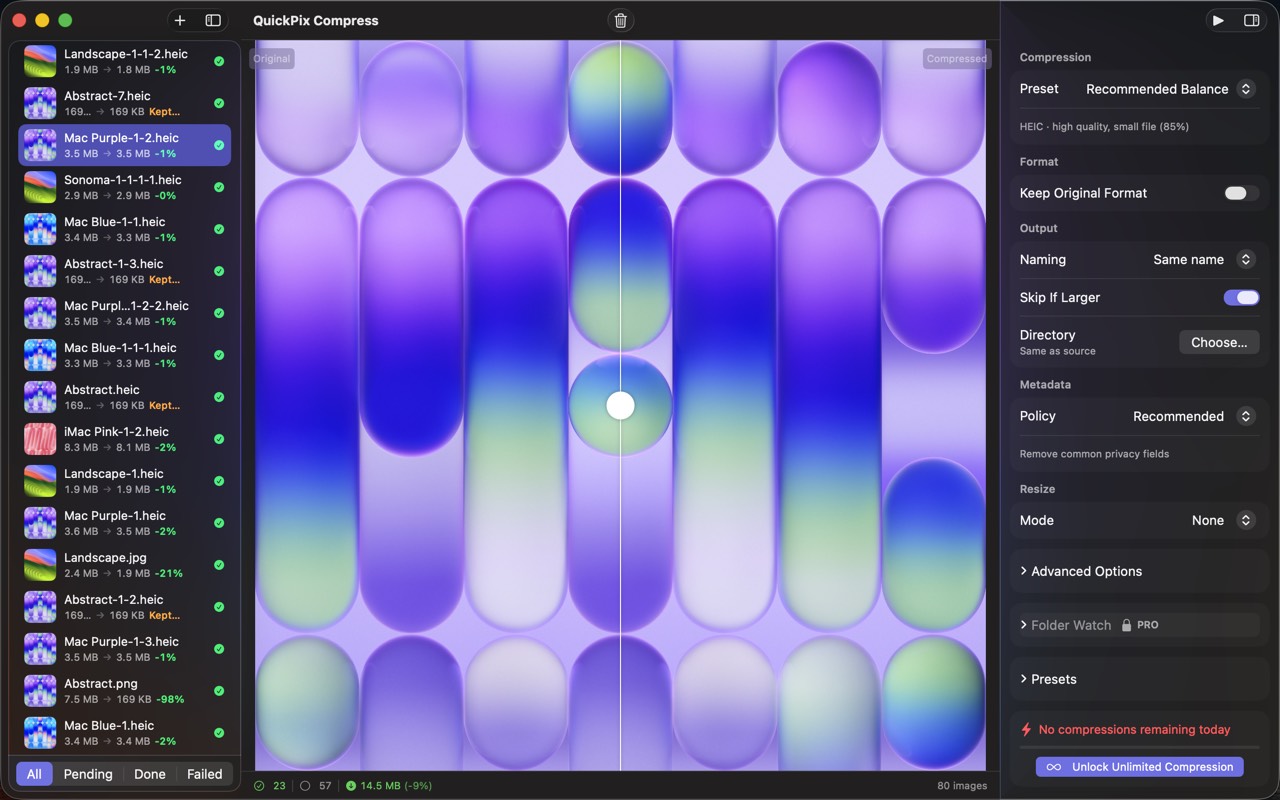
High Fidelity UI
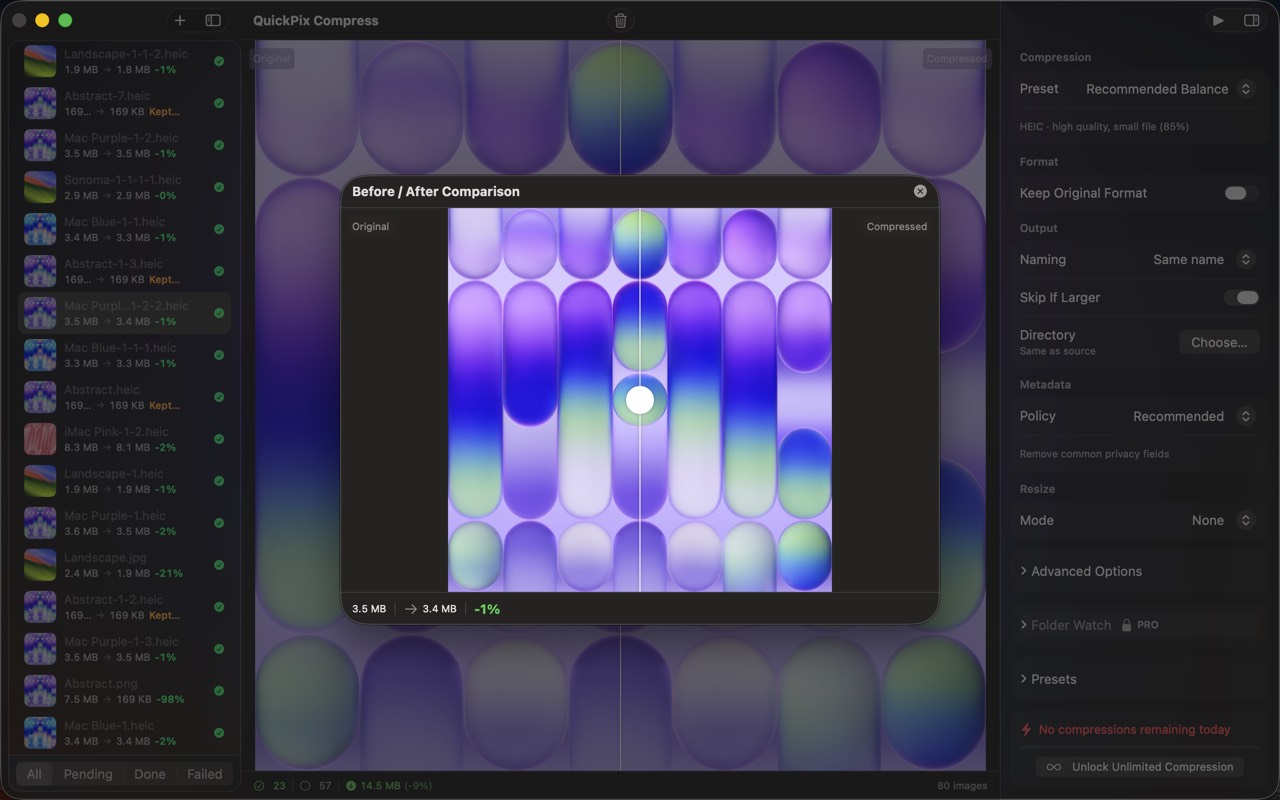
High Fidelity UI
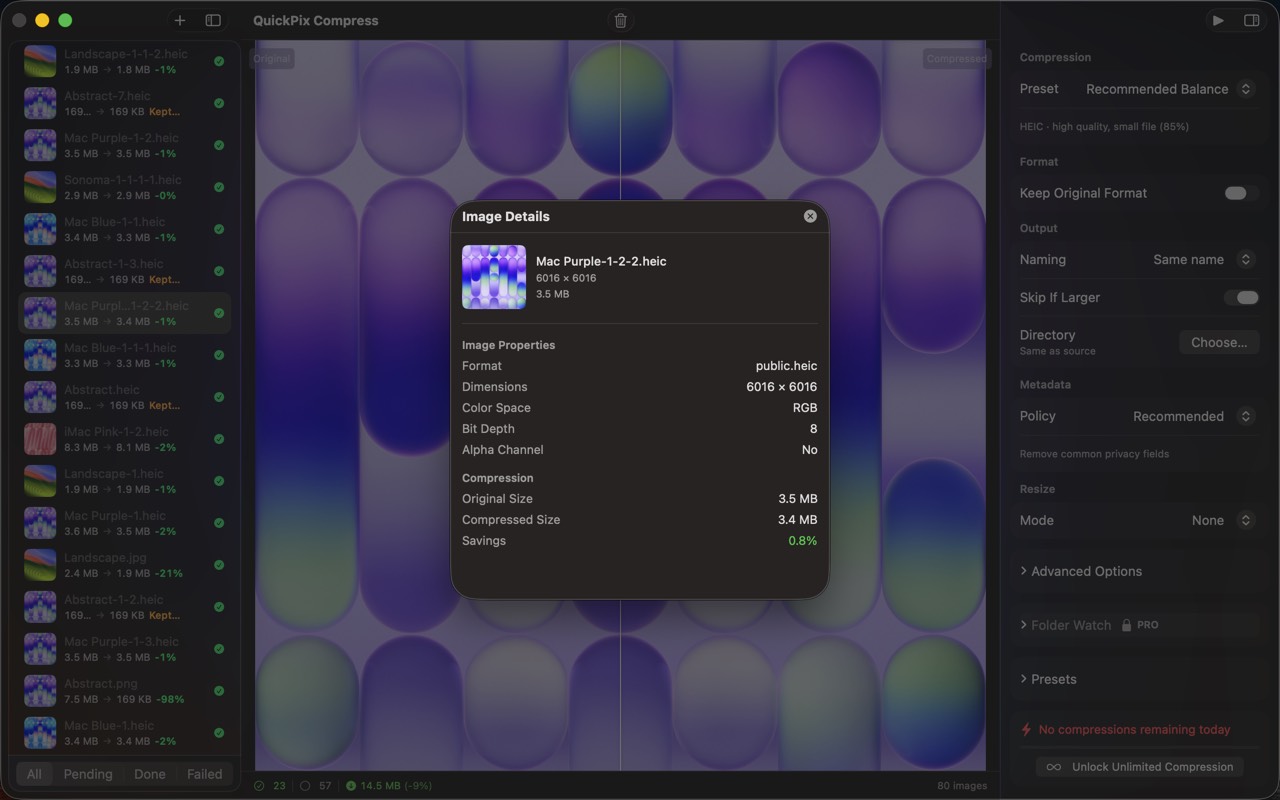
High Fidelity UI
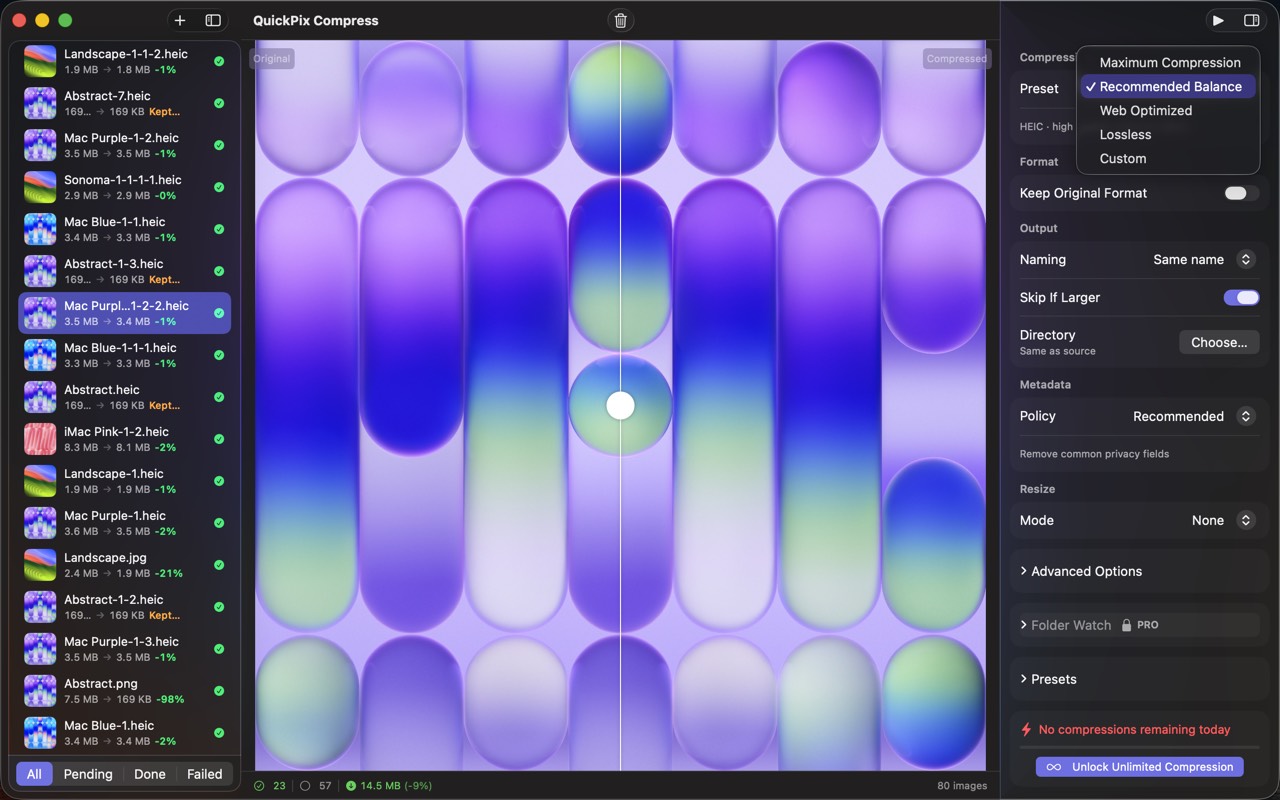
High Fidelity UI
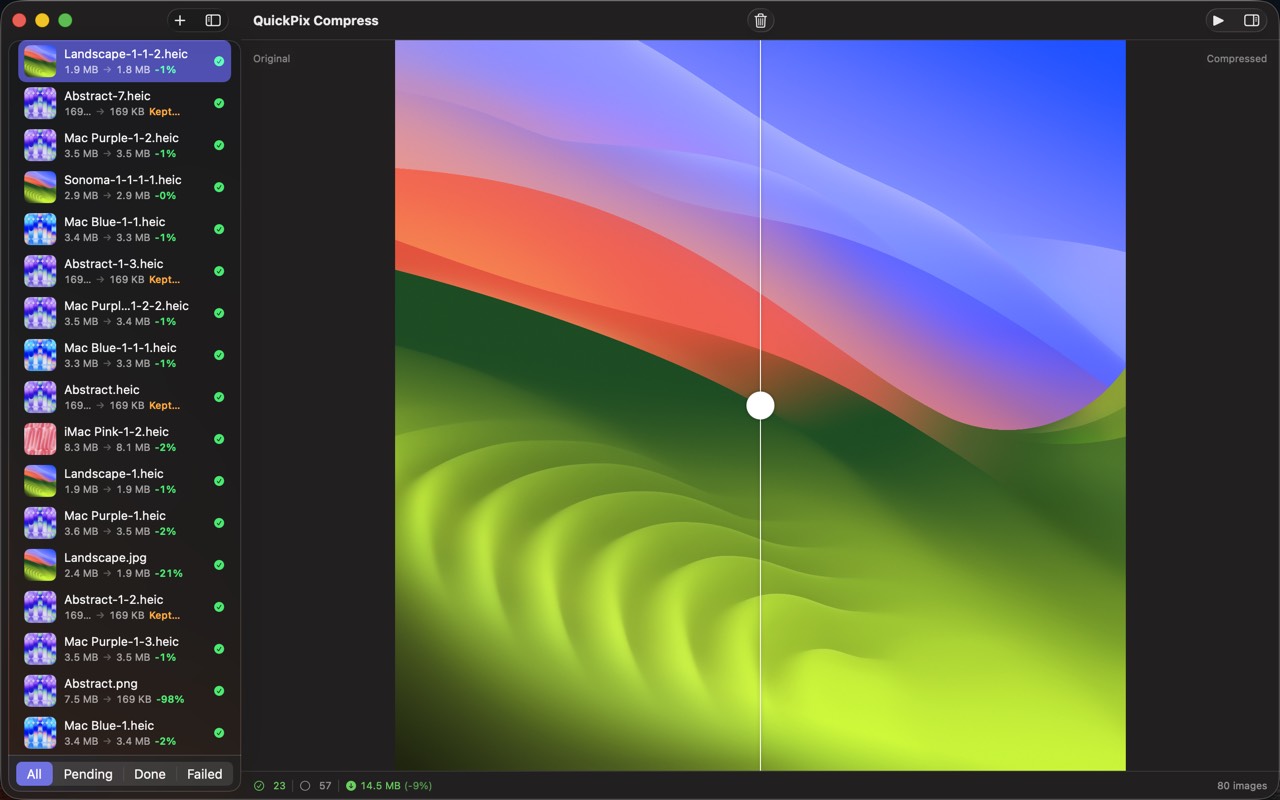
High Fidelity UI
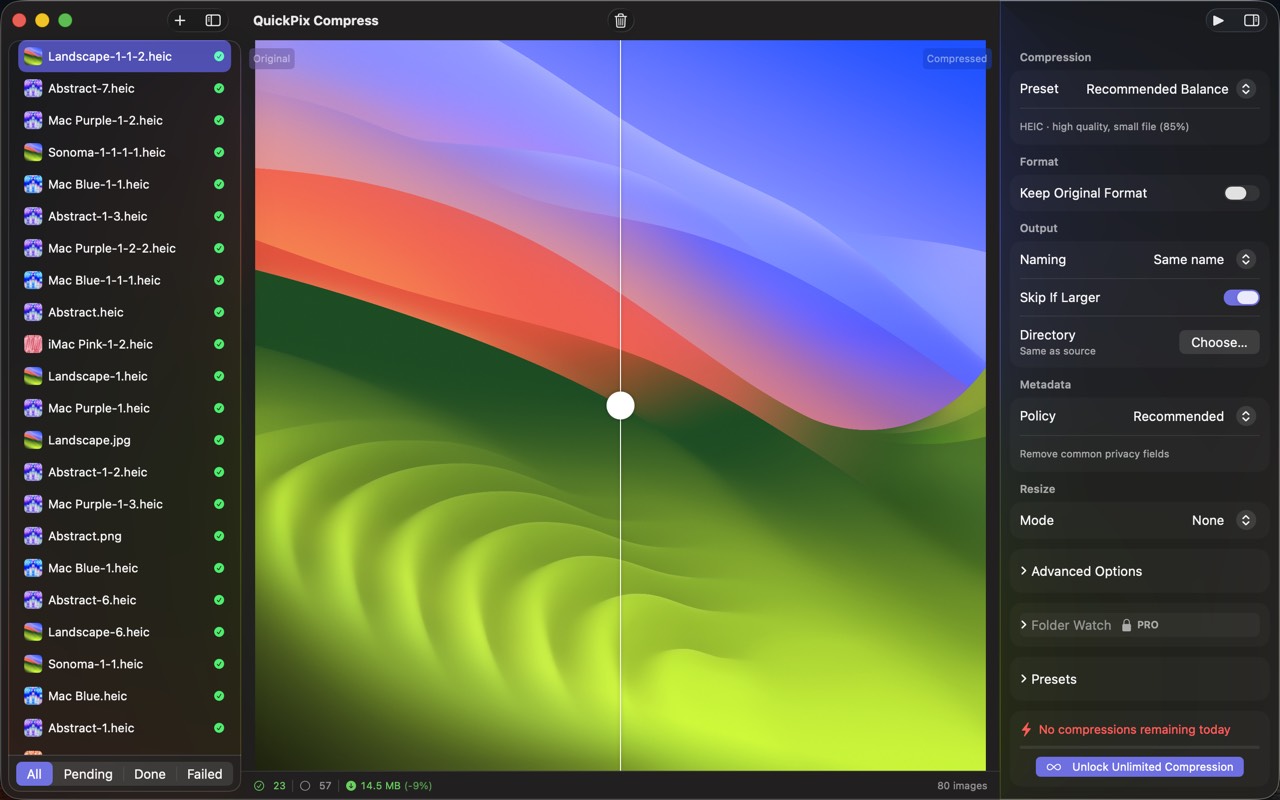
High Fidelity UI
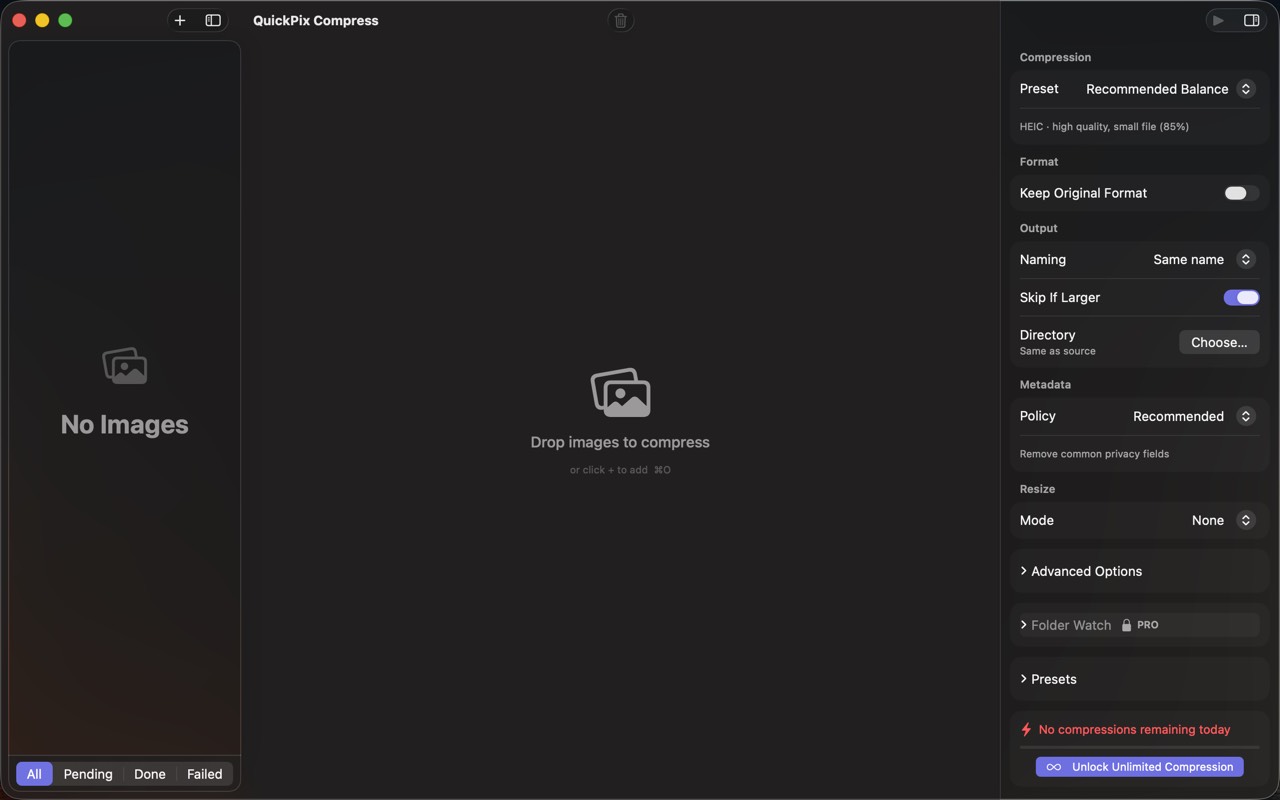
High Fidelity UI
Guides for QuickPix
Squoosh on Mac — what it's great at, why it can't open HEIC, and offline alternatives
Squoosh is the best free way to compress one image in a browser. But it can't decode iPhone HEIC photos, has no batch mode, and its CLI is archived. Here's when it fits and what Mac users switch to.
How to compress HEIC images for a website on Mac
HEIC is efficient but not universal on the web. Learn when to use JPEG, WebP, or AVIF, how to resize and strip metadata, and how to batch offline on Mac.
WebP vs AVIF vs JPEG on Mac — when to use which (with real file-size numbers)
Three modern image formats, three different trade-offs. Here's a real-world test on Mac, with concrete recommendations for web, design, and archival use.
macOS sips command — the complete guide (2026)
Every Mac ships with a fast, sandbox-safe image processor called sips. Resize, convert, compress, strip metadata, batch — without installing anything. Here's everything it can do.
How to convert HEIC to JPEG on Mac in batch (4 ways, ranked)
iPhone photos are HEIC by default. Sending them to Windows, Android, or older web tools means converting. Here are the four practical ways on Mac.
How to compress images on Mac without uploading them anywhere (2026)
A practical guide for shrinking PNG, JPEG, HEIC, and WebP images on macOS while keeping every byte on your own machine — with five real options compared.
More from Obelisk

SnapPro
SnapPro is the professional screenshot and screen recording tool macOS deserves. Pixel-perfect capture, unlimited recording, on-device OCR —…

ViewOne
Your iPhone fired off 50 burst photos at the playground. Now they're sitting on your Mac, and you can't bring yourself to sort through them.…

PhotoBridge
PhotoBridge backs up your iPhone photos directly to storage you own — Synology, QNAP, Nextcloud, AWS S3, MinIO, Aliyun OSS, or an external d…
How QuickPix compares
Honest, dimension-by-dimension comparisons — including where the other tool wins.
Mac image compression
QuickPix vs ImageOptim
ImageOptim is a beloved open-source image compressor for Mac. Designers and developers have used it for over a decade. QuickPix is a newer entrant that takes a different technical approach. Here's a clear-eyed comparison so you can pick what fits your workflow.
Image compression
QuickPix vs TinyPNG
TinyPNG is the cloud-based image compression standard that millions of designers use daily. QuickPix is a Mac-native alternative that runs entirely on your device. Both produce smaller JPEGs and PNGs. The key difference is whether your images ever leave your computer.
Image compression
QuickPix vs Squoosh
Squoosh is Google's open-source web-based image compressor that runs entirely client-side in your browser. QuickPix is a native Mac app with similar privacy guarantees but a different workflow. Here's how they actually compare.
JPEG compression
QuickPix vs JPEGmini
JPEGmini is a long-running commercial JPEG optimizer for Mac with a proprietary algorithm that produces some of the smallest JPEGs in the industry. QuickPix is a newer macOS-native compressor built on Apple's sips engine. Both compress images well — here's how to decide.