Back to QuickPix

Press Kit

QuickPix

QuickPix is a fast, native macOS image compressor that runs entirely on your Mac. No upload, no account, no telemetry. Just drag and drop. Built on macOS's native sips engine — the same image-processing system Apple uses internally — so output quality matches what Preview's Expo…

App icon

Screenshots

Right-click any image to save the original. All images are licensed for editorial use covering QuickPix.
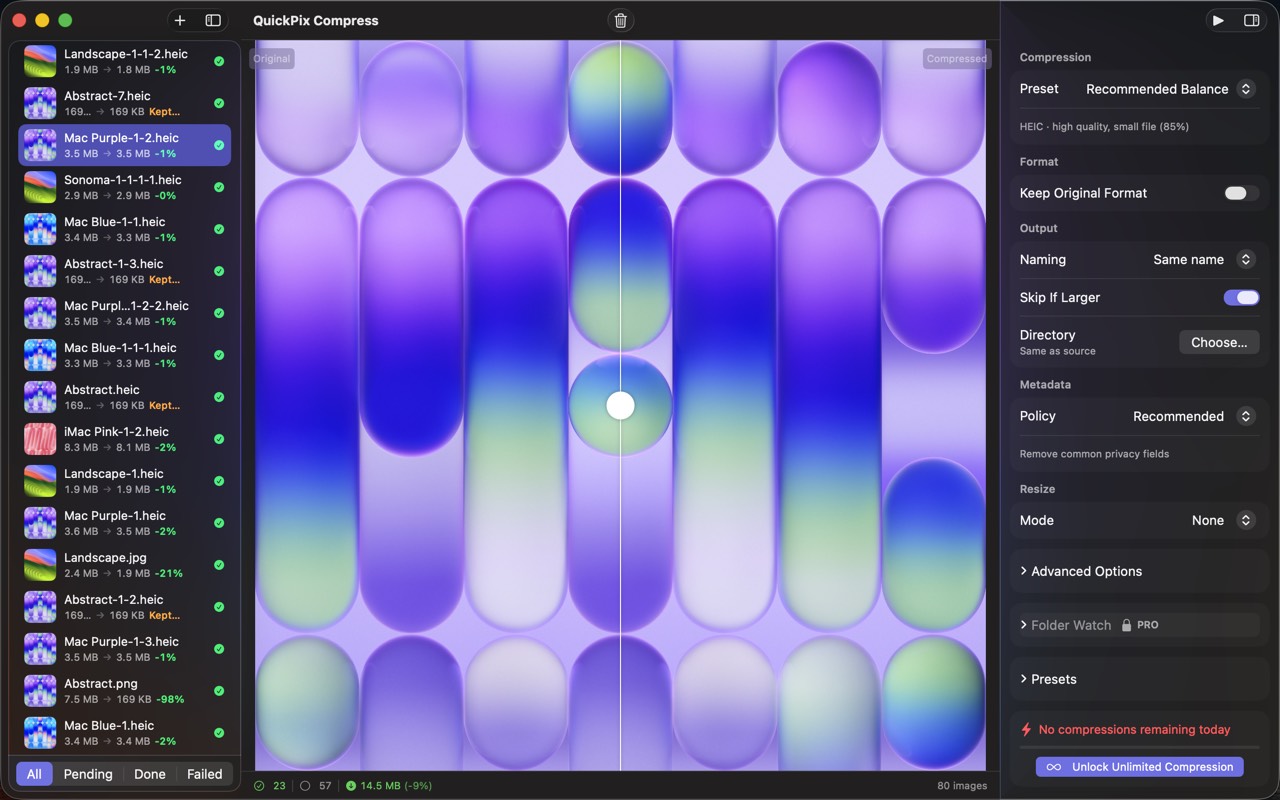
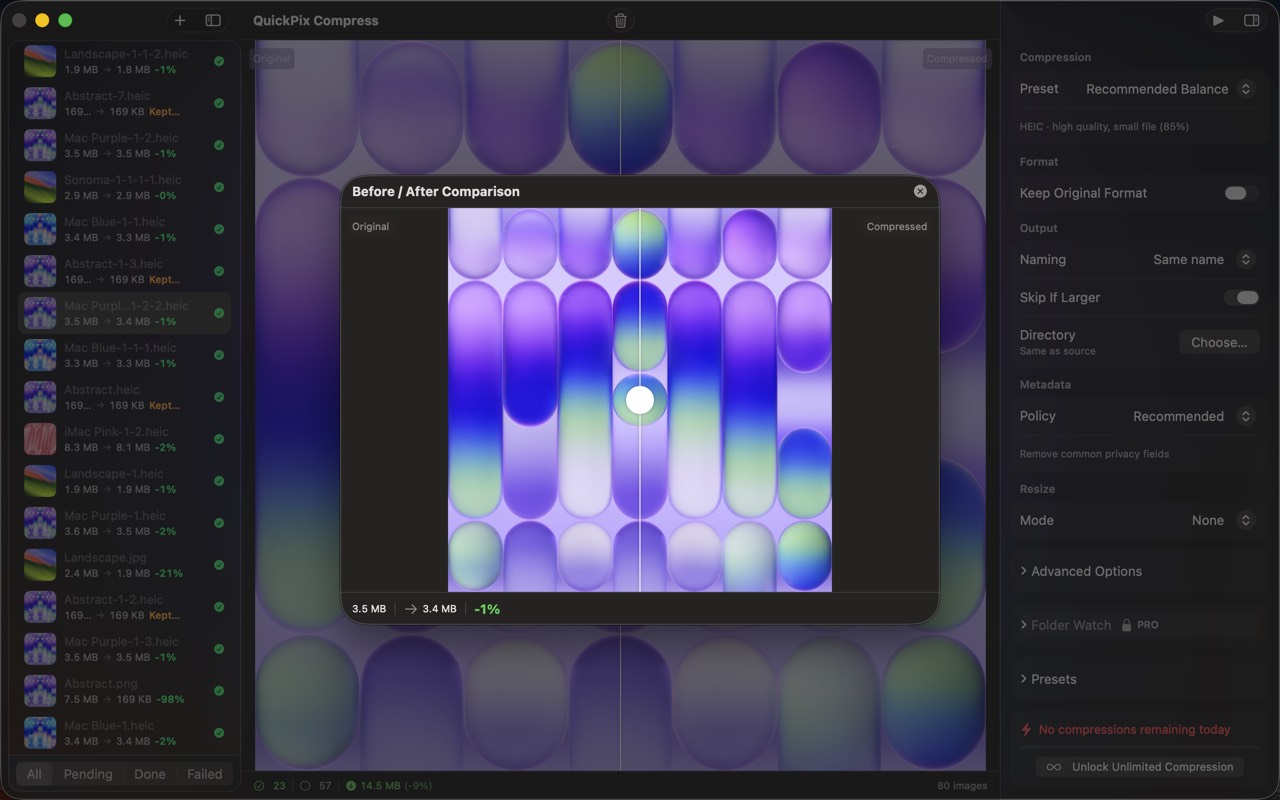
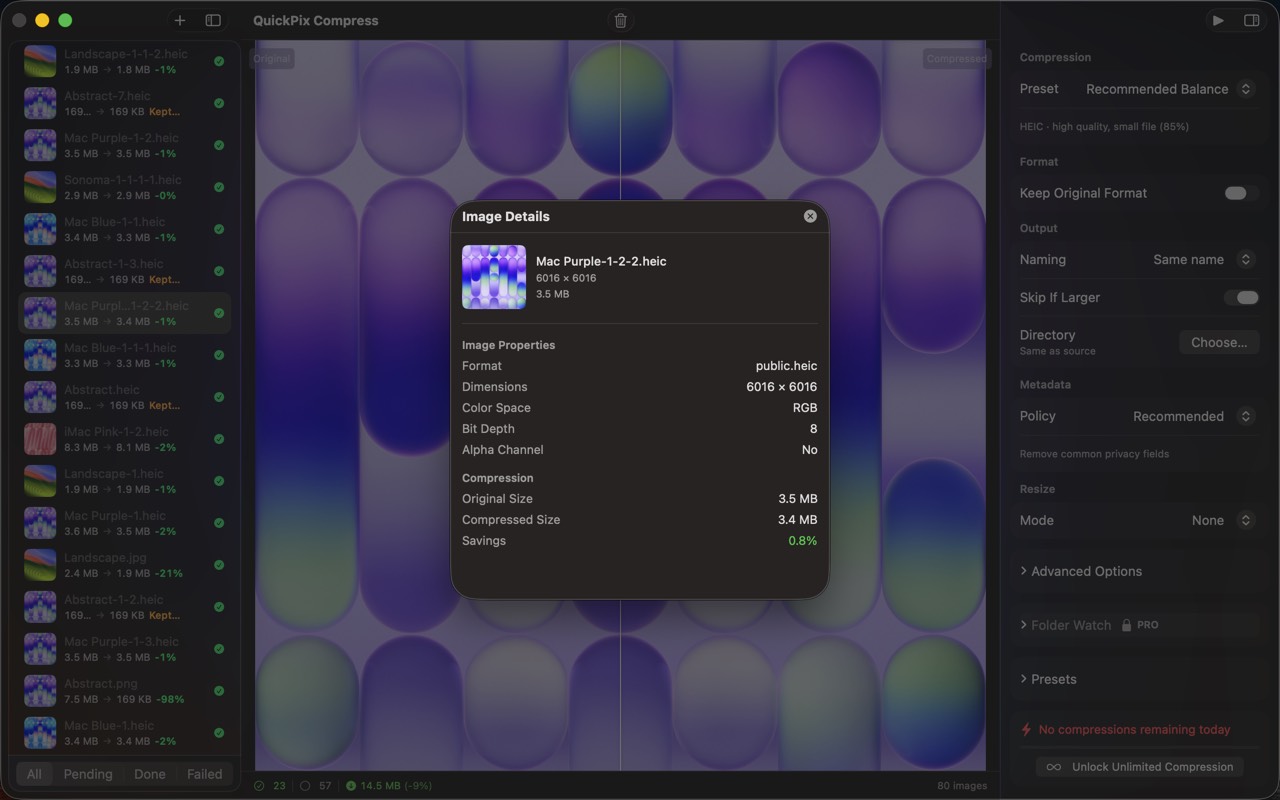
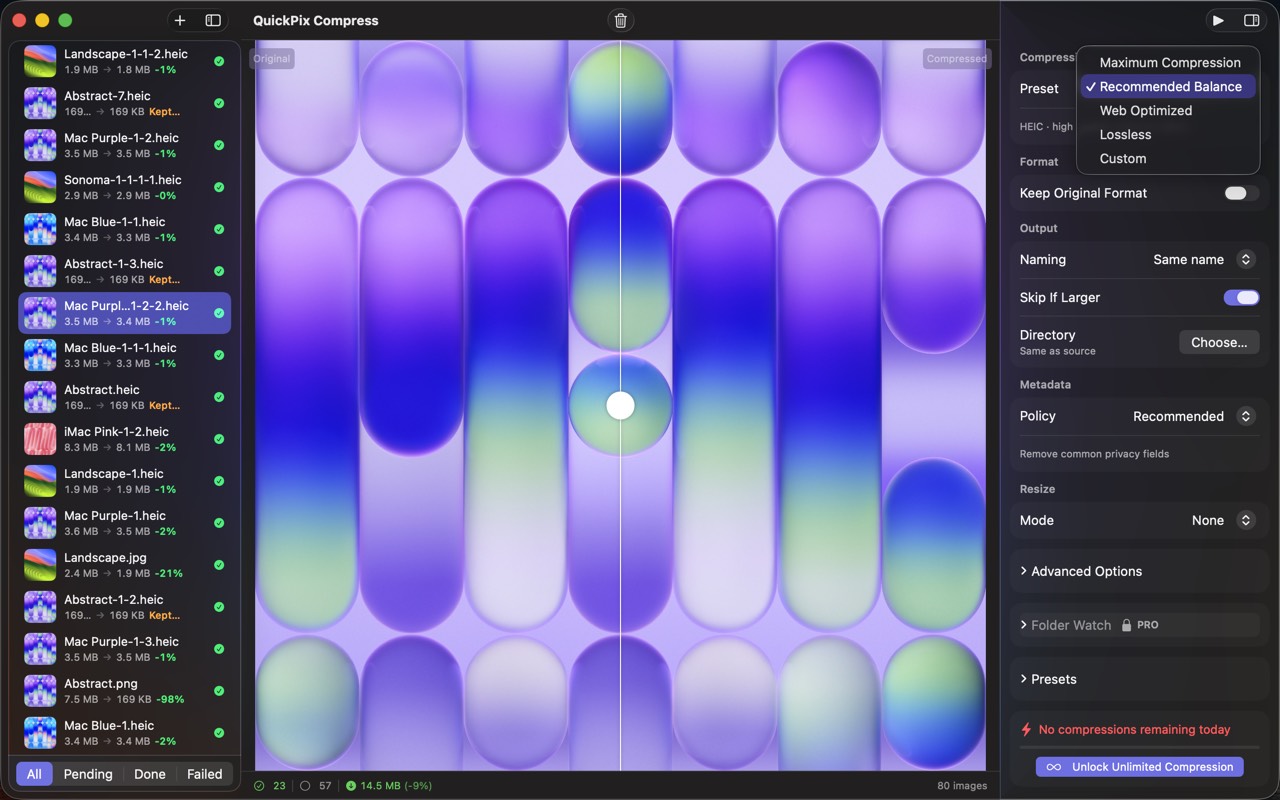
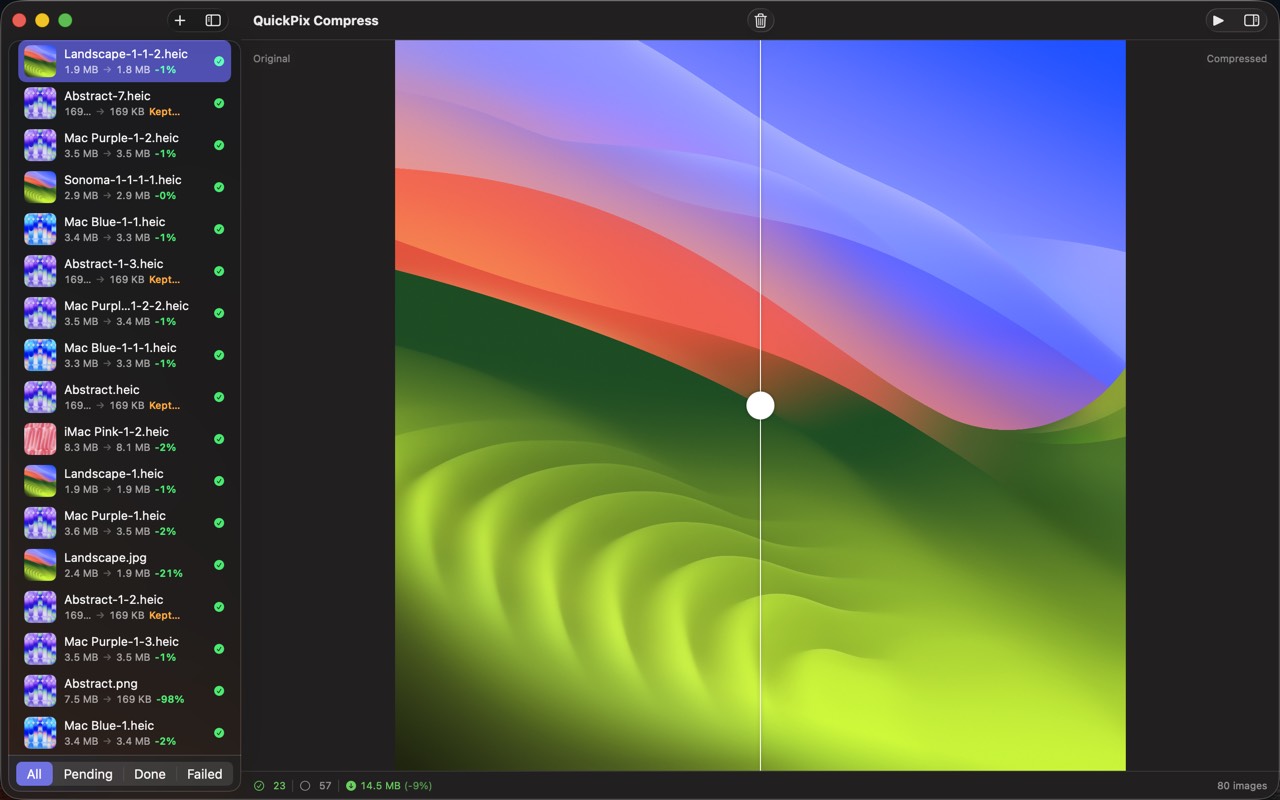
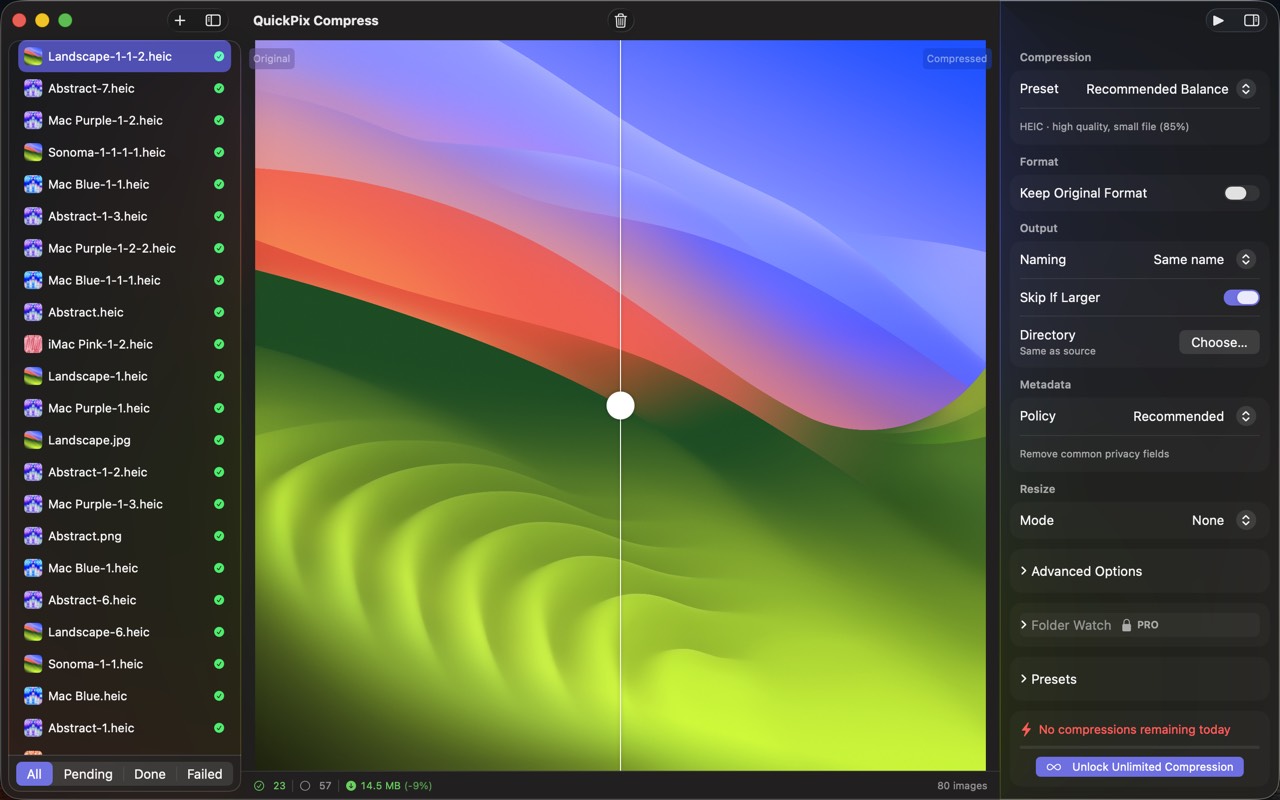
QuickPix screenshot 1QuickPix screenshot 2QuickPix screenshot 3QuickPix screenshot 4QuickPix screenshot 5QuickPix screenshot 6QuickPix screenshot 7

Boilerplate description

Use any portion freely. For coverage assistance, email below.

QuickPix is a fast, native macOS image compressor that runs entirely on your Mac. No upload, no account, no telemetry. Just drag and drop. Built on macOS's native sips engine — the same image-processing system Apple uses internally — so output quality matches what Preview's Export gives you, with the speed of a CLI and the convenience of a drag-and-drop GUI. — WHAT MAKES QUICKPIX DIFFERENT — • 100% OFFLINE Your images never leave your Mac. No upload to a server, no third-party processing. Internal screenshots, unreleased product renders, client work — none of it touches the internet. • 28 FILE TYPES IN, 12 OUT Reads JPEG, PNG, HEIC, WebP, TIFF, GIF, BMP, PSD, JPEG 2000 and RAW files from Canon, Nikon, Sony, Fuji, Olympus, Panasonic and Pentax. Writes HEIC, PNG, JPEG, TIFF, GIF and seven more. • FIVE COMPRESSION PRESETS Maximum Compression, Recommended Balance, Web Optimized, Lossless, or Custom format and quality. QuickPix can skip any file that would come out larger than the original. • NO CAP ON A SINGLE RUN A thousand images or ten thousand, in one pass. No daily quota and no per-batch limit. • BEFORE / AFTER SLIDER Built-in visual comparison with pixel-level zoom. Don't trust a file-size number alone — see the actual quality difference, then ship with confidence. • FOLDER WATCHING (Pro) Pick a folder, let QuickPix watch it. Anything you drop in gets compressed automatically. Built for designers and teams who receive assets via Dropbox, Slack, or Finder. • PRESERVES COLOR PROFILE sRGB stays sRGB, Display P3 stays Display P3. Strips EXIF and GPS by default for shareable images. Pro lets you keep specific metadata. • PASTE FROM CLIPBOARD ⌘⇧V from any clipboard. Useful for screenshots that have to be compressed before sharing. — WHO IS QUICKPIX FOR? — • Designers shipping images to a CMS, design system, or marketing site • Developers building image-heavy web apps • Product photographers who need batch processing without subscriptions • Anyone who needs HEIC and RAW compressed, not just JPEG and PNG • Anyone who has hit a twenty-image cap on a web compressor — ONE OPTIMIZER FOR BULK WORK — QuickPix works as an image optimizer for bulk jobs: convert HEIC to JPG (JPEG), and shrink a whole folder of images in one bulk pass. — PRICING — Everyday use is included at no additional purchase — unlimited single-format batches, all the formats. One-time Pro unlock adds folder watching, custom presets, and parallel batch processing. Never a subscription. — FEEDBACK — Made by Peter Zhang. Every email at obeliskclubclub@gmail.com is read personally. Found a format we miss? Tell us. Learn more: obelisk.club/quickpix-image-compressor

Key features

  • One-Click Compression

    Drag and drop images, pick a preset (Maximum, Recommended, Web Optimized, Lossless, or Custom), and compress — it's that simple.

  • 28 Formats In, 12 Out

    Import JPEG, PNG, HEIC, WebP, RAW, PSD, and more. Export to 12 formats including HEIC, PNG, JPEG, TIFF, and GIF.

  • Before/After Comparison

    Slider-based comparison view lets you verify quality before committing — see exactly what changes and what doesn't.

  • Smart Recommendations

    Auto-suggest optimal format and quality based on image properties — alpha channels, resolution, and color space are all considered.

  • Unlimited Batch & Folder Watching

    Drop a folder, get a folder — 1,000 images or 10,000, with no daily caps or per-batch limits. Pro's Folder Watching auto-compresses anything dropped into a watched folder.

  • 100% Offline & Private

    Everything runs on your Mac via Apple's native sips engine — no upload, no account, no telemetry. Color profiles (sRGB, Display P3) are preserved; EXIF and GPS are stripped by default.

Download links

Founder quote

“QuickPix is built around one principle: your data stays on your device. We don't want it, we don't store it, and we don't need it to make the app work. Everything that can run locally, does.”
— Peter Zhang, solo developer, Obelisk Club

About Obelisk Club

Obelisk Club is a portfolio of focused, local-first Mac and iOS productivity apps built by a solo developer. The portfolio includes 13 apps spanning note-taking, screenshots, photo workflow, beverage tracking, file compression, and more — all sharing a single principle: software that works without an account, without a cloud, and without a subscription.

Press contact

obeliskclubclub@gmail.com

https://obelisk.club

Happy to share a complimentary Pro promo code, schedule a Q&A, or provide additional materials. Typical response within 24 hours.

Quick facts

App name
QuickPix
Maker
Peter Zhang · Obelisk Club
Theme color
#5856D6